4 Best Options for a UK Passport Photo Online in 2026
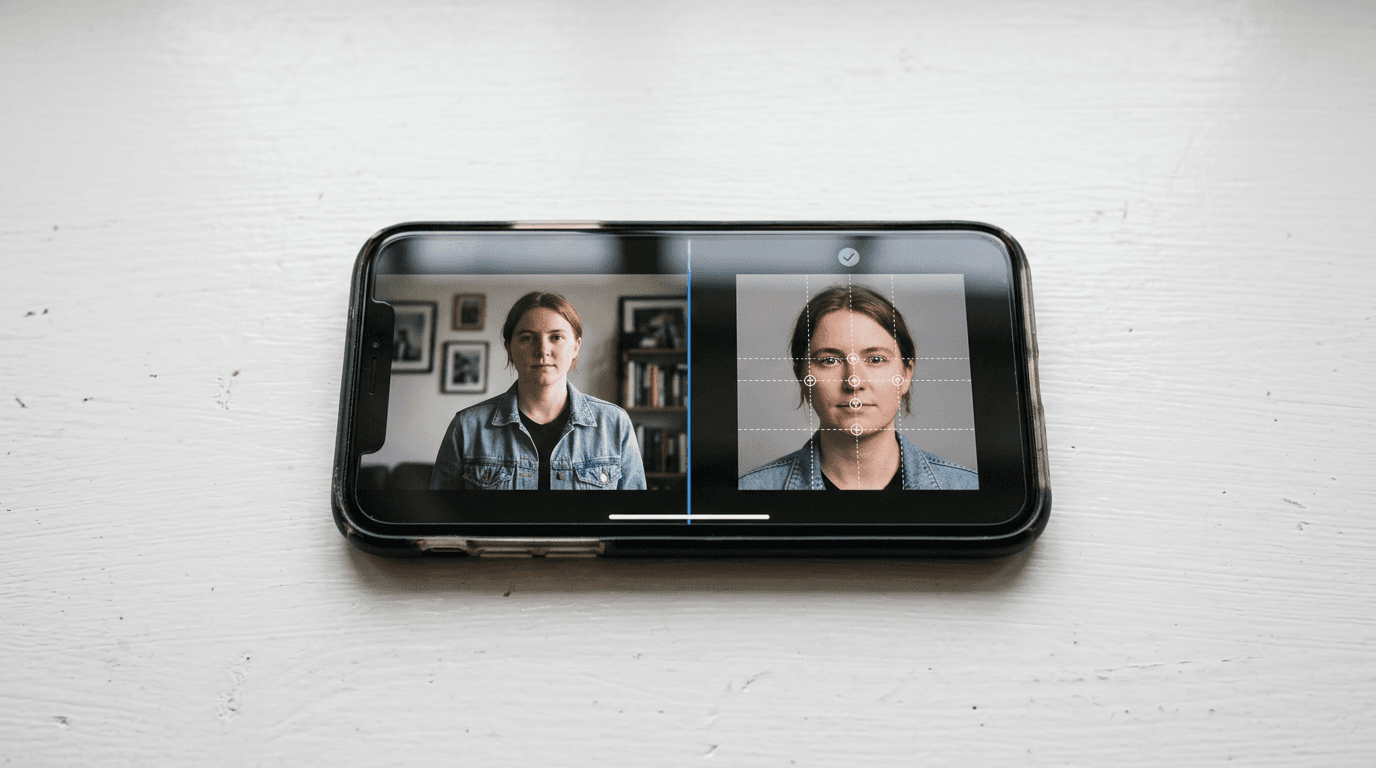
You have finally captured a shot where your newborn's eyes are open and they are looking straight at the camera, but now you have to strip out the living room background and fix the shadows before the HM Passport Office rejects it. Finding a reliable uk passport photo online requires more than just cropping a standard selfie to 45mm by 35mm. It means passing automated government checks for over 20 specific biometric markers, from exact crown-to-chin ratios to background contrast levels. Adhering to strict international baby passport photo requirements before you submit an application prevents weeks of administrative delays. This comparison examines the digital tools available for 2026 applications, testing how they handle compliance checks, image processing, and final delivery.
Quick Summary
Generating a compliant digital image for official documentation means using a platform that isolates the subject, replaces the background with a compliant grey or cream, and verifies biometric markers against government standards.
- Automated systems strip backgrounds and check dimensions instantly.
- Human-assisted models provide a safety net against complex lighting failures.
- Digital code delivery bypasses file uploads entirely for UK applications.
- Basic formatting tools handle simple resizing but leave compliance risks with the applicant.
Table of Contents
- How to Choose: Processing and Verification Models
- 1. PhotoAiD
- 2. Passport Photo Online
- 3. Passport Photo Digital
- 4. PhotoGov
- Which Tool Fits Your Application
- Recommended Reads
Comparison Table
| Product | Processing and Verification Model | Features | Pros | Cons | Target Audience |
|---|---|---|---|---|---|
| PhotoAiD | Human-Assisted Review | Desktop/mobile, expert sign-off, double refund guarantee | Final human check, cross-platform, high Trustpilot rating | Expensive physical prints, slower than pure AI, premium digital fee | Applicants worried about rejections |
| Passport Photo Online | Automated Verification | iOS/Android apps, instant AI scan, background removal | Instant processing, dedicated apps, strict dimensional checks | No manual review, lighting errors pass software, infant crops often fail | Confident smartphone photographers |
| Passport Photo Digital | Digital Code Delivery | IDPC code generation, browser-based, free re-do | Bypasses uploads, covers adults/infants, direct government integration | No mobile app, clunky mobile web interface, singular focus | Purely digital UK applicants |
| PhotoGov | Basic Formatting | Aspect ratio cropping, free tier, optional manual check | Two free daily generations, web-based, fast basic sizing | Zero compliance checks on free tier, manual check costs extra, server capacity limits | Budget-conscious professional photographers |
How to Choose: Processing and Verification Models
Evaluating these platforms requires understanding exactly what happens to your image data before it reaches the government. When you need to get digital passport photo files ready for the official portal, you are choosing between four distinct approaches to compliance.

Human-Assisted Review combines algorithmic checks with a final pass by a person. The software removes the background and checks the dimensions, while a trained specialist reviews the image for subtle issues that algorithms miss, such as slight shoulder rotation or unnatural glare on spectacles. This model prevents technical passes that fail human scrutiny.
Automated Verification relies entirely on machine learning to flag shadows, head tilts, and aspect ratios. The system compares your upload against known failure parameters and instantly generates a formatted file. This is the fastest approach, but it assumes your original lighting setup was adequate.
Digital Code Delivery is built specifically around the UK's IDPC (Identity Document Checking Service) system. Instead of giving you a JPEG to upload, the provider securely hosts the verified image and issues a unique alphanumeric code. You paste this code into the government portal, bypassing file management entirely.
Basic Formatting simply resizes and crops the file to the required 45mm by 35mm dimensions. It leaves the entire compliance burden on the user, offering no guarantees against biometric failures.
Practical rule: Never edit out background shadows manually using a standard photo editor; official scanning software detects image manipulation and will instantly flag the file for rejection.
Applying practical advice on DIY baby photography is just as critical as choosing the right software category. Even the best verification model cannot rescue a fundamentally flawed capture.
1. PhotoAiD
Unlike basic cropping tools that leave the final compliance decision entirely to an algorithm, PhotoAiD introduces a human safety net into the workflow. It is a cross-platform application providing a rigorous compliance guarantee for applicants who cannot afford a document rejection delay.
The software first isolates the face using machine learning, adjusting the background to the exact cream or light grey required by the HM Passport Office. Once the algorithmic pass concludes, a human reviewer physically checks the biometric markers before releasing the file, catching edge cases like hair obscuring an eyebrow that software routinely ignores.
The dual-layer check comes at a premium
A digital UK passport photo is £9.95. Physical printed copies cost £12.95. Delivery is free. The service maintains an average rating of 4.7 out of 5 stars based on over 13,000 customer reviews on Trustpilot. It also backs its manual reviews with a double money-back refund if the UK Passport Office rejects the photo. Comparing standard refund policy terms across providers highlights how unusual a double payout is in this market.
The physical print option pushes the cost significantly higher than traditional retail booths, making it an expensive route if you only require paper copies and are capable of visiting a high street pharmacy. I would hold off on this if you are applying entirely via paper forms, as the high delivery premium outweighs the digital convenience.
Applicants nervous about continuous rejections from the government portal will find the compliance guarantee justifies the initial digital processing fee.
Pros
- Catches subtle lighting failures that algorithms miss
- Carries a strong financial guarantee against official rejection
- Operates seamlessly across desktop web browsers and mobile apps
Cons
- Physical printing tier carries a heavy price premium
- Manual reviews introduce slight processing delays over pure automation
- Digital processing fee is higher than automated competitors
2. Passport Photo Online
Holding a 5-star rating across more than 20,909 customer reviews on Trustpilot, Passport Photo Online relies entirely on algorithmic precision to push users through the application process. It operates as a dedicated formatting editor designed for users comfortable trusting machine learning to prepare their official documents.
Generating a digital passport photo uk file means instantly scanning the original portrait for red-eye, hard shadow casting, and correct pixel density. The proprietary engine strips out complex backgrounds and automatically scales the head to fill exactly the required percentage of the 354 by 472 pixel digital frame, immediately outputting a ready-to-use file.
Speed relies entirely on algorithmic accuracy
Processing and downloading a digital passport photo is priced at £5.95. The company provides free-to-download mobile applications for both iOS and Android smartphone users, allowing applicants to take the photo and receive the final file on the same device within moments.
Because the platform stops at an automated pass without human verification, users uploading images with complex ambient lighting might clear the software's checks but still fail the official HM Passport Office manual review. What would make me hesitate is relying on this for infant applications, where an automated crop routinely misinterprets a parent's supporting hand as a background artifact.
Confident smartphone photographers should rely on this software to strip backgrounds and format dimensions instantly without paying for unnecessary manual review layers.
Pros
- Processes formatting and background removal instantly
- Features dedicated and highly rated mobile applications
- Keeps digital generation costs below premium manual review tiers
Cons
- Lacks a final human safety net to catch complex lighting errors
- Automated cropping frequently struggles with infant support hands
- Shifts the final compliance risk back onto the applicant
3. Passport Photo Digital
The moment an applicant hits the government portal and realises they need a verified alphanumeric code rather than a JPEG upload, the required toolset changes entirely. This browser-based service takes raw portraits and returns a unique code directly accepted by the UK Identity Document Checking Service, aimed at purely digital applicants.
The system ingests the raw file. No application installation is required. It confirms the image meets specific adult or infant biometric thresholds. Then, it securely hosts the verified image. It generates and emails an IDPC code that the applicant pastes directly into their government renewal form, bypassing file uploads entirely. Understanding terms and conditions for digital services protects your data when third-party servers host your official identification files.
Bypassing file uploads reduces application friction
The platform delivers a verified digital passport photo and unique photo code via email for £4.99. It provides passport photo compliance processing for adults, children, babies, and newborns, and offers a compliance guarantee that will redo a rejected photo completely free of charge. Users upload photos directly from any browser on desktop, phone, or tablet.
The complete absence of a dedicated mobile application means users must navigate browser-based uploads on mobile screens, which heavily frustrates the process of rapid-firing and reviewing multiple infant shots on a phone. I would choose this approach for straightforward adult renewals, but the clunky browser interface limits how easily you can manage moving toddlers.
Users applying exclusively through the government's online renewal portal will save significant time by utilising the direct IDPC code integration.
Pros
- Eliminates the need to manage file sizes and JPEG uploads
- Specifically calibrates biometric checks for infants and adults separately
- Maintains a highly competitive price point for digital delivery
Cons
- Requires navigating a mobile browser interface instead of a native app
- Limits the ability to quickly review multiple burst photos on a phone
- Provides no physical printing options for traditional paper forms
4. PhotoGov
Sometimes the only hurdle preventing a successful application is getting the exact aspect ratio correct without paying a premium for unnecessary features. Replacing full-suite compliance services, PhotoGov acts as a straightforward resizing utility for budget-conscious users who already possess perfectly lit photographs.
The web engine analyses a standard selfie to locate the facial centre, crops the image to the standard 45mm by 35mm physical aspect ratio, and outputs a downloadable file. The system allows a restricted number of automated generations daily, dependent entirely on current server capacity and user location, before paywalls engage.
Free generation leaves compliance to the user
While a digital UK passport photo is priced at £4.90, the platform allows users to generate up to two free basic ID photos per day depending on location and server capacity. It offers manual checking by a senior compliance specialist as an optional add-on service for $4.90. The site features an average rating of 4.8 out of 5 stars based on 2,515 reviews on its UK passport photo page. Reviewing a provider's privacy policy ensures your biometric data is handled correctly when using unpaid tiers.
Operating a passport photo online free uk attempt through their unpaid tier provides zero biometric compliance checking, placing the entire risk of a costly government rejection firmly on the applicant unless they purchase the manual check add-on. I would skip the unpaid tier completely if generating a baby's photo, as guessing the exact crown-to-chin ratio on a free pass rarely succeeds.
Applicants possessing professional photography experience should leverage the daily free limit to finalise their document cropping before submitting.
Pros
- Offers a genuinely free tier for simple aspect ratio cropping
- Operates entirely within a browser without forcing an app download
- Allows users to upgrade to manual checking only if they need it
Cons
- Provides zero compliance feedback on the free daily generations
- Server capacity limits dictate when the free tier is actually available
- Adding manual checks pushes the price higher than integrated competitors
Practical rule: Always capture infant photos in natural daylight on a flat surface, as artificial overhead lighting creates harsh under-chin shadows that no automated compliance tool can legally remove.
Which Tool Fits Your Application
Mapping your immediate requirement to the correct processing category prevents overpaying for features you do not need and avoids relying on basic tools for complex images.
If you require Human-Assisted Review, PhotoAiD provides the necessary safety net. The double refund guarantee mitigates the risk of complex lighting failures that often plague home photography, making it the safest choice for users who struggle to capture a perfectly flat background.
If you prefer Automated Verification, Passport Photo Online offers the fastest turnaround. By stripping out human bottlenecks, their dedicated applications process images instantly, making this the optimal route for confident smartphone photographers who already understand how to avoid red-eye and heavy shadow casting.
If your priority is Digital Code Delivery, Passport Photo Digital removes the headache of file management. By generating an IDPC code directly, it is the most efficient choice for purely digital applicants updating their documents through the standard UK government portal.
If you are searching for a Basic Formatting tool, PhotoGov supplies the required cropping tools. You must understand how to light a subject perfectly before settling for a free uk passport photo generation tool, but it serves experienced photographers well.
For complex edge cases, using a dedicated UK baby passport photo maker ensures that the specific biometric challenges of photographing infants are handled correctly from the start.