4 Reliable Tools for a Passport Photo Check in 2026
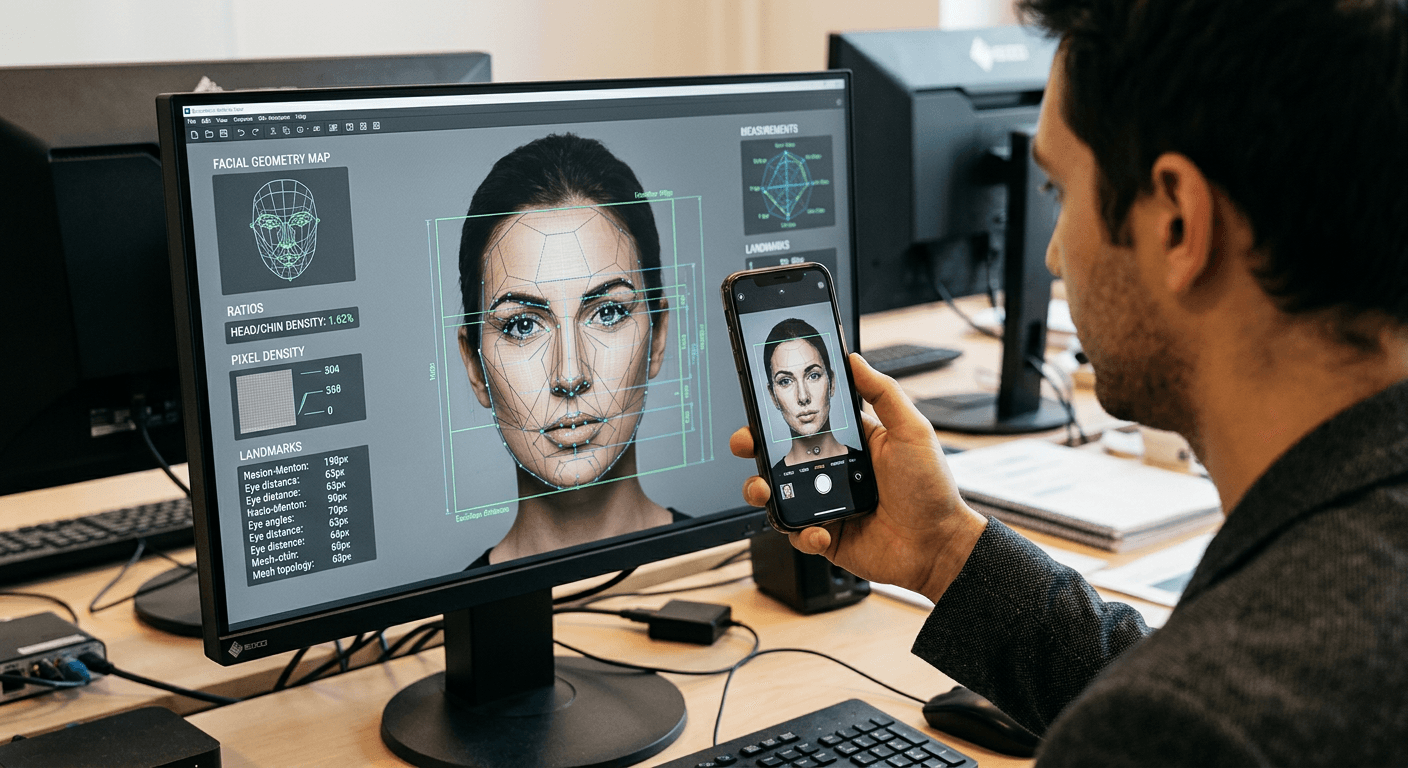
'The background looks white enough' is not a diagnosis. Most applicants assume human clerks reject images for being blurry or off-centre, but automated government systems reject them for failing strict mathematical ratios before a human ever sees them. Running a reliable passport photo check before submission is the only way to measure pixel density, head-to-chin proportions, and shadow dispersion against official databases. When an application bounces back, it costs you the processing fee and delays travel by weeks. Understanding how compliance software actually measures an image separates the tools that genuinely verify biometric markers from basic editing apps that merely erase backgrounds.
Quick Summary
A biometric photo verification tool is a software layer that evaluates a digital image against government specifications to confirm it meets mandatory size, resolution, and facial geometry standards before submission.
- Automated software measures head-to-chin ratios and shadow thresholds that human eyes miss.
- True compliance checkers offer financial guarantees if official authorities reject the image.
- Browser-based verifiers eliminate the need for third-party editing software or retail studio visits.
- Understanding exact country specifications determines which automated tool will catch specific rejection triggers.
Table of Contents
- Quick Summary
- Why a standard passport photo check catches what editors miss
- Comparison Table
- 1. PhotoAiD
- 2. Passport Photo Online
- 3. PhotoBooth Online
- 4. PhotoGov
- Matching the tool to the application bottleneck
- Recommended Reads
Why a standard passport photo check catches what editors miss
Before relying on a digital tool to verify your image, you must understand what parameters it actually tests. Government authorities do not evaluate pictures subjectively; they run them through biometric scanners that look for specific, quantifiable markers. The tools that verify these markers differ entirely from standard photo editors that simply adjust brightness or contrast.
A reliable compliance tool maps the image against official passport photo qualifications, ensuring the mathematical geometry of the face aligns with the required template. For example, a standard UK passport demands that the head measures exactly between 29 mm and 34 mm on a 35 x 45 mm canvas. The software must automatically identify the crown of the head and the tip of the chin to calculate this ratio accurately. Furthermore, it must detect subtle shadows on the face or background. A standard editing tool might erase a shadow, leaving an unnatural edge that fails compliance; a dedicated verification tool recalculates the contrast to ensure the facial recognition algorithms at the border gate will not be disrupted.
When evaluating these platforms, look closely at the mechanism of verification. Does the platform rely entirely on artificial intelligence, or does it incorporate a secondary human review? Software that provides a structured money-back guarantee transfers the financial risk of a rejected application from the user to the provider, proving confidence in its own mapping scripts. Platforms usually vary in their delivery methods, offering instant digital downloads for online applications, physical prints delivered by post, or printable templates for retail kiosks. The right choice depends on whether your application is strictly digital or requires a physical copy, and how much tolerance you have for manual intervention if the software rejects your initial upload.
Comparison Table
| Tool | Key Feature | Pros | Cons | Target Audience |
|---|---|---|---|---|
| PhotoAiD | Dual AI and human expert verification | 200% refund guarantee on official rejections | Physical prints carry extra delivery costs | Users wanting human reassurance alongside automation |
| Passport Photo Online | 600x750 pixel verification check | Free 3-day UK shipping on prints | Strict file size upload limits | Applicants needing guaranteed print compliance |
| PhotoBooth Online | 3-to-5 minute processing time | Low cost for digital downloads | Basic verification scope | Users in a rush needing digital files |
| PhotoGov | Free first digital generation | No registration required to run | Lacks manual human review | Budget-conscious applicants testing formats |
1. PhotoAiD
PhotoAiD is a dual-layered compliance platform operating via both a web browser and a mobile application, designed for applicants who want the speed of automation backed by dedicated human oversight. It suits users who are willing to pay a premium to ensure their smartphone photographs meet strict government regulations before submission, particularly those who are nervous about subtle lighting errors failing automated checks.
The software operates by passing uploaded images through an initial artificial intelligence filter that strips away non-compliant backgrounds and checks fundamental biometric ratios. However, the core mechanism that separates it from standard auto-croppers is its secondary review stage. Photography experts manually examine the AI-processed image to verify that nuanced issues - such as minor glare on spectacles or soft shadows falling behind the ears - do not violate official standards. If the photograph passes both stages, the platform generates an instant digital passport photo for £9.95, delivered directly via email. For users requiring physical copies for paper applications, the service prints and posts the compliant images with free delivery for £12.95.
Expert review adds manual oversight
Relying exclusively on algorithms to parse complex lighting environments often leads to false positives, where software approves an image that a human border agent or official scanner will later reject. PhotoAiD mitigates this by bridging automated background removal with human verification. To back this manual oversight, the platform offers a double money-back guarantee, providing a 200% refund of the purchase cost if HM Passport Office ultimately rejects the submitted photo. This transfers the financial penalty of failure directly away from the applicant. Currently, according to its published metrics, the platform holds a 4.7 out of 5 rating on Trustpilot based on over 13,000 reviews, indicating high consistency in its compliance checks.
The limit of this platform sits in its pricing structure for physical prints and the inherent friction of human review. At £12.95, it sits at the higher end of the market for automated tools. Applicants who only need a digital file might find the manual review process reassuring, but those who are strictly budget-conscious and confident in their own ability to follow basic lighting guidelines will find the premium unnecessary. The absolute requirement for a human to look at the image can also introduce slight processing delays compared to purely automated scripts, making it less suitable for users needing instant print templates without any wait at all.
- Pros:
- Double money-back guarantee providing a 200% refund on rejections.
- Combines AI cropping with manual expert review.
- High user trust with a 4.7 Trustpilot rating from over 13,000 reviews.
- Cons:
- Physical print delivery costs £12.95, which is relatively high.
- Human review layer prevents instantaneous output for rush jobs.
2. Passport Photo Online
Passport Photo Online functions as a precise digital checker and editor that automatically scales, crops, and verifies smartphone imagery for strict official compliance. It is built for users submitting digital applications who need absolute certainty that their file meets specific pixel and data size requirements before uploading it to a government portal, ensuring no technical errors occur during the upload phase.
The mechanism focuses heavily on digital file parameters rather than just visual aesthetics. When a user uploads a photo, the tool immediately checks it against the HM Passport Office's digital specifications, ensuring the output is at least 600x750 pixels and that the file size falls precisely between 50 KB and 10 MB. If the initial upload lacks the resolution to meet these thresholds without severe pixelation, the checker flags it immediately rather than attempting to upscale a poor-quality source. Once verified, the software automatically adjusts the background to the required light grey or cream and crops the head size to meet official proportions.
High financial guarantees mitigate rejection risk
The most prominent operational feature of this tool is its commitment to its own automated accuracy. It features a 200% acceptance guarantee, offering a full refund plus a 100% price bonus if the authorities reject the resulting photo. This indicates a high level of strictness in its initial checking algorithm; the software is engineered to reject borderline images at the upload stage rather than risk a payout later. For users who prefer physical submissions, it provides printed template delivery with free 3-day shipping to anywhere in the UK. The platform maintains a 4.8 out of 5 rating on Trustpilot based on over 21,000 reviews.
The honest limit of this system lies in its strict file size and resolution requirements at the exact point of upload. Because it enforces the 50 KB to 10 MB range and the 600x750 pixel baseline rigidly, users attempting to process compressed images sent via messaging apps like WhatsApp, or older smartphone cameras, will find their files repeatedly rejected before the formatting even begins. It is entirely unsuited for attempting to rescue low-resolution or heavily compressed photographs. If you cannot extract the raw, uncompressed image from your device, this checker will stop you at the door.
- Pros:
- 200% financial guarantee against official rejections.
- Free 3-day shipping across the UK for printed templates.
- Rigorously checks digital specs against 600x750 pixel minimums.
- Cons:
- Instantly rejects low-resolution or heavily compressed source files.
- Requires users to understand basic file size parameters before uploading.
3. PhotoBooth Online
PhotoBooth Online provides a streamlined web service dedicated to quickly formatting and verifying casual smartphone selfies into compliant documentation files. It targets applicants who are heavily constrained by time and need a fast, automated assessment of their image without navigating complex interfaces or waiting for human reviewers to sign off on the geometry.
The service operates through a purely algorithmic pipeline that processes and verifies uploaded images within an average completion time of 3 to 5 minutes. The mechanism specifically targets UK physical and digital dimensions, mapping the face within the frame to verify the photo matches UK requirements of 35x45 mm for physical prints or 600x750 pixels at 600 DPI for digital submissions. It strips the original background, recalculates the lighting to reduce minor shadows, and repositions the head to ensure the chin-to-crown ratio falls within the mandatory guidelines.
Fast processing limits complex interventions
Because the tool relies entirely on automated scripts without human overhead, it can offer highly competitive pricing structures for straightforward applications. It provides digital passport photo downloads for £2.95, which is significantly lower than services employing manual review teams. If physical copies are required, it offers physical prints with free delivery for £6.95. This pricing model makes it highly accessible for standard renewals where the original photograph was taken in good, even lighting. The platform currently holds a 4.6 out of 5 rating on Trustpilot based on over 1,900 reviews, showing reliable performance for standard processing tasks.
However, the speed and low cost dictate the strict limit of the platform: it lacks the computational sophistication to salvage poor source material. Because it processes images in under five minutes, it cannot handle complex background removal where hair colour closely matches the original wall, nor can it correct highly uneven lighting across the face. Users uploading photos with heavy shadows or cluttered backgrounds will likely receive a rejected file or, worse, a poorly cropped result that fails official scrutiny. It is strictly for users who can provide a clean, well-lit portrait from the very start.
- Pros:
- Very low cost at £2.95 for digital downloads.
- Rapid processing time averaging 3 to 5 minutes.
- Delivers physical prints for just £6.95 with free shipping.
- Cons:
- Purely automated system struggles with poor lighting or complex backgrounds.
- Lacks manual review for borderline compliance cases.
4. PhotoGov
PhotoGov is an automated, web-based utility designed to resize, crop, and replace backgrounds with zero user onboarding friction. It is built primarily for budget-conscious applicants or those who need a compliant digital file immediately without navigating paywalls, subscribing to services, or creating user accounts.
The software functions entirely within the browser, executing a sequence of scripts that map the facial landmarks on the uploaded image. It automatically formats the uploaded image to the UK passport size of 35 x 45 mm, specifically calibrating the crop to ensure the head size measures precisely between 29 to 34 mm from the bottom of the chin to the crown. The mechanism relies on straightforward coordinate geometry, snapping the face to a pre-defined grid and flooding the background layer with a uniform, compliant colour. Because it requires no user registration or software installation to run, the process is instantaneous.
Browser deployment removes software friction
The primary draw of this specific tool is its initial cost barrier. The platform allows users to generate their first UK passport photo free of charge. This makes it an ideal testing ground for users who want to check passport photo online to see if their smartphone picture is structurally viable before committing to a paid service or a physical printing run. Despite the lack of a paywall for the initial generation, it maintains high user satisfaction, holding a 4.7 out of 5 star rating based on over 2,500 Google reviews.
The obvious limit to a free, unregistered service is the total lack of recourse and support. There is no manual expert review, no money-back guarantee if the HM Passport Office rejects the file, and no customer service team to appeal to if the automated cropping cuts off the top of the subject's hair. Furthermore, generating physical prints requires the user to take the resulting digital file to a third-party retail kiosk themselves, as the platform does not handle postal dispatch. It is entirely unsuited for applicants who want financial protection against official rejection or who need physical prints delivered straight to their door.
- Pros:
- Generates the first UK passport photo completely free of charge.
- Operates entirely in-browser with no registration required.
- Precisely maps the 29 to 34 mm head size requirement.
- Cons:
- Offers no financial guarantees against official rejection.
- Provides no physical print delivery options or postal support.
Matching the tool to the application bottleneck
Choosing the right compliance software depends entirely on what part of the application process carries the most risk for you. If your primary concern is losing the application fee due to a subtle lighting error, prioritise platforms that offer a financial safety net. A service providing a 200% refund actively tests its own algorithms against official strictness, making it a safer route for those uncertain about their photography skills or the lighting conditions in their home.
If your bottleneck is time and budget, and you have already taken a brightly lit, sharply focused photograph against a plain wall, a purely automated, low-cost digital generator will suffice. These tools apply the correct 600x750 pixel dimensions and crop to the mandatory passport photo id requirements without adding the overhead costs of human review. However, if your application demands physical prints and you cannot access a retail printing kiosk, you must select a provider that includes verified postal delivery, accepting the higher price point as the cost of convenience. Never use an automated tool to try and fix a fundamentally flawed photograph; compliance software is designed to verify and format, not to rescue bad lighting.