5 Services for a UK Passport Photo Online in 2026
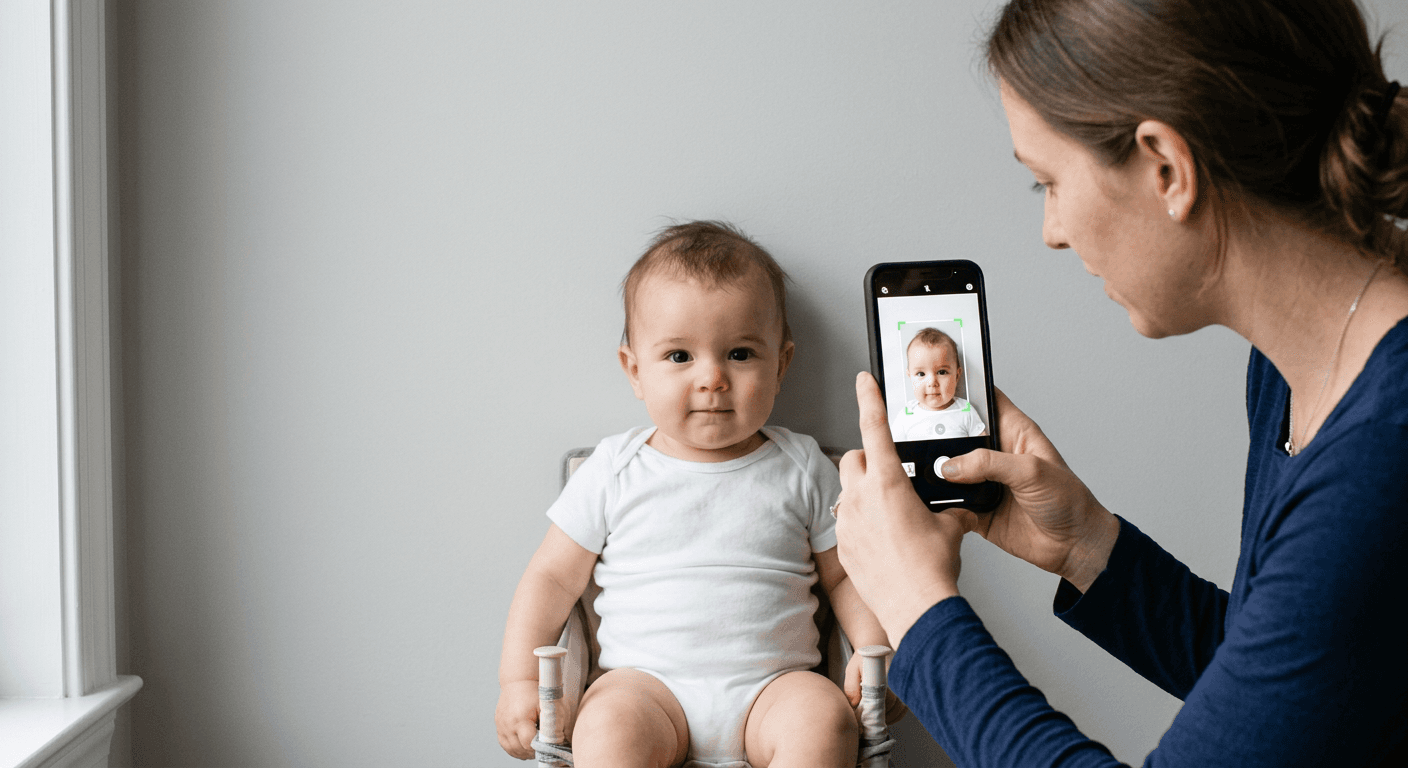
Getting an infant to maintain a neutral expression for the camera is difficult enough without subsequently discovering that the framing is slightly off or the background lighting fails government standards. Finding a reliable way to generate a uk passport photo online removes the anxiety of a rejected application, provided the tool actually validates the complex biometric requirements rather than just cropping the image. Sorting through digital formatting tools reveals a sharp divide between platforms that actively check your image against strict border agency rules and simple photo editors that leave all the compliance risks resting entirely on your shoulders.
Quick Summary
Securing a compliant travel document image from home requires balancing verification accuracy against processing costs. While manual cropping tools are entirely free, they push the responsibility for background removal and biometric compliance onto the applicant, whereas paid AI systems actively validate the image before submission.
- Paid digital verification platforms mitigate the risk of official rejections.
- Manual formatting applications demand a perfectly lit source photo.
- Retail dispatch services provide high-quality physical prints but lack pre-verification.
- Choosing the right service model depends on your budget and urgency.
Table of Contents
- Evaluating the Service Models
- 1. PhotoAiD
- 2. PhotoGov
- 3. CEWE Passport Photo App
- 4. IDPhoto4You
- 5. Pixum
- Matching the Situation to the Solution
- Recommended Reads
Evaluating the Service Models
Before selecting a specific platform, you must determine which category of service genuinely addresses your immediate bottleneck. We categorise these solutions along a single axis based on their primary Service Model, which dictates how much work you have to do and where the compliance risk lies. Understanding these distinctions is critical when consulting official UK & International Baby Passport Photo Requirements & Guides to ensure your chosen tool actually meets the technical mandate.
The first category consists of Digital Verification Providers. These platforms utilise biometric scanning algorithms, and sometimes human reviewers, to actively assess your smartphone picture. They remove backgrounds, adjust the head-to-chin ratio, and flag non-compliant shadows before returning a finished file. You pay a premium for the peace of mind that the image meets government standards.
The second category is Manual Formatting Tools. These are entirely self-service interfaces where you upload an image and manipulate a cropping mask yourself. They do not verify lighting, they do not automatically replace the background, and they do not guarantee biometric compliance. They simply resize your file into the correct printable dimensions, placing all the operational risk squarely on your judgement.
Finally, we have Physical Print Providers. These services focus entirely on the physical output, taking an image you have already verified and formatted, and printing it onto commercial-grade photographic paper for postal dispatch or in-store collection. They are fulfilment mechanisms rather than compliance checkers, making them suitable only when you are certain your digital file is already flawless.
1. PhotoAiD
When a toddler finally holds a steady gaze for a fraction of a second, parents need to know instantly if that fleeting capture satisfies stringent government criteria. PhotoAiD operates firmly as one of the major Digital Verification Providers, functioning as an online biometric booth service that checks passport, visa, and ID photos for official compliance.
The mechanism begins the moment you upload a raw smartphone capture. The platform's proprietary biometric engine immediately scans the file to isolate the subject, strip away distracting household backgrounds, and evaluate the environmental lighting against official technical parameters. The software identifies common rejection triggers - such as excessive shadows across the jawline, incorrect head positioning, or improper eye alignment - before the image progresses. Following this algorithmic assessment, a human staff member examines the file to catch subtle errors the software might miss, such as a slight glare on spectacles or strands of hair obscuring the eyebrows. This sequential validation creates a highly robust file ready for digital submission.
Dual-layer verification introduces premium pricing
According to published pricing, the digital photo expert check is £9.95, maintaining a TrustScore of 4.5 out of 5 from 13,000 Trustpilot reviews. Sparse app ratings suggest the web interface handles the vast majority of user traffic. This fee creates a noticeable financial barrier. Large households managing travel renewals feel this acutely. Formatting errors during the capture phase might even force you to abandon the attempt entirely. I would hold off relying on this platform if I already possessed a perfectly lit, plain-background image that simply needed cropping. The cost covers a verification layer that a technically proficient photographer does not require.
Opt for this service when absolute certainty regarding biometric compliance outweighs the desire to keep application costs low.
Pros
- Combines automated scanning with secondary human review.
- Actively identifies and corrects background compliance failures.
- Delivers a digital file specifically formatted for the requested document.
Cons
- The nearly ten-pound price tag is steep for a single digital image.
- Requires an internet connection robust enough to handle high-resolution uploads.
- Fails to provide an economical bundle for multiple family members.
2. PhotoGov
Unlike systems that rely heavily on a final manual review by human experts, this platform leans almost exclusively into high-speed automation to clear document bottlenecks. PhotoGov is an AI-powered online tool that edits, crops, and reformats portrait photos to match passport regulations across multiple international jurisdictions.
Uploading an image feeds it directly into an artificial intelligence model trained on global biometric guidelines. This places it firmly among Digital Verification Providers. The system detects the face automatically. It then applies a precise head-to-chin measurement ratio, replacing non-compliant backgrounds with the exact shade of grey or white mandated by the target country. Users skip the manual secondary check entirely. The software generates the formatted file in seconds, allowing applicants to rapidly produce files for different visa applications from a single source photograph. Such processing speed proves highly efficient for anyone needing immediate digital returns without human intervention.
Practical rule: Always generate your digital file using the specific country's template rather than attempting to stretch or compress a standard biometric photo to fit a foreign visa application.
Subscription mechanics complicate single applications
Based on published rates for UK users, a digital photo is £4.40 and a printable PDF is £7.30, alongside a platform rating of 4.7 out of 5. Curiously, it also offers a monthly subscription for unlimited photo generation. Such a pricing structure leaves the average applicant weighing a strange choice, as a single printable PDF costs nearly as much as an entire month of global access. For a parent simply trying to secure a single british passport photo, navigating a subscription model or paying a premium for a PDF layout feels unnecessarily convoluted. I would skip this entirely if I only needed one physical print for a standard domestic application.
Select this automated generator if you are an expatriate processing multiple international visas simultaneously and can leverage the unlimited monthly tier.
Pros
- Automated processing returns compliant files almost instantaneously.
- Supports a wide array of international document templates.
- The base digital file is priced competitively compared to human-reviewed alternatives.
Cons
- The printable PDF file carries a significant markup over the digital version.
- The monthly subscription model is completely redundant for single applicants.
- Lacks the reassurance of a final human compliance check.
3. CEWE Passport Photo App
You realise you have an urgent application due the following morning and desperately need physical prints, but the local high street photography studio closed hours ago. The CEWE Passport Photo App is a mobile application that facilitates taking and formatting UK biometric passport and driving licence photos from the convenience of your own home.
While it incorporates digital elements, this tool functions practically within the Physical Print Providers category due to its integration with retail infrastructure. The mechanism centres on an augmented reality overlay within the app's camera interface. As you point your smartphone at the applicant, a digital silhouette appears on the screen, guiding you to align the head and shoulders perfectly before you press the shutter. Once the image is captured and formatted within the mobile interface, the software generates a secure code or digital file that links directly to physical commercial printing kiosks, bridging the gap between home photography and commercial output.
Hybrid workflows introduce retail friction
The application itself is free to download, but downloading a digital passport photo via the app costs £6.99, while printing the photos at a CEWE Photostation costs an extra £2.99. This hybrid model demands that you still leave your home to collect the physical media, negating the primary advantage of a fully digital workflow. Furthermore, you must ensure that a functioning kiosk is genuinely available in your immediate vicinity before committing to the capture process. If the local machine is out of order, you are left with a formatted file trapped in a retail ecosystem. I would completely avoid this workflow if I lived in a rural area without immediate access to a supported retail station.
Utilise this hybrid solution when you require physical photographs immediately and can easily walk to a compatible retail kiosk.
Pros
- The on-screen camera overlay actively assists with correct framing.
- Direct integration with retail kiosks ensures the paper quality is commercially acceptable.
- The mobile application itself is entirely free to install and test.
Cons
- Acquiring the digital file carries a surprisingly high nearly seven-pound fee.
- The physical print requires travelling to a specific commercial location.
- Total costs compound quickly when combining the digital download and physical print.
4. IDPhoto4You
When the household budget for a family holiday is already stretched to its absolute limit, paying commercial rates for basic document processing often feels punitive. IDPhoto4You serves as a free online tool designed to help users manually crop and format passport, visa, and ID photos without incurring any service charges.
This platform defines the Manual Formatting Tools category, offering no artificial intelligence, no background removal, and no biometric validation. The mechanism is entirely mechanical: you upload a raw photograph directly from your hard drive, select the target country from a drop-down menu, and the interface overlays a fixed cropping mask. You must then manually drag, scale, and rotate your image until the face aligns with the prescribed guidelines. Once you confirm the placement, the system generates a high-resolution, multi-photo layout on a single sheet, ready for you to download and print at any standard photographic terminal. It is a pure utility that assumes you have already captured a flawless original image.
Manual controls demand strict photographic conditions
As a genuine way to secure a passport photo online free uk applicants can use, the tool is completely free of charge to use and supports multiple print sizes, including 9x13 cm, 10x15 cm, and 13x18 cm. However, it requires uploaded photos to have a maximum file size of 10 MB and minimum dimensions of 130x200 pixels. The total absence of algorithmic assistance means you are entirely responsible for ensuring the background is the correct shade of grey, the lighting is perfectly even, and no shadows fall across the subject's face. If you submit a poorly lit photograph, the tool will faithfully generate a perfectly sized, non-compliant layout that the passport office will immediately reject. What would make me hesitate to recommend this for infants is the sheer difficulty of capturing a shadow-free, well-lit image of a moving baby without professional studio strobes.
Commit to this manual cropper only if you possess competent photography skills and a brilliantly lit, plain background in your home.
Pros
- The platform operates completely free of any paywalls or hidden charges.
- Outputs files in standard commercial print sizes for cheap kiosk printing.
- Does not require you to create an account or commit to a subscription.
Cons
- Provides absolutely no biometric compliance checking or background removal.
- The rigid 10 MB file limit may require you to compress modern smartphone captures.
- The manual interface is entirely reliant on your own technical judgement.
5. Pixum
Instead of struggling to align digital layouts at home or fighting with temperamental high street kiosks, some applicants prefer to simply hand a finished digital file over and wait for the postman. Pixum acts as an online photo printing service that prints standard UK passport photos directly from your uploaded digital images.
Operating cleanly as one of the Physical Print Providers, this service does not attempt to edit or verify your biometric data. The mechanism is straightforward e-commerce fulfilment: you access their web interface or mobile application, upload an image that you have already verified and formatted to the correct proportions, and place an order. Their commercial printing facilities then expose the digital file onto premium photographic paper, cut it to the standard sheet dimensions, and dispatch it through the postal network to your residential address. This workflow completely uncouples the stress of formatting from the logistics of physical printing, allowing you to handle each step independently.
Practical rule: Never send an uncropped smartphone picture to a physical print provider expecting them to extract the biometric framing for you; they will simply print whatever file you upload.
Physical dispatch requires pre-verified digital files
A sheet of 8 printed passport photos is priced at £2.99, and the printed photos are provided in the standard passport photo uk size of 35 mm wide by 45 mm high. Additionally, the Pixum App received a rating of 4.5 out of 5 stars from iCreate. While the printing cost itself is highly economical, the platform assumes zero responsibility for the regulatory compliance of the image you upload. If your file features a disallowed background colour or an incorrect head tilt, you will simply receive eight beautifully printed, entirely useless photographs in the post several days later. I would avoid using this service if I harboured any doubts about the technical compliance of my digital file, as the postal delay makes correcting a rejected image incredibly frustrating.
Choose this physical dispatch service when you already possess a verified, perfectly proportioned digital file and are in no rush to finalise your document application.
Pros
- Delivers commercially printed, high-quality physical copies directly to your door.
- The price for an eight-photo sheet is exceptionally competitive.
- The mobile application provides a stable, highly rated ordering interface.
Cons
- Offers zero biometric validation or background correction prior to printing.
- Postal delivery introduces unavoidable delays into the application timeline.
- Uploading an incorrectly formatted file results in wasted money and time.
Matching the Situation to the Solution
Identifying the most effective route for your travel documentation depends heavily on your technical confidence and how quickly you need the final file.
If you lack professional lighting and need absolute certainty that your infant's image will pass government scrutiny, the Digital Verification Providers are the correct choice. Platforms like PhotoAiD provide the rigorous dual-layer checking required to catch subtle shadows, while PhotoGov offers rapid, AI-driven background replacement for those juggling multiple international templates. These services carry a premium, but they effectively insure you against the delays of an official rejection.
If your budget is tight and you already have access to excellent natural light and a perfectly neutral wall, the Manual Formatting Tools provide a viable alternative. Relying on a free uk passport photo generator like IDPhoto4You allows you to format your own images without cost, provided you accept total responsibility for the biometric compliance of the final output.
If you have successfully generated a compliant digital file but require physical media for an embassy appointment, turn to the Physical Print Providers. You can use the CEWE Passport Photo App to locate a nearby retail terminal for immediate collection, or utilise Pixum for a cheap, high-quality postal delivery if your application timeline permits a few days of waiting.