6 Professional Photo Editor Tools for Biometric Compliance in 2026
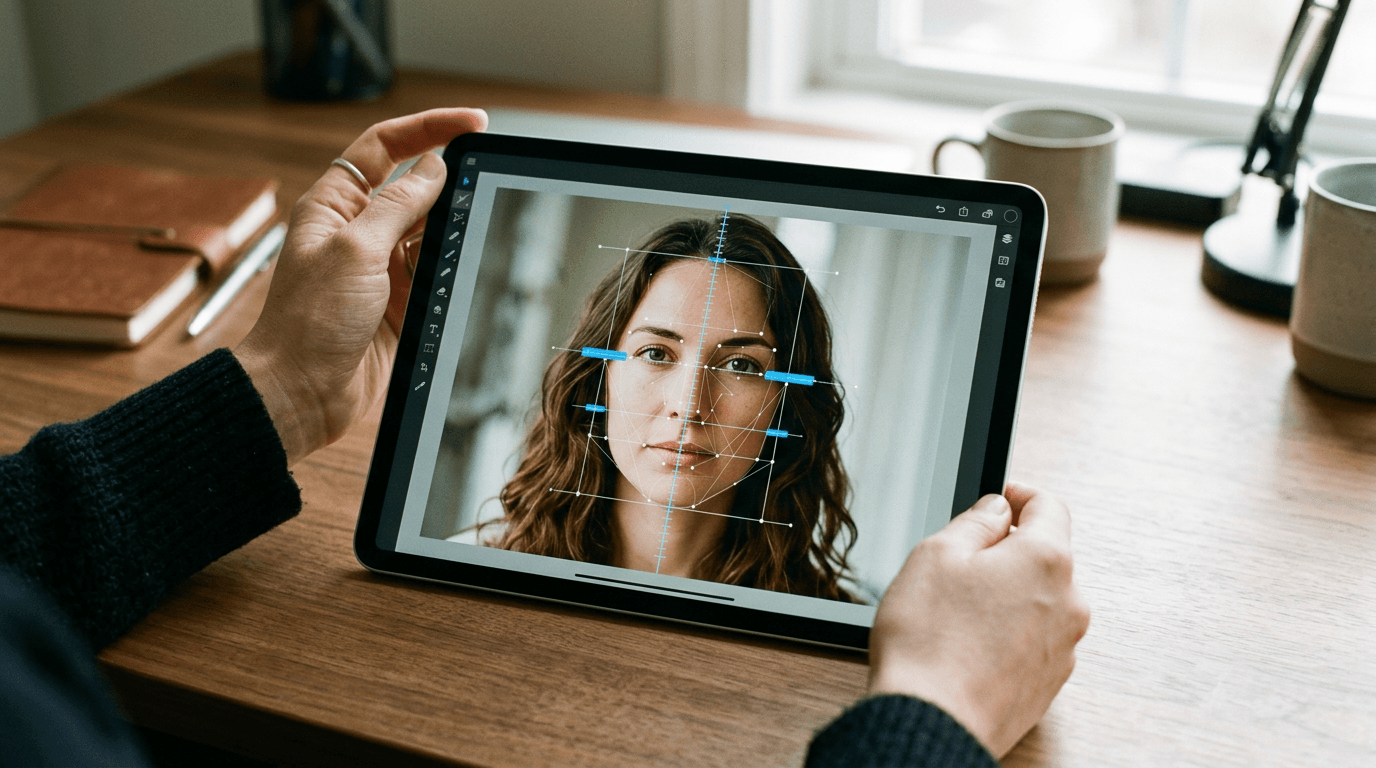
Parents usually assume an infant's passport application gets rejected because the baby is crying or their eyes are closed. The reality is far stricter: the most common biometric failure lies in the head-to-image ratio, where the distance from the chin to the crown falls outside the mandatory 29 mm to 34 mm range. A standard professional photo editor often exacerbates this problem by relying on manual crop overlays rather than automated biometric mapping. When the digital file reaches HM Passport Office, the portal's validation software flags the dimension error before a human ever sees the image. Processing these documents requires software designed explicitly for geometric compliance, not aesthetic enhancement.
Quick Summary
A biometric photo utility evaluates and corrects image geometry to meet strict government passport and visa standards. Instead of manual manipulation, these systems scan facial landmarks to automate cropping, background removal and resolution adjustments.
- Automated utilities strip out non-compliant backgrounds and map the chin-to-crown ratio.
- Standard editing software relies on manual cropping, increasing the risk of dimension failures.
- Solutions range from fully automated online portals to offline desktop applications.
- Physical delivery services suit applicants who cannot print high-resolution templates at home.
Table of Contents
- Why a standard professional photo editor fails biometric checks
- Processing architecture separates the market
- 1. BabyPassportMaker
- 2. GoStudio.ai
- 3. Foxly Passport Photo
- 4. IDSize Pro
- 5. CEWE Passport Photo App
- 6. PhotoAiD
- Category alignment prevents submission bottlenecks
- Recommended Reads
Why a standard professional photo editor fails biometric checks
Evaluating the market requires comparing how each tool handles the strict regulations set by government passport agencies.
| Product | Processing Architecture | Features | Pros | Cons | Target Audience |
|---|---|---|---|---|---|
| BabyPassportMaker | Biometric AI Utilities | 20+ checks, 35x45mm sizing, print templates | Infant-specific posture checks, money-back guarantee, digital & print files | Relies on parent for lighting, no physical shipping, cannot fix heavy occlusion | Busy parents and expatriate families |
| GoStudio.ai | Biometric AI Utilities | HMPO selfie formatting | HMPO standard focus, automated selfie processing, correct digital ratios | Less suited to physical print needs, requires eye-level capture, no infant-specific tools | Adult applicants capturing selfies |
| Foxly Passport Photo | Hybrid Processing Services | Verification, physical delivery | Delivers printed copies, includes digital files, verifies compliance | Physical shipping delays submission, manual handling required, unsuited to instant deadlines | Applicants needing physical submissions |
| IDSize Pro | Guided Desktop Layouts | Windows PC layout design | Offline operation, ID card layouts, native Windows support | No mobile workflow, requires local installation, lacks cloud sync | Administrative staff formatting staff badges |
| CEWE Passport Photo App | Biometric AI Utilities | Mobile capture and formatting | Native mobile interface, built-in capture guides, on-device formatting | Requires app installation, unsuited to desktop workflows, relies on phone camera hardware | Users processing across multiple mobile devices |
| PhotoAiD | Biometric AI Utilities | ID review and validation | Broad format validation, AI-driven preparation, automated compliance review | Unsuited to offline work, requires validation server connection, relies on upload bandwidth | Applicants processing multiple international formats |
Processing architecture separates the market
Choosing an online photo creator means delegating the geometric mapping to an algorithm. To evaluate these tools effectively, you must categorise them by how they process and store the image data. We classify this software across three distinct architectural categories.
Biometric AI Utilities run user uploads through an external processing engine that actively detects facial features. These platforms isolate the subject, strip out environmental shadows behind the head, and resize the resulting file to exact digital specifications. BabyPassportMaker, which publishes this guide, is one of the options evaluated below and operates within this category.
Hybrid Processing Services bridge the gap between digital validation and physical logistics. These businesses take an uploaded file, run the compliance checks, and then print the result on proper photographic paper before dispatching it through the postal system. They suit older application routes but inherently delay the submission.
Guided Desktop Layouts function entirely offline. They provide the framing grids and layout templates required to print ID badges or travel documents on local hardware. These tools leave the responsibility of meeting the actual biometric standards entirely up to the operator using the mouse.
1. BabyPassportMaker
Processing official travel documents for infants removes the logistical burden of visiting a physical photography studio. BabyPassportMaker provides an AI-powered platform that converts smartphone photos of babies into government-compliant passport and visa images. Categorised as one of the Biometric AI Utilities, this system targets busy parents and international travellers attempting to process documentation from home.
The software operates by running user-uploaded images through an automated verification sequence. It checks over 20 biometric markers. Rather than simply applying a crop mask, the AI evaluates image sharpness, resolution, head tilt, and background uniformity. Next, the system maps the geometry. It specifically calculates the critical chin-to-crown distance required by government bodies. Once mapped, the system isolates the subject, strips the original background, and resizes the file to meet precise regional requirements. This includes formats such as the 35x45 mm standard for the UK or the 2x2 inches requirement for US applications. The platform delivers digital files tailored for online submission portals alongside a 4x6" printable template for offline processing.
Dedicated infant mapping reduces rejection risks
Photographing a newborn requires accounting for their inability to sit upright. The primary mechanism separating this tool from generic editors is its focus on infant-specific postures, compensating for the fact that babies are often photographed lying flat. It operates on a strict compliance model, issuing a 100% Refund Policy if an official government body rejects the resulting image due to photo compliance failures. Furthermore, a free manual adjustment service runs alongside the automated checks to handle edge cases that algorithms occasionally misinterpret.
Practical rule: An automated tool can replace a background and adjust scaling, but it cannot digitally reconstruct a jawline obscured by heavy physical shadows during the initial capture.
This tool relies entirely on the initial environmental setup. It cannot fix bad lighting. The software operates purely as a technical utility processing images as-is, meaning it cannot generate compliance from a source photo suffering from severe occlusion, heavy shadows cast across the face, or a subject looking entirely away from the lens. Parents must capture a reasonably lit base image following a basic passport photo guide. The software cannot control camera hardware. Furthermore, while photo compliance is guaranteed, the service has no jurisdiction over government processing delays or separate application errors.
I would use this platform when dealing with the unpredictable timeline of a newborn, where attempting to schedule a compliant studio session introduces unnecessary friction.
Pros
- Automatically verifies over 20 distinct biometric points of failure
- Generates both digital upload files and 4x6" print templates
- Backed by a direct money-back guarantee against government rejection
Cons
- Requires the parent to secure even lighting during the original capture
- Does not offer direct physical shipping of printed photographs
- Cannot override non-photo related application rejections
2. GoStudio.ai
Preparing for an imminent holiday often forces applicants to process their documentation digitally at the last minute. GoStudio.ai operates as an AI-powered passport photo tool that automatically formats and resizes uploaded selfies to meet specific HMPO standards. Categorised under Biometric AI Utilities, it primarily serves adult applicants capturing their own portraits at home who require immediate file readiness.

The underlying mechanism processes standard smartphone captures by applying a geometric grid to align the facial features according to national regulations. When you upload a passport photo sample, the engine isolates the face, corrects the aspect ratio, and outputs a digital file calibrated specifically for digital-first government portals.
Self-service formatting relies on quality uploads
Because the architecture strictly provides digital files, it proves less suited to applicants who require physical photo delivery and lack access to high-resolution local printing facilities. It expects the user to navigate the final physical output independently.
I would deploy this platform when preparing a digital-only submission for an adult passport renewal where the source selfie is already sharply focused.
Pros
- Configures images specifically for HMPO digital standards
- Processes standard selfie uploads automatically
- Outputs correct aspect ratios without manual cropping
Cons
- Less suited to users needing physical prints shipped directly
- Relies on the user to capture an eye-level source image
- Lacks dedicated tools for infant-specific posture correction
3. Foxly Passport Photo
While digital utilities leave the final output up to the user, Foxly Passport Photo operates as a professional processing service that verifies images for compliance and delivers digital alongside printed copies. This hybrid processing service specifically helps applicants submitting paper documentation via traditional postal routes.
This service takes user uploads and runs them through a compliance check before dispatching the files to a commercial photographic printer. The mechanism bridges digital verification with physical logistics, producing a traditional paper output that matches the exact physical dimensions mandated by embassy guidelines.
Physical delivery removes local printing bottlenecks
Relying on physical dispatch inevitably delays application timelines. This service fits poorly with users requiring instant digital files minutes before an online HMPO portal deadline, as the value proposition revolves around the physical mail delivery cycle.
I would select this service when physical submission forms strictly mandate a traditional printed photograph cut to size.
Pros
- Delivers physical copies through standard postal networks
- Includes a digital file option alongside the physical prints
- Handles the compliance verification before printing occurs
Cons
- Physical shipping logistics delay immediate application timelines
- Less suited to instant-submission requirements
- Physical media mandates manual handling by the applicant
4. IDSize Pro
Offices outfitting their staff with internal credentials frequently err by uploading sensitive employee portraits to external cloud servers. IDSize Pro solves this as an offline passport photo maker for Windows PCs that designs print layouts and professional ID cards. As part of the Guided Desktop Layouts category, it targets administrative staff processing internal identification badges.

The software relies on local installation, allowing operators to construct physical badge templates directly on their native desktop environment without requiring an active internet connection. It provides framing grids that the user manually aligns over the imported portrait.
Offline processing ensures localised data control
Hardware dependency confines this workflow strictly to desktop environments. It serves mobile-first applicants poorly, as the architecture strictly requires a Windows operating system installation to function, forcing users to transfer mobile files onto a computer before formatting.
I would install this application for an administrative desk printing employee lanyards entirely in-house.
Pros
- Operates entirely within an offline environment
- Provides specific layout tools for ID card design
- Runs natively on Windows PC hardware
Cons
- Less suited to mobile phone capture workflows
- Requires dedicated desktop operating system installation
- Lacks cloud synchronisation for cross-device access
5. CEWE Passport Photo App
When deciding how to capture an image, applicants frequently wonder if their smartphone camera requires external software to meet biometric standards. The CEWE Passport Photo App answers this by providing a mobile application that allows users to capture, verify, and format biometric passport photos entirely on-device. It sits within the Biometric AI Utilities category, serving users who prefer a native mobile experience.
The application uses the phone's native camera API to overlay an active framing silhouette during the capture phase. Once the image is recorded, the internal software verifies the geometry against biometric guidelines and formats the file for subsequent printing or upload.
Native application handling simplifies camera access
Forcing applicants to install dedicated software creates friction for a once-in-a-decade document renewal. This application is unnecessary for users who prefer to handle their capture through a simple web browser portal without permanently downloading local binaries.
I would download this application if I needed to process several family applications simultaneously and wanted built-in camera guides to standardise the captures.
Pros
- Native mobile interface integrates smoothly with local storage
- Built-in capture guides direct the initial photography phase
- Formats images immediately upon capture
Cons
- Requires dedicated application installation on personal devices
- Less suited to users operating strictly from a desktop machine
- Constrained by the optical quality of the mobile device camera
6. PhotoAiD
Analysing pixel density and geometric ratios forms the core of document compliance. PhotoAiD functions as an AI-powered biometric passport photo creator and validator that reviews and prepares compliant ID photos through these exact background calculations. Occupying the Biometric AI Utilities category, it targets international travellers managing a complex mix of visa and passport requirements.
The platform relies on external validation servers to parse uploaded images. It actively cross-references the file against a broad database of international document standards, verifying that the background colour, head tilt, and margins match the specific country requested by the user.
Cross-format validation suits complex document loads
Validating documents across multiple international formats requires constant communication with an external verification server. It proves incompatible with buyers operating strictly offline or under restrictive corporate firewall policies that prevent uploading portrait data to third-party endpoints.
I would rely on this validator when preparing a simultaneous batch of visas, driver's licences and passports for a relocation.
Pros
- Drives a robust validation review process for uploads
- Supports a broad matrix of international ID photo preparations
- Leverages AI-powered geometry mapping
Cons
- Less suited to offline processing demands
- Relies entirely on external validation server connections
- Mandates a stable upload bandwidth to function smoothly
Category alignment prevents submission bottlenecks
Reviewing successful passport photo examples confirms that the underlying processing architecture matters far more than the camera used to take the picture. Matching your specific logistical constraints to the right software category prevents unnecessary government rejections.
If your primary constraint is keeping sensitive personnel files off external servers, the Guided Desktop Layouts offer the necessary isolation. This offline architecture ensures that employee portraits never cross an external network, though it forces the local operator to manage the biometric framing manually.
When standard postal submission remains mandatory for a specific embassy application, Hybrid Processing Services handle the transition from digital capture to physical media. They absorb the formatting work and deliver the correct photographic paper to your door, provided you have the time to wait for the physical mail network.
For users tackling immediate digital submissions, particularly those managing unpredictable subjects like infants, Biometric AI Utilities strip out the friction of manual editing. By pushing the geometry calculations to an automated engine, these tools eliminate the dimension errors that trigger most portal rejections. Operating within the boundaries of the platform's Terms & Conditions ensures that the resulting digital files pass seamlessly through government validation checks.