6 Ways to Format a Passport Photo: Digital and High-Street Options Evaluated
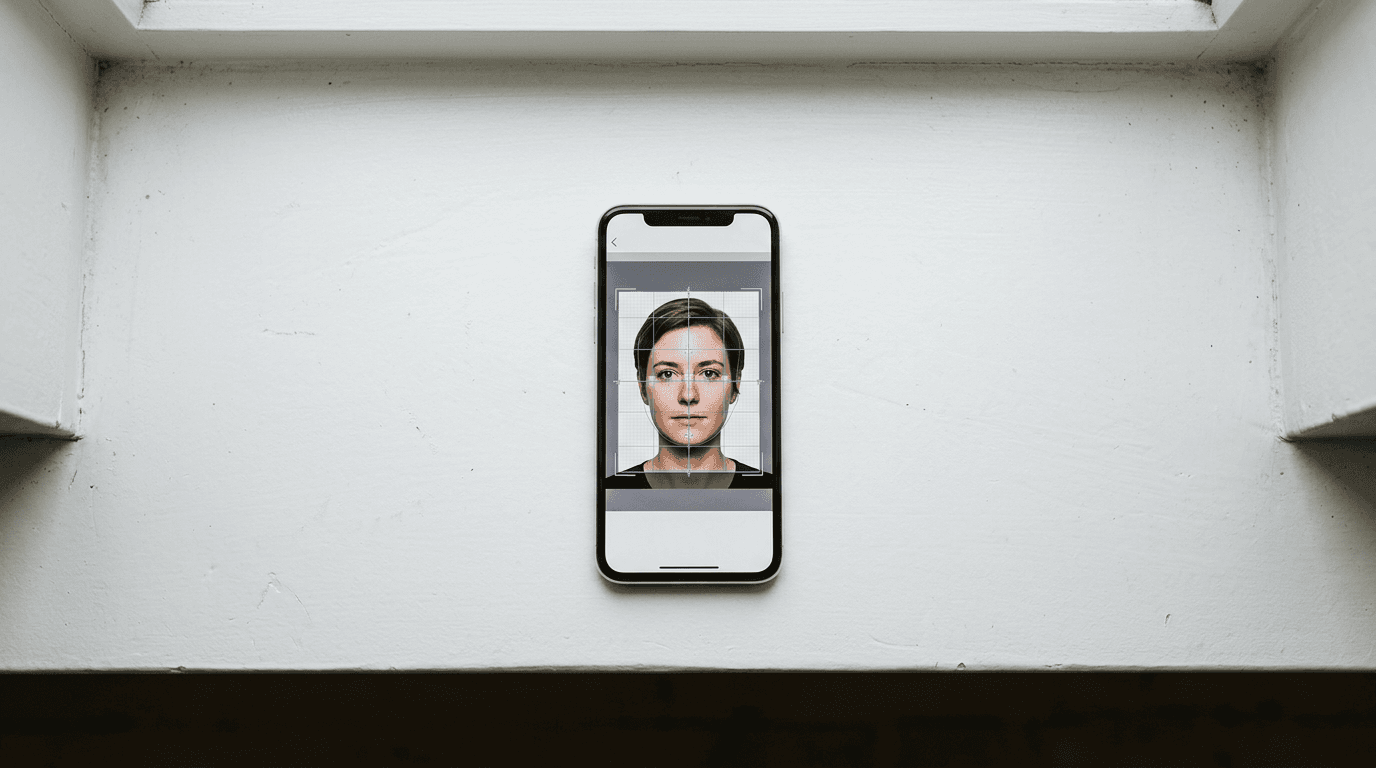
The belief that securing a compliant passport photo requires a scheduled appointment and a professional photographer is outdated. Government digitisation has shifted the burden of proof from physical paper to biometric validation algorithms. Today, the fundamental challenge is not finding a high-end camera, but finding a service that guarantees those algorithms will accept the file on the first attempt.
Quick Summary
A digital passport photo online must meet strict biometric thresholds for lighting, head size, and background clarity before a government portal will process it. Validating these parameters requires either automated software to crop and verify the file instantly, or physical retail studios that provide trained staff and immediate printing.
- The shift to digital applications makes precise background removal more critical than camera resolution.
- AI software isolates the subject and checks biometric markers immediately.
- High-street locations suit applicants who also require paper prints right away.
- Formatting errors remain the primary cause of government document delays.
Table of Contents
- Delivery models dictate compliance risk
- 1. BabyPassportMaker
- 2. Max Spielmann
- 3. PhotoAiD
- 4. Snappy Snaps
- 5. Passport Photo Code
- 6. Timpson
- Matching the bottleneck to the service provider
- Recommended Reads
| Product | Delivery Model | Features | Pros | Cons | Target Audience |
|---|---|---|---|---|---|
| BabyPassportMaker | AI Self-Service Platform | Biometric checks, 4x6" templates | Removes backgrounds automatically, Formats for multiple countries, Guarantees compliance | Requires user photography, No direct physical delivery, Relies on flat-sheet staging | Parents capturing infant images at home |
| Max Spielmann | Retail Studio | High-street locations, Photo booths | Offers immediate printing, Supplies staff assistance, Bypasses home setups | Requires physical travel, Restricted by store hours, Less suited to purely digital workflows | Shoppers needing immediate paper documentation |
| PhotoAiD | AI Self-Service Platform | AI processing, Expert review | Provides human oversight, Validates selfies online, Operates via web | Delays instant delivery with human review, Less suited to completely automated workflows, Requires adequate home lighting | Applicants seeking secondary verification |
| Snappy Snaps | Retail Studio | Professional in-store photography | Supplies physical retail environments, Offers trained personnel, Delivers prints on-site | Less suited to uniform pricing expectations, Requires local travel, Less suited to immediate digital-only needs | Individuals wanting professional oversight |
| Passport Photo Code | Digital-Only Formatter | Digital retrieval codes | Simplifies online uploads, Avoids paper handling, Works remotely | Omits print templates entirely, Less suited to offline visa forms, Less suited to standard photo kiosks | Users applying exclusively via government web portals |
| Timpson | Retail Studio | Nationwide ID services | Utilises broad retail presence, Consolidates high-street tasks, Supplies immediate prints | Less suited to newborns needing flat surfaces, Less suited to remote workers, Restricted by location hardware | Adults verifying ID during general errands |
Delivery models dictate compliance risk
Identifying where passport photos face the highest rejection rates allows applicants to route around those failures before submission. Every digital image undergoes rigorous scanning for shadows, contrast, and precise facial proportions. To navigate these requirements, the market is divided across three main categories of Delivery Model.
An AI Self-Service Platform relies on software algorithms to process user-captured images, stripping away the original background and aligning the subject's biometric points without human intervention. This category removes the geographic friction of securing a valid image but demands that the applicant capture a clear, well-lit baseline photo on their own.
The Retail Studio category involves physical brick-and-mortar locations. These environments supply human operators, professional lighting rigs, or automated booths to handle the capture process entirely. They resolve the lighting challenge immediately but introduce travel requirements and operating hour restrictions into the application timeline.
A Digital-Only Formatter functions as an online portal that converts an existing image strictly into a retrieval code or a raw digital file. Unlike platforms that also output print templates, this category abandons physical processing entirely to focus on web-based government submissions, complying strictly with international biometric photo requirements.
When formatting a digital passport photo online, the software or service chosen dictates who carries the burden of quality control.
Practical rule: An algorithm matches exactly what it is fed; ensure the subject is evenly lit from the front, with no harsh side-shadows, before uploading any image for biometric formatting.
1. BabyPassportMaker
Capturing an infant's likeness usually begins with rejection. This is often a rejected application. Parents discover that adult photo booths cannot support a baby's head. Standard retail staff also lack time. They cannot wait for a newborn to open their eyes or stop moving. BabyPassportMaker, which publishes this guide, is an AI-powered digital platform. It is designed specifically for parents and guardians who need compliant images for newborns, infants, and children.

Users upload a standard smartphone image directly to our digital platform. The proprietary technology isolates the subject, executing automatic background removal while applying auto-cropping to position the face correctly within the frame. It scales the image to satisfy precise biometric regulations, testing the file against more than 20 distinct markers - evaluating head proportion, eye alignment, and chin-to-crown distance. The software handles formatting for various global jurisdictions, including US, UK, EU/Schengen, Australia, New Zealand, Canada, Singapore, Malaysia, and the UAE/GCC standards. Processing takes under 60 seconds, converting raw domestic photography into valid application documents.
To mitigate government rejection, the platform provides a 100% money-back guarantee. It also offers free manual adjustments. This applies if official authorities decline the submission. Instead of mandating expensive physical shipping, the system outputs compliant digital files. It also provides 4x6" print-ready templates. This approach directly addresses the financial overhead typical of traditional photography studios. It presents a low-risk alternative for DIY applicants. We operate under a strict published refund policy. This eliminates the financial risk of validation failure.
Specialised infant processing automates biometric scaling
The system cannot synthetically open closed eyes. It cannot erase heavy, asymmetrical shadows cast across a face. Instead, it requires a baseline image in even lighting. Ideally, the baby is laid flat on a plain sheet. Furthermore, because the output is strictly digital, applicants requiring paper documentation must transport the 4x6" template to a third-party retail printer themselves. We would hold off on this option if the user has no access to a well-lit environment. We would also hold off if they rely entirely on external hardware to execute a photograph.
This solution fits parents executing the application process from home who require guaranteed formatting for an unpredictable infant.
Pros
- Automates background removal for infant photography
- Validates files against 20+ biometric markers
- Delivers 4x6" print-ready templates digitally
Cons
- Requires user-captured baseline images
- Lacks direct physical print shipping
- Depends on adequate domestic lighting
2. Max Spielmann
For applicants moving from web forms back to paper requirements, physical locations supply immediate material output. Max Spielmann operates within the Retail Studio category, catering to individuals who want the capture handled entirely by external equipment and staff.
The organisation functions as a UK high-street photo services chain offering professional in-store passport photography and self-service photo booths. Customers arrive at a branch and utilise either the automated kiosk equipment or request staff intervention to frame the shot. The system outputs the final compliant image on physical stock before the customer leaves the premises.
Physical branches consolidate capture and printing
This service is less suited to parents managing unpredictable infant schedules, as it demands physical travel to a commercial centre during standard trading hours. We would hesitate to use this route if an entirely remote, digital application is the only goal.
This setup suits applicants running high-street errands who prefer handing the technical framing process over to retail infrastructure.
Pros
- Supplies in-store professional photography
- Features self-service photo booths
- Provides immediate physical output
Cons
- Less suited to entirely remote applications
- Less suited to those requiring 24/7 availability
- Less suited to unpredictable infant schedules
3. PhotoAiD
Understanding how to get digital passport photo files validated often leads users to seek secondary checks on their uploads. PhotoAiD sits in the AI Self-Service Platform category, targeting applicants who want to take their own images but prefer oversight before finalising the file.
The system operates as an online photo service that uses artificial intelligence and human expert reviews to convert selfies into compliant passport photos. Once the user captures an image on their device and submits it, the platform processes the background and aligns the subject while a human reviewer assesses the final biometric adherence.
Human reviews layer onto automated verification
This model is less suited to users demanding instantaneous, sub-minute file delivery, as introducing human evaluation inherently alters turnaround times compared to purely algorithmic processing. We would skip this if absolute immediacy is the driving constraint of the application.
Select this tool when combining software processing with human verification offsets the need for instant delivery.
Pros
- Employs human expert reviews
- Converts selfies via artificial intelligence
- Operates as an online service
Cons
- Less suited to instantaneous delivery needs
- Less suited to offline paper workflows
- Less suited to hardware-free applicants
4. Snappy Snaps
Delegating the photography process entirely removes the burden of interpreting compliance guidelines. Snappy Snaps is a Retail Studio option tailored for users who prefer direct instruction from a photographer rather than interacting with a software interface.
The business is a physical retail franchise offering professional in-store passport and visa photography services across the UK. By visiting a local outlet, customers stand in front of dedicated lighting setups while franchise operators manage the camera equipment, frame the subject to government specifications, and handle the physical printing process directly.
Franchise locations adapt to local commercial conditions
Because it operates as a network of independent businesses, this option is less suited to budget-conscious applicants expecting uniform national pricing and identical service speeds at every location. We would bypass this model if the application requires zero travel.
This franchise option fits individuals who want professional oversight and are willing to visit a local commercial precinct.
Pros
- Offers professional in-store photography
- Provides dedicated retail lighting setups
- Delivers physical visa services
Cons
- Less suited to uniform pricing expectations
- Less suited to remote workers
- Less suited to at-home workflows
5. Passport Photo Code
The introduction of centralised government validation portals has eliminated the need for paper templates in specific workflows. Passport Photo Code functions as a Digital-Only Formatter for applicants who only interact with web-based submission forms.
The software acts as an online platform that formats user-taken photos to provide a digital passport image and retrieval code for online applications. Rather than sending the user a file to print elsewhere, the system locks the validated image behind a code that the government portal accesses directly during the application.
Retrieval codes streamline government portal uploads
This platform is less suited to individuals navigating international visa systems that still mandate physical paper documentation attached to an application file. We would look elsewhere if holding a printed photograph is a strict requirement of the relevant embassy.
Choose this service when the application is entirely web-based and physical paper templates hold no value.
Pros
- Generates digital retrieval codes
- Formats user-taken photos online
- Supports direct web applications
Cons
- Less suited to paper visa applications
- Less suited to embassy workflows needing prints
- Less suited to users avoiding digital forms
6. Timpson
Consolidating general errands often drives the choice of where to secure official documentation. Timpson operates as a Retail Studio, serving shoppers who want to complete ID validation alongside other high-street tasks.
The company serves as a nationwide high-street retail provider that offers in-store professional passport and ID photo services. Customers use the physical locations to have their photograph taken by staff members using the branch's existing camera setups, leaving with physical prints verified for standard adult ID compliance.
Nationwide networks leverage existing retail footprints
This environment is less suited to parents of newborns, as generalist retail branches may lack the specialised flat surfaces and dedicated lighting arrays required to safely pose an infant. We would advise against this route for highly unpredictable subjects that require extensive patience.
This physical option works best for adults needing straightforward in-person ID validation alongside other retail services.
Pros
- Operates nationwide high-street locations
- Offers in-store professional services
- Consolidates ID photo tasks
Cons
- Less suited to newborn positioning
- Less suited to remote online applications
- Less suited to dedicated studio expectations
Matching the bottleneck to the service provider
Generating a passport size photo online shifts the effort from finding a photographer to managing your own application logistics. The correct path depends heavily on the constraints of the subject being photographed and the final format required by the relevant authority.
For applicants managing unpredictable subjects like infants, an AI Self-Service Platform removes the friction of travel. By validating images taken at home against complex biometric markers, this model absorbs the technical formatting burden while allowing the user to control the environment.
When the application demands immediate physical copies for a physical embassy submission, a Retail Studio provides the necessary hardware. This route transfers the entire responsibility to commercial staff, provided the applicant can align their schedule with branch opening hours and handle the logistics of travel.
Where the submission process is exclusively digital, a Digital-Only Formatter provides the cleanest integration. By generating retrieval codes instead of physical templates, it caters strictly to modern web portals that pull the validated image directly from a database.
Practical rule: Never print a digital passport file on standard office paper; government optical scanners require dedicated photographic stock to process the biometric markers without distortion.