A Complete Guide to Infant Passport Photo Requirements in 2026
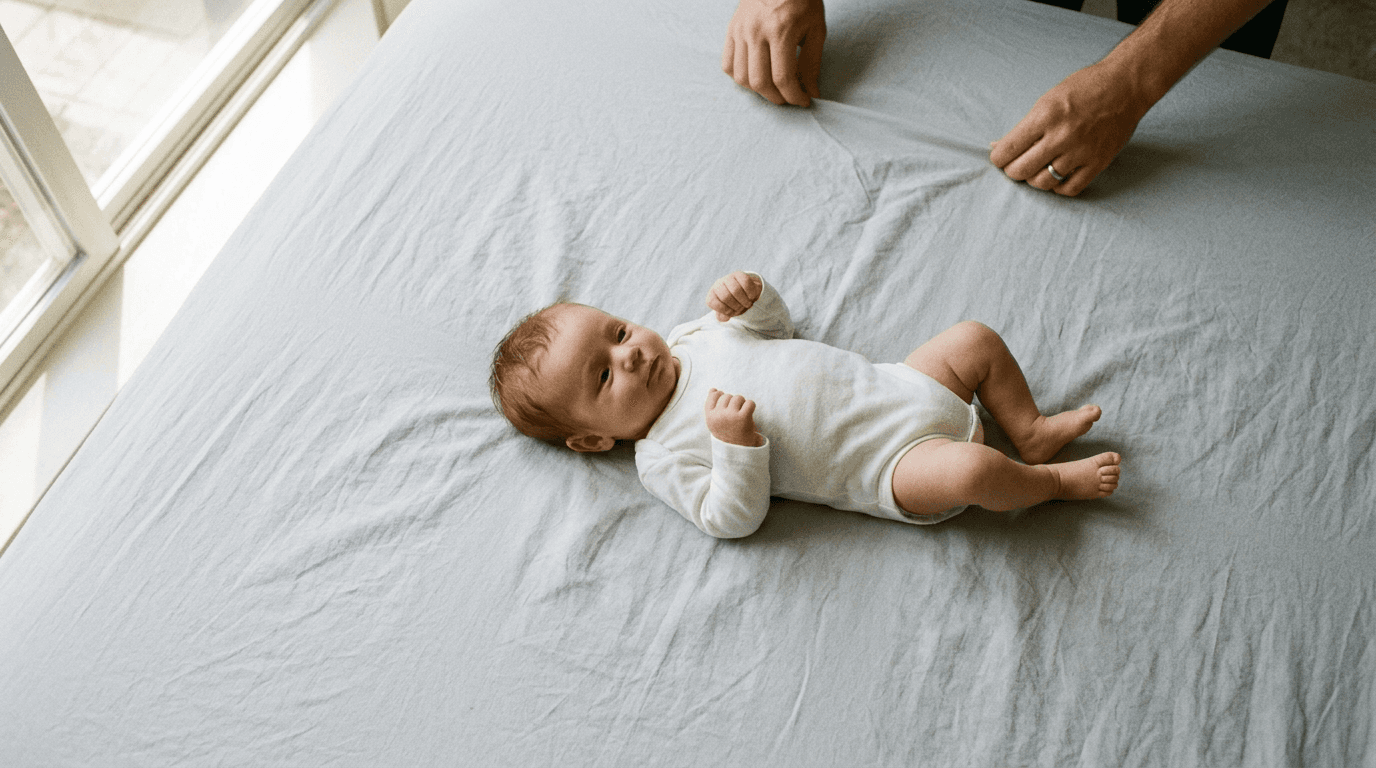
A newborn changing expression just as the shutter clicks is a universal experience for parents trying to secure their child's first travel documents. Securing a compliant photograph often takes far longer than completing the application itself, simply because government biometric standards were designed for adults who can sit still on command.
Quick Summary
Meeting infant passport photo requirements means balancing strict government biometric standards with the reality of photographing a baby. The challenge lies in achieving a plain background, correct lighting, and a neutral expression simultaneously.
- Support matters: Hands and props must remain out of the frame.
- Lighting is critical: Shadows on the face or background cause immediate rejection.
- Expression rules vary by age: Infants under one year have slightly relaxed eye-contact rules.
- Formatting must be precise: Digital uploads require specific dimensions and file sizes.
Table of Contents
- Understand the Baseline Rules
- Prepare the Environment
- Position the Infant
- Manage Lighting and Shadows
- Capture the Image
- Process for Compliance
- Common Pitfalls & Troubleshooting
- FAQ
- Recommended Reads
Understand the Baseline Rules
Before picking up a camera, you must understand exactly what the passport office is looking for. The biometric passport system relies on specific facial measurements to verify identity, and the photograph is the sole data source for these measurements. If the data is obscured, the photo is rejected.
For new born passport photos, the UK Passport Office applies adult rules with only two specific concessions: children under one year old do not need to have their eyes open, and children under six do not need to look directly at the camera or maintain a completely neutral expression. However, every other rule applies strictly. The background must be plain cream or light grey, there can be no other people or objects in the frame, and the lighting must be even.
Practical rule: Treat the concessions as a backup, not a target. Aim for open eyes and a neutral expression; rely on the age exemptions only if you simply cannot capture the perfect shot.
The most frequent error at this stage is assuming baby photos are judged leniently. They are not. The automated scanning systems reject photos based on contrast, shadow, and background clutter before a human examiner ever sees them. You can review the full UK & International Baby Passport Photo Requirements & Guides to ensure you understand the specific criteria for your destination.
Prepare the Environment
Setting up the space correctly prevents the vast majority of photo rejections. You are trying to recreate the controlled conditions of a professional studio using household items.
The background is the most critical element. It must be plain, uniform, and specifically cream or light grey. White is often rejected for lacking sufficient contrast with the face, and patterned blankets or textured carpets will fail the automated background check.
Find a space with abundant, indirect natural light. A room with large windows facing away from the sun is ideal. Direct sunlight creates harsh shadows on the face and background, which are immediate grounds for rejection under passport photo id requirements.
The mistake parents make here is attempting to use artificial room lighting. Overhead bulbs cast downward shadows beneath the nose and chin, and domestic lightbulbs often have a yellow or blue colour cast that alters skin tone, causing the photo to fail the colour balance check.
Position the Infant
The challenge of positioning is supporting the child without your hands appearing in the photograph. The passport office strictly forbids any visible support, including hands, arms, or custom props.

For infants who cannot sit up independently, the most reliable method is laying them flat on their back. Place a firm, plain cream or light grey blanket over a safe, flat surface. Ensure the blanket is pulled taut; deep wrinkles or folds in the fabric create shadows that the scanning software misinterprets as background clutter.
Alternatively, you can drape the required blanket over a car seat and strap the infant in. This provides necessary neck support and keeps them relatively still. You must ensure the straps are completely covered by the blanket and do not cross the child's shoulders or chest in the final frame.
Parents often fail here by trying to hold the child against their chest or shoulder while someone else takes the photo. Even if you manage to keep your hands out of the frame, the uneven distance from the camera and the shadow cast by your body will ruin the shot.
Manage Lighting and Shadows
Lighting dictates the success of a passport photo. The biometric markers rely on clear visibility of facial features, and shadows obscure these markers.
You need flat, even lighting across the entire face. Stand directly above the child if they are laying down, ensuring your own body does not cast a shadow over them. If you are using window light, position the child so the light falls evenly across their face, not from one side. If one side of the face is significantly brighter than the other, the photo will be rejected.
Shadows behind the head are equally problematic. The scanning software needs to clearly define the edge of the head against the background. If a dark shadow blends the hair into the background, the software cannot calculate the head size.
The most common error is relying on the camera's built-in flash. A direct flash creates a harsh, defined shadow directly behind the head and often causes 'red-eye', both of which are instant failures. It also flattens the facial features, making the biometric measurements less accurate.
Capture the Image
Taking the actual photograph requires patience and a high volume of shots. You are looking for a momentary alignment of expression, positioning, and focus.
Use a modern smartphone or digital camera. Ensure the lens is clean; a smudge will cause a soft focus that fails the sharpness test. Hold the camera steady, ideally resting your elbows on a solid surface. Position the camera at the child's eye level, approximately 1.5 metres away. Getting too close distorts the facial features (the 'fisheye' effect), altering the biometric proportions.
Take multiple photos in quick succession. Do not use digital zoom; it reduces the image quality. Frame the shot loosely, leaving plenty of space around the head and shoulders. You will need this extra space later when cropping the image to the exact required dimensions.
The mistake here is stopping after one seemingly 'good' photo. You need options. A photo that looks acceptable on a small phone screen often reveals focus issues or subtle shadows when viewed on a larger monitor during processing.
Process for Compliance
Capturing the image is only half the process; it must now be formatted to meet exact government specifications. This involves cropping, resizing, and verifying background compliance.
The final image must measure exactly 45 millimetres high by 35 millimetres wide for a UK passport. Within that frame, the head (from the crown to the chin) must measure between 29 and 34 millimetres. If you are submitting a digital application, the file must be at least 50KB and no more than 10MB, with specific pixel dimensions.
You cannot digitally alter the image. This means no filters, no red-eye reduction, and no artificial background replacement if the original background was incorrect. The only permitted edits are cropping and resizing.
Parents often attempt to manually erase backgrounds or adjust contrast using basic photo editing software. The passport office's software detects these digital manipulations and rejects the photo. If your original image does not meet the criteria, you must retake it. For automated assistance, the UK Baby Passport Photo Maker can handle the specific formatting and compliance checks required for digital submissions.
Common Pitfalls & Troubleshooting
Even with careful preparation, photos are frequently rejected. Understanding why helps you correct the issue efficiently.
The 'Invisible Hand' Rejection
- Symptom: The photo is rejected for "other objects/people in frame" despite no obvious presence.
- Diagnosis: A parent's hand or arm is visible supporting the child, often hidden behind the child's clothing or just at the edge of the frame.
- Fix: Retake the photo using the floor or car seat method. Ensure absolutely no part of the person supporting the child is visible, not even a fingertip.
The 'Uneven Lighting' Failure
- Symptom: The rejection states "shadows on face or background".
- Diagnosis: The primary light source was coming strongly from one side, or the overhead lighting cast a shadow from the brow bone or nose.
- Fix: Move the child directly facing the light source (e.g., a window) so the light falls flat across the face. Turn off all overhead artificial lights to eliminate secondary shadows.
The 'Proportion Error'
- Symptom: The photo fails because the head size is incorrect.
- Diagnosis: The camera was held too close, distorting the features, or the image was cropped incorrectly, making the head too large or too small within the required 35x45mm frame.
- Fix: Ensure you are shooting from at least 1.5 metres away. Use an automated tool or template to crop the image, ensuring the head measures exactly between 29mm and 34mm from crown to chin.
FAQ
Do baby passport photos need to have their eyes open?
Children under one year old do not strictly need to have their eyes open for a UK passport photo. However, it is highly recommended to try and capture them with open eyes if possible to avoid delays. Children over one year must have their eyes open and clearly visible.
Can I use a dummy or pacifier in the photo?
No. The use of a dummy, pacifier, or any other object that obscures the mouth or face is strictly prohibited. The face must be entirely visible.
What should my baby wear for a passport photo?
Everyday clothing is best. Avoid wearing uniforms, headwear (unless for religious or medical reasons), or large bows that obscure the shape of the head. Contrast with the background is helpful, so avoid white or very pale colours.
Can I take the photo on my phone?
Yes, modern smartphones have cameras capable of capturing compliant photos. The critical factors are the lighting, background, and ensuring the final image is cropped to the correct physical and digital dimensions without applying any filters.