A Comprehensive Guide to 2026 Passport Photo Requirements for Global Visa Applications
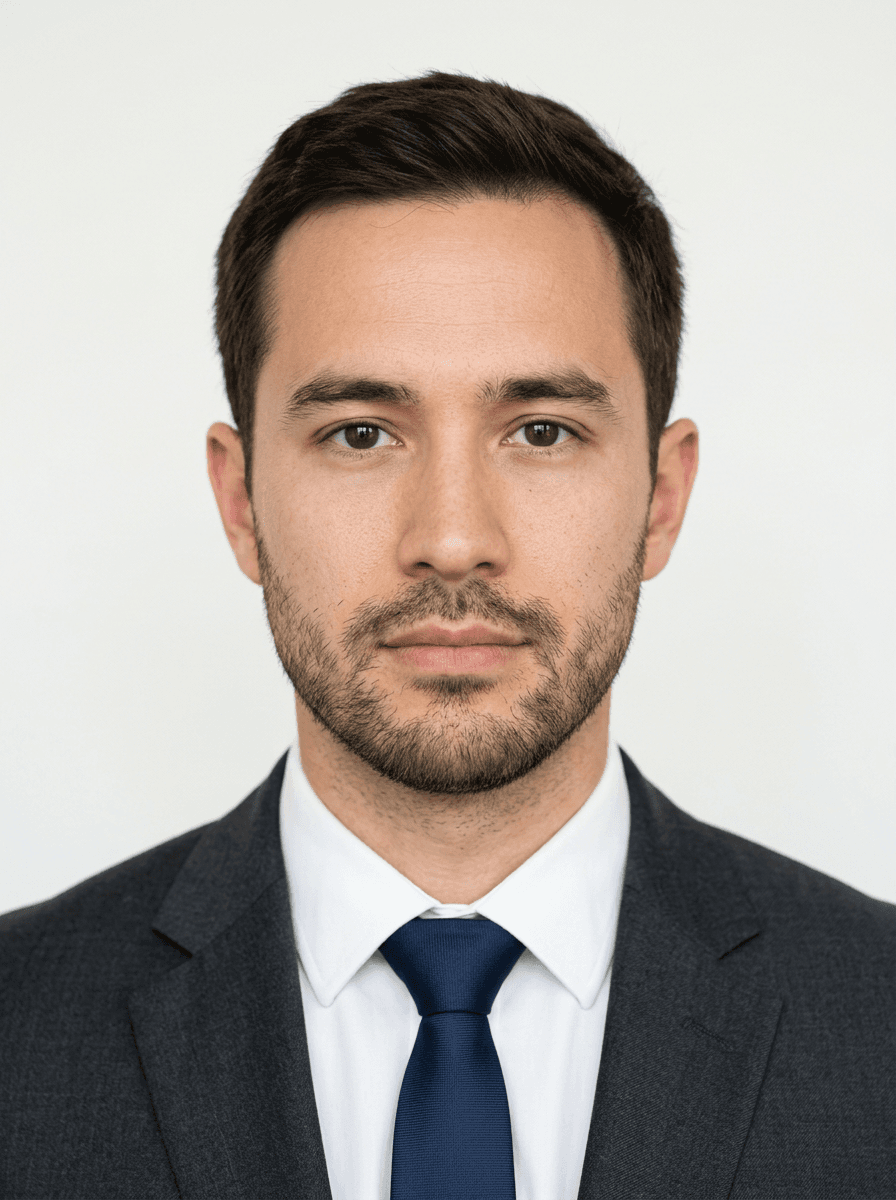
Navigating the technical landscape of international travel in 2026 requires strict adherence to evolving digital and print standards. Understanding passport photo requirements is the first step in ensuring that your visa application is processed without unnecessary delays caused by image rejection.

Quick Summary
Passport photo requirements in 2026 are defined by strict biometric standards designed to facilitate automated facial recognition by border control authorities. Compliance relies on precise lighting, uniform backgrounds, and specific geometric measurements of the subject's face.
- Ensure even lighting to eliminate shadows.
- Maintain a neutral expression with closed mouth.
- Check official dimensions for specific country applications.
- Use high-resolution digital files for online uploads.
Table of Contents
- Understanding Passport Photo Requirements
- Technical Passport Photos Specifications
- Key Passport Photos Specs for Biometric Accuracy
- Common Passport Photo ID Requirements Mistakes
- Digital vs Printed Visa Requirements
- Expert Insights for Reliable Submissions
- FAQ
- Recommended Reads
Understanding Passport Photo Requirements
Government agencies globally have shifted toward highly automated verification systems that rely on biometric data extracted directly from submitted photographs. These systems analyse facial geometry, skin tone, and background consistency to verify the identity of the applicant. As a result, the criteria for acceptable images have become more rigid; even minor deviations from the standard can lead to an immediate rejection of a visa or passport application.
For applicants, this means moving away from casual snapshots toward images that mirror the precision of professional studio work. Whether you are applying for a Schengen visa or a standard passport renewal, the foundational principle remains the same: the camera must capture a clear, undistorted representation of the individual that matches the database requirements of the issuing authority. Understanding UK & International Baby Passport Photo Requirements & Guides is essential for ensuring that even the most difficult subjects meet these non-negotiable standards.
Technical Passport Photos Specifications
Technical specifications generally mandate a specific aspect ratio, image resolution, and file size. Most jurisdictions require a head height that occupies between 70% and 80% of the vertical frame. Furthermore, the distance from the bottom of the chin to the top of the head must adhere to a strict pixel range or millimeter count, depending on whether the file is being submitted digitally or as a physical print.
Colour accuracy is another critical factor. Algorithms are calibrated to detect specific background shades - typically plain white or off-white - and any deviation caused by poor lighting can cause the software to flag the image as non-compliant. High-resolution output is non-negotiable, with many systems requiring a minimum of 600dpi for physical prints to ensure that facial features remain sharp under machine inspection.
Key Passport Photos Specs for Biometric Accuracy
Biometric accuracy is governed by the consistency of the subject's posture and facial expression. Authorities require the subject to face the camera directly, with both ears visible and the eyes level. Any tilt - whether lateral or vertical - can disrupt the mathematical model used for facial recognition, leading to a system-generated rejection.
Pro Tip: When photographing infants or young children, use a high-shutter-speed setting to prevent motion blur, which is a leading cause of biometric data failure in modern automated systems.
Shadow management is equally vital. Avoid placing the subject directly against a wall, as this often creates a halo-like shadow behind the head. Instead, maintain a slight distance from the background to ensure that light is distributed evenly across the face and the backdrop, keeping the silhouette clean and distinct.
Common Passport Photo ID Requirements Mistakes
Frequent errors often stem from ignoring specific dress codes or accessory limitations. For instance, while glasses are sometimes permitted, they must not create glare on the lenses, and the frames must not obscure any part of the eyes. Many authorities now recommend removing glasses entirely to eliminate the risk of reflection-based rejection.
Another common pitfall is the use of heavy digital filters or post-processing enhancements. While removing a stray hair is generally acceptable, altering skin texture or facial features can be interpreted as fraudulent by security software. Always opt for a natural, unedited appearance that reflects how you look on a daily basis.
Digital vs Printed Visa Requirements
In 2026, the distinction between digital and printed requirements has narrowed, but important differences remain. Digital submissions usually require specific file types, such as JPEG, and maximum file size limits in kilobytes or megabytes. These constraints exist to prevent server strain and ensure that the image quality remains consistent across various government platforms.
Printed photos, by contrast, must meet physical dimension standards - typically 35mm x 45mm in the UK. The quality of the paper is also checked; matte paper is almost universally preferred over glossy, as glossy paper reflects light and obscures the biometric details of the image during the scanning process at a border kiosk.
Expert Insights for Reliable Submissions
Successful applicants often prepare for potential rejections by ensuring they have a backup plan. Understanding the nuances of light and geometry allows for better preparation. When selecting an environment for your photo, choose a room with abundant natural, diffused light - ideally facing a window rather than having the light source behind you.
If you are handling a high volume of applications, such as for a family, treat each photo as an individual project. Biometric systems do not account for 'group' consistency; they treat each file as a unique data set. Spending an extra two minutes ensuring the head is perfectly centred in the frame will significantly reduce the likelihood of a rejected application.
FAQ
Can I wear headwear in my passport photo?
Only for religious or medical reasons, provided the headwear does not cast shadows on the face or obscure facial features. The full face, from the bottom of the chin to the top of the forehead, must be visible.
Why was my photo rejected for 'shadows'?
Shadows often occur when light sources are positioned from the side or if the subject is too close to the background. Use diffused, front-facing lighting to ensure even illumination across the facial structure.
Do I need to use professional equipment?
While you do not need a studio camera, your device must be capable of high-resolution output. A modern smartphone is sufficient, provided the environment is controlled and the focus is sharp.
Is a neutral expression strictly required?
Yes. A natural expression with a closed mouth is the standard. Avoid smiling, frowning, or raising your eyebrows, as these movements change the structural geometry of the face, which can affect biometric recognition.