Best Practices for Passport Photo Size in 2026
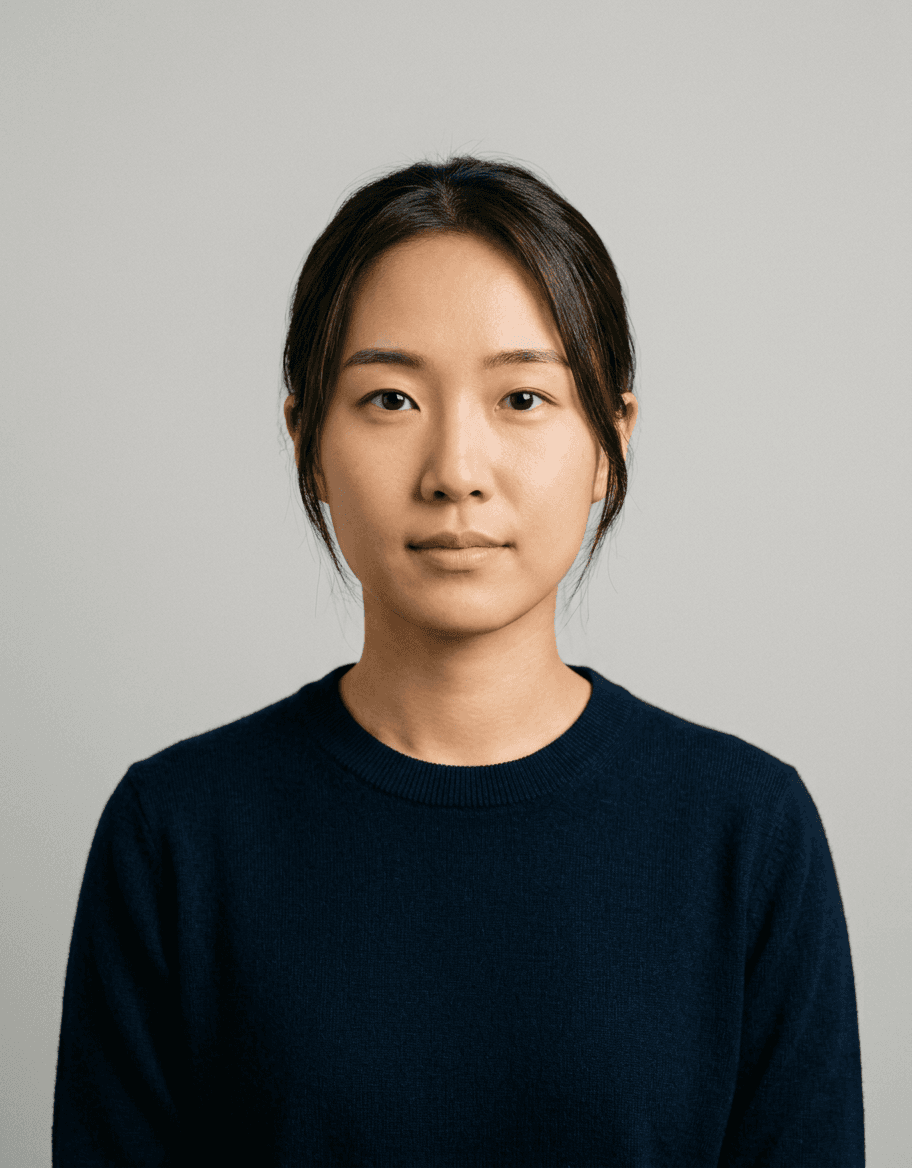
Ensuring your passport size photo adheres to the latest standards is a critical step in the travel documentation process, as non-compliant images are the primary cause of application delays. As of 2026, governmental bodies across the United Kingdom maintain rigorous requirements regarding lighting, facial expression, and structural dimensions, necessitating a professional approach to image preparation.
Quick Summary
A passport size photo must measure exactly 35mm in width by 45mm in height, featuring a clear, neutral expression against a plain cream or light grey background. Digital files must be high-resolution, devoid of shadows, and free from any digital manipulation or filters to ensure biometric verification.
- Exact dimensions: 35mm x 45mm.
- Neutral facial expression with mouth closed.
- Solid, light-coloured, plain background.
- No shadows on the face or background.
Table of Contents
- Quick Summary
- Understanding Passport Size Photo Dimensions
- Lighting and Background Requirements
- Facial Expression and Head Positioning
- Digital File Standards and Compression
- Common Pitfalls and How to Avoid Them
- Comparison of Photo Preparation Methods
- FAQ
- Recommended Reads

Understanding Passport Size Photo Dimensions
The foundational requirement for any valid travel document is the physical size. A standard passport size photo in the UK must be precisely 35mm wide by 45mm high. While this may seem straightforward, minor deviations in printing or resizing can lead to automatic rejection by HM Passport Office scanners. When using a professional passport photo maker, these constraints are usually baked into the cropping tool to prevent manual errors.
Beyond the total size of the paper, the placement of the subject is strictly regulated. The crown of the head to the chin must measure between 29mm and 34mm. This ensures that facial recognition algorithms have enough data points to verify identity. If you are preparing your own files, consider checking the latest user guide to ensure your cropping software aligns with these specific measurement benchmarks.
Lighting and Background Requirements
Background consistency is paramount for successful digital processing. Authorities require a plain, light grey or cream background. Avoid white backgrounds, as the contrast can interfere with edge detection algorithms, and steer clear of patterned walls or shadows cast behind the subject. A shadowless image is achieved by standing approximately 0.5 metres away from the background wall, which allows ambient light to wrap around the subject evenly.
Lighting should be balanced and natural. Do not use strong directional lights that cause harsh shadows under the nose or eyes. Flash photography is permitted, provided it does not create a "red-eye" effect or reflect off spectacles. If you find the process challenging, you can always contact support to clarify specific lighting questions before finalizing your submission.
Facial Expression and Head Positioning
Your face must remain in a neutral expression, which implies keeping the mouth closed and looking directly into the camera lens. You should not smile, frown, or raise your eyebrows, as these expressions distort the facial features that biometric systems are trained to recognise. Both eyes must be fully visible and open; hair should not obscure the eyes, and head coverings are generally prohibited unless required for religious or medical reasons.
Head positioning must be level. Tilting the head to either side or looking upwards or downwards changes the geometric relationship between key facial landmarks. Always ensure your ears are visible if possible, and keep your shoulders square to the camera. If you have questions regarding specific religious headwear, refer to the privacy and policy documentation provided by official channels for detailed exemptions.
Digital File Standards and Compression
In 2026, many applications are handled digitally, meaning the quality of the file is just as important as the physical print. Digital files should be in JPEG format and typically have a file size between 50KB and 10MB. It is vital to avoid over-compressing the image, as this introduces "noise" or pixelation that makes it impossible for automated systems to resolve fine details like skin texture or iris patterns.
When saving your image, ensure the resolution is at least 600dpi (dots per inch) if you intend to print it later. If submitting online, the system will often perform an automatic check. However, it remains best practice to verify your output against the company terms of service for digital submissions to ensure your file meets the specific colour profile requirements, typically sRGB.
Common Pitfalls and How to Avoid Them
One of the most frequent reasons for application rejection is the presence of reflections on glasses. Even if you wear glasses daily, it is often safer to remove them for the photo to guarantee no glare obscures your eyes. If you choose to keep them on, ensure the frames do not cover any part of your eyes and that no flash reflection is visible on the lenses.
Another common issue is improper scaling. Many people attempt to force a non-compliant image into the required 35mm x 45mm frame, resulting in a distorted, stretched, or squashed appearance. Always maintain the aspect ratio of the original photo when cropping. Should you face technical issues with file formats, reviewing the refund policy or seeking professional help can prevent unnecessary expenditure on multiple re-shoots.
Pro Tip: When taking your photo, use a tripod or prop your phone up at eye level. Most rejections stem from photos taken at a slight upward or downward angle, which distorts facial proportions.
Comparison of Photo Preparation Methods
| Method | Cost | Accuracy | Ease of Use |
|---|---|---|---|
| Professional Studio | High | Excellent | Moderate |
| DIY Home Setup | Low | Variable | Low |
| Online Photo Tools | Low | High | High |
Using an online service acts as a middle ground between the high cost of a professional studio and the inherent risk of a DIY setup. These tools typically include automated cropping and compliance checks that compare your photo against the latest 2026 regulations, providing you with a higher success rate than manual editing.
FAQ
1. Can I wear jewellery in my passport photo? Yes, small earrings or necklaces are allowed, provided they do not obscure your face or reflect light.
2. Is it okay to use a selfie for my passport? Selfies are generally discouraged because the focal length of front-facing cameras often causes facial distortion, and it is difficult to achieve the required neutral expression and lighting.
3. Do I need to provide a new photo for a passport renewal? Yes, a passport photo must be a true likeness of your current appearance and must have been taken within the last month to be valid.
4. What if I have a beard or long hair? Facial hair is permitted as long as it does not cover your mouth or alter the visible shape of your face. Long hair should be tucked behind the ears to ensure the face is fully visible.