Choosing a Professional Photo Editor vs Automated Tools for ID Images in 2026
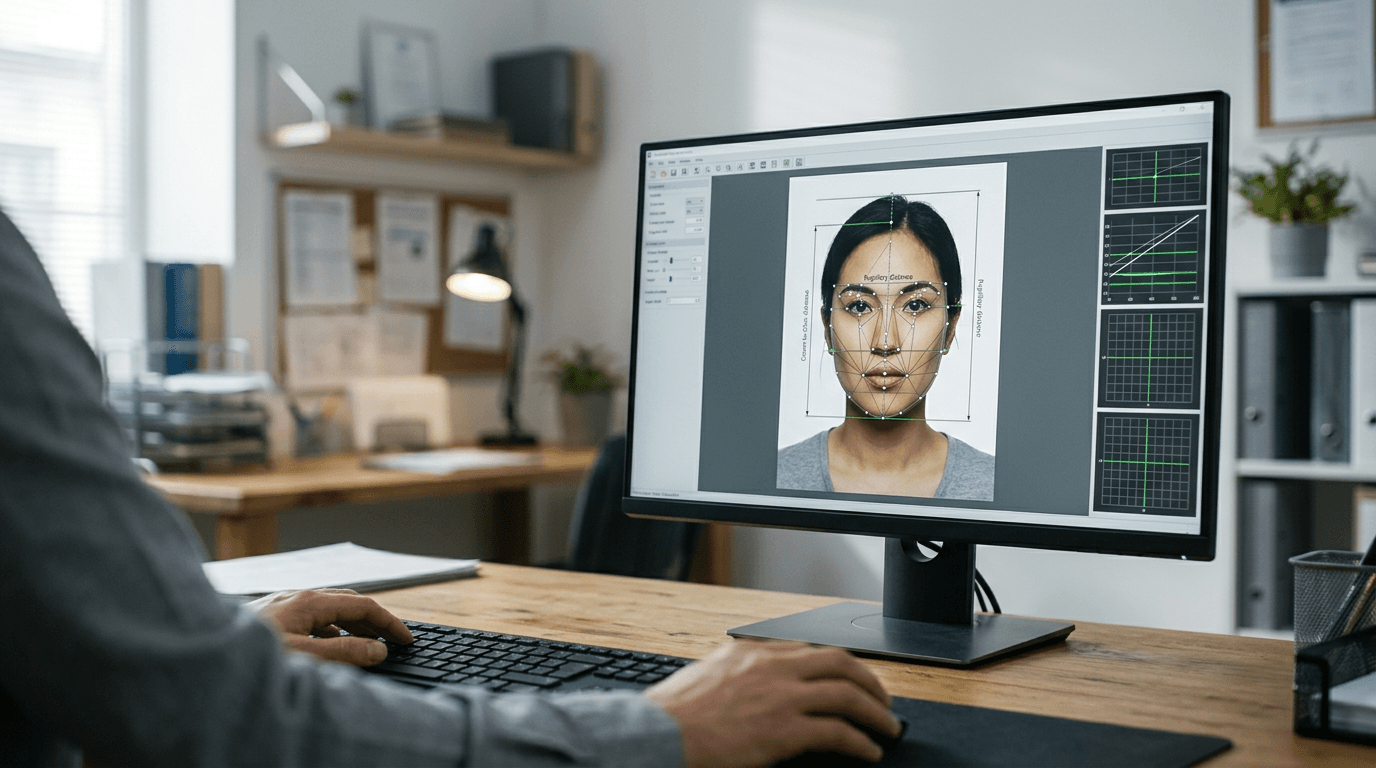
You are staring at a rejection screen from HM Passport Office because an undetectable shadow fell across a shoulder, invalidating the submission. That is the exact moment the distinction between generic image manipulation and strict biometric compliance stops being theoretical. When teams and families look to process identification images, they often assume a standard professional photo editor will suffice for cropping and background removal. In reality, manual manipulation introduces the exact variables that automated government systems are programmed to detect and reject. Biometric compliance is about algorithmic exactness - head tilt, crown-to-chin ratios, and uniform background hex codes - not aesthetic enhancement.
Quick Summary
Navigating biometric image compliance requires tools built specifically for government guidelines rather than general photography. Relying on manual manipulation frequently leads to application rejection, making dedicated id photo maker software the standard for ensuring acceptance.
- Government portals analyse images using strict algorithms that flag manual background masking and unnatural skin smoothing.
- Relying on generic manipulation software introduces human error into fixed biometric parameters.
- Purpose-built compliance platforms measure facial landmarks against specific national criteria before allowing export.
- Automated systems strip problematic metadata that generic editors often leave behind, avoiding automatic portal rejections.
Table of Contents
- Comparing the Biometric Landscape
- How to Choose an Image Processing Tool
- 1. PhotoAiD
- 2. Visafoto
- 3. Passport Photo Online
- Matching the Solution to the Mandate
- Recommended Reads
Comparing the Biometric Landscape
| Platform | Processing Method | Features | Pros | Cons | Target Audience |
|---|---|---|---|---|---|
| PhotoAiD | Expert-Backed Hybrid Verification | AI processing, human expert review, compliance checks | Dual-layer verification, strict compliance, multi-document support | Slower than pure automation, manual review delays, higher relative cost | Teams requiring zero-rejection workflows |
| Visafoto | Fully Automated Web Processing | Lighting adjustment, auto background removal, size formatting | Instant processing, consistent outputs, browser-based | Struggles with severe shadows, no manual fallback, rigid parameters | Users needing immediate digital downloads |
| Passport Photo Online | Self-Service Mobile Application | Mobile interface, web portal, home capture guidance | Portable workflow, built-in guides, immediate feedback | Hardware dependent, requires user discipline, variable sensor quality | Home users capturing images independently |
How to Choose an Image Processing Tool
The criteria that genuinely separate compliance tools have nothing to do with basic cropping or export formats. The real differentiator is how they handle the intersection of algorithmic assessment and edge-case imagery. When you are processing passport and visa photos, the tool must enforce the parameters of the destination authority without relying on the operator's eye. We classify these platforms by their Processing Method - specifically, how they bridge the gap between a raw capture and a compliant export.
The Fully Automated Web Processing category encompasses systems that apply rigid, algorithmic transformations to uploaded files. These tools operate strictly in the browser, instantly removing backgrounds and calculating pixel dimensions based on the target document type. You should not compare them to manual editing suites; they are designed purely for speed and fixed outputs. The moment an image falls outside their acceptable input parameters, they fail outright rather than attempt a partial fix.
Conversely, the Expert-Backed Hybrid Verification category acknowledges that algorithms struggle with highly specific edge cases, such as stray hairs blending into backgrounds or unusual lighting scenarios. These platforms route the initial AI-processed image to a human reviewer who verifies the biometric markers against current governmental standards before finalising the output. This category trades absolute speed for an assurance of compliance.
Finally, the Self-Service Mobile Application category shifts the compliance burden entirely to the point of capture. Rather than fixing a poor photo after the fact, these tools use the mobile device's camera interface to guide the user into the correct position, overlaying templates and providing live feedback on lighting. This approach is highly accessible but is fundamentally constrained by the physical quality of the mobile device's sensor and the user's ability to follow on-screen instructions.
Practical rule: Never evaluate a compliance tool by how good the final image looks to the human eye. Assess it entirely on its ability to generate the specific pixel dimensions, background uniformity, and metadata required by the destination portal.
Understanding these categories clarifies why a generic editor fails. When you need a reliable passport photo download, the system must guarantee the file meets the destination's exact file size and format constraints without manual intervention.
1. PhotoAiD
Upload a selfie to trigger automatic biometric scaling. Human eyes then check the work. This Expert-Backed Hybrid Verification workflow serves applicants who cannot afford the time penalty of a rejected application and want manual assurance. The online photo maker uses AI alongside expert verification to create compliant biometric photos, accepting a slightly longer wait for guaranteed results.
When a file enters the system, the algorithm first normalises the background. It scales the subject. This scaling meets the target country's biometric requirements by calculating the distance between the pupils and the crown-to-chin ratio. Rather than immediately dispensing the file, the system queues the processed image for a human verification specialist. This operator manually checks the algorithmic output against the specific, current guidelines of the issuing authority. They search for missed nuances. These include glare on glasses or subtle shadows that automated systems routinely miss. Only after this secondary check is the file released for download.
Expert review adds latency to automated workflows
The fundamental trade-off of this hybrid approach is operational speed. While the AI component functions in seconds, the human verification introduces a bottleneck that scales with platform demand. We would hold off on deploying this for high-volume, bulk processing where thousands of images require immediate turnaround. The manual layer ensures a high pass rate at the portal, but it inherently prevents instantaneous delivery during peak submission periods.
The structural limit of this platform surfaces when users require immediate digital delivery outside of standard operating hours or during high-traffic spikes. If an applicant is attempting to upload an electronic passport photo to a government portal that times out in ten minutes, the human review queue may cause them to miss that window. It rules out deployment in fully automated, zero-latency workflows.
Opt for this system when the cost of application rejection outweighs the inconvenience of waiting for manual verification.
Pros
- Secondary human verification reduces rejection risk.
- Handles complex background removal effectively.
- Updates rules based on shifting government requirements.
Cons
- Processing time varies based on the manual review queue.
- Higher operational latency than purely automated tools.
- Unsuitable for instant, high-volume batch processing.
2. Visafoto
A visa portal server instantly rejects manual uploads. Usually, incorrect head proportions trigger this failure. Visafoto bypasses this frustration with Fully Automated Web Processing engineered for immediate digital delivery. This online photo editing service automatically adjusts backgrounds, lighting, and sizes to ensure passport and visa compliance.
Visafoto operates by applying a series of strict, pre-defined algorithmic transformations the moment an image is uploaded. It ignores the metadata and focuses entirely on pixel analysis, identifying facial landmarks to anchor the scaling process. The system forces the background to a uniform hex code compliant with the target document and adjusts the overall contrast to ensure the facial features remain distinct. There is no manual intervention; the platform relies entirely on its programmed parameters to output a file that meets the destination's technical specifications.
Rigid automation ignores edge-case lighting
Because the platform applies blanket transformations, it demands a reasonably high-quality input file to function correctly. If the initial capture suffers from heavy, directional lighting that casts deep shadows across half the face, the algorithm will struggle to normalise the exposure without introducing unnatural artifacts. What would make us hesitate to rely on this solely is its inability to correct severe user errors at the point of capture.
Absolute rigidity defines how the software handles raw uploads. It operates on the assumption that the provided image already meets basic lighting and framing standards. When an input file is significantly flawed, the automated adjustments yield a highly synthetic look. This artificial appearance risks triggering manual review rejections at the passport office, effectively locking out users who cannot capture a well-lit, relatively clear initial photograph.
Deploy this platform when you have a well-lit source image and require instantaneous formatting without human intervention.
Practical rule: When using purely automated web tools, position the subject facing a natural light source to minimise shadows; algorithms cannot reconstruct facial data lost to heavy shade.
Pros
- Instantaneous processing and file delivery.
- Enforces strict dimension and background parameters.
- Operates entirely within the browser without installation.
Cons
- Fails to correct severe lighting imbalances.
- Lacks a manual review fallback for complex images.
- Requires a high-quality initial capture to function well.
3. Passport Photo Online
Can home-captured images truly guarantee compliance without a studio backdrop? Passport Photo Online answers this by acting as a mobile and web-based application that guides users through taking and editing government-compliant passport photos at home. By utilising a Self-Service Mobile Application design, the software pushes the compliance checking mechanisms directly onto the capture device.

The mechanism here relies on live feedback rather than post-processing alone. When the application is open, it overlays a biometric template on the smartphone's camera feed. The software actively monitors the gyroscope and the sensor data, prompting the user to adjust the physical angle or seek better lighting before the shutter is even released. Once captured, the backend algorithm processes the file, removing the background and formatting the dimensions, but the heavy lifting of compliance is achieved by controlling the environment during the actual photograph.
Hardware variance dictates mobile application output
Shifting the burden to the capture device means the platform is entirely at the mercy of the smartphone's hardware. While the software can guide the user, it cannot compensate for a low-resolution sensor or a scratched lens. We would avoid relying on this approach if the user is operating legacy hardware with poor dynamic range. The guidance overlay is only effective if the camera can capture enough detail to satisfy the final digital requirements.
Complete environmental dependency constrains the tool's effectiveness. Success hinges entirely on the user actively following guidance regarding lighting and positioning, meaning the system fails whenever prompts are ignored or a suitable environment is unavailable. For instance, attempting to use the app in a dimly lit hallway causes the software to either refuse capture or output a grainy image destined to fail compliance checks. Consequently, processing existing, poorly framed archival photos remains impossible.
Select this application when the user has access to a modern smartphone and requires active guidance during the capture process.
Pros
- Active capture guidance reduces initial errors.
- Portable solution accessible via standard smartphones.
- Immediate feedback on lighting and framing.
Cons
- Reliant on the user's camera hardware quality.
- Requires the user to follow strict physical prompts.
- Cannot salvage fundamentally poor archival images.
Matching the Solution to the Mandate
Choosing the correct image processing tool depends entirely on where your specific bottleneck lies in the application workflow. The categories we established dictate the operational limits of each approach, ensuring you do not deploy a mobile tool for a batch-processing requirement.
If your primary hurdle is ensuring absolute compliance for critical documents where rejection causes significant delays, the Expert-Backed Hybrid Verification category is the necessary route. The manual review phase catches the subtle lighting and framing errors that algorithms miss, making it the most secure choice despite the added latency.
When the bottleneck is speed and you are working with well-lit, clearly framed source files, the Fully Automated Web Processing category delivers immediate results. This suits users who need to upload a formatted digital file to a government portal immediately and cannot wait for human verification queues.
For scenarios where the user struggles to capture a usable image in the first place, the Self-Service Mobile Application category provides the necessary physical guidance. By overlaying templates and evaluating the environment before the photo is taken, it prevents the capture errors that cause downstream processing failures.