Essential Passport Photo Rules UK: A Guide to 2026 Requirements
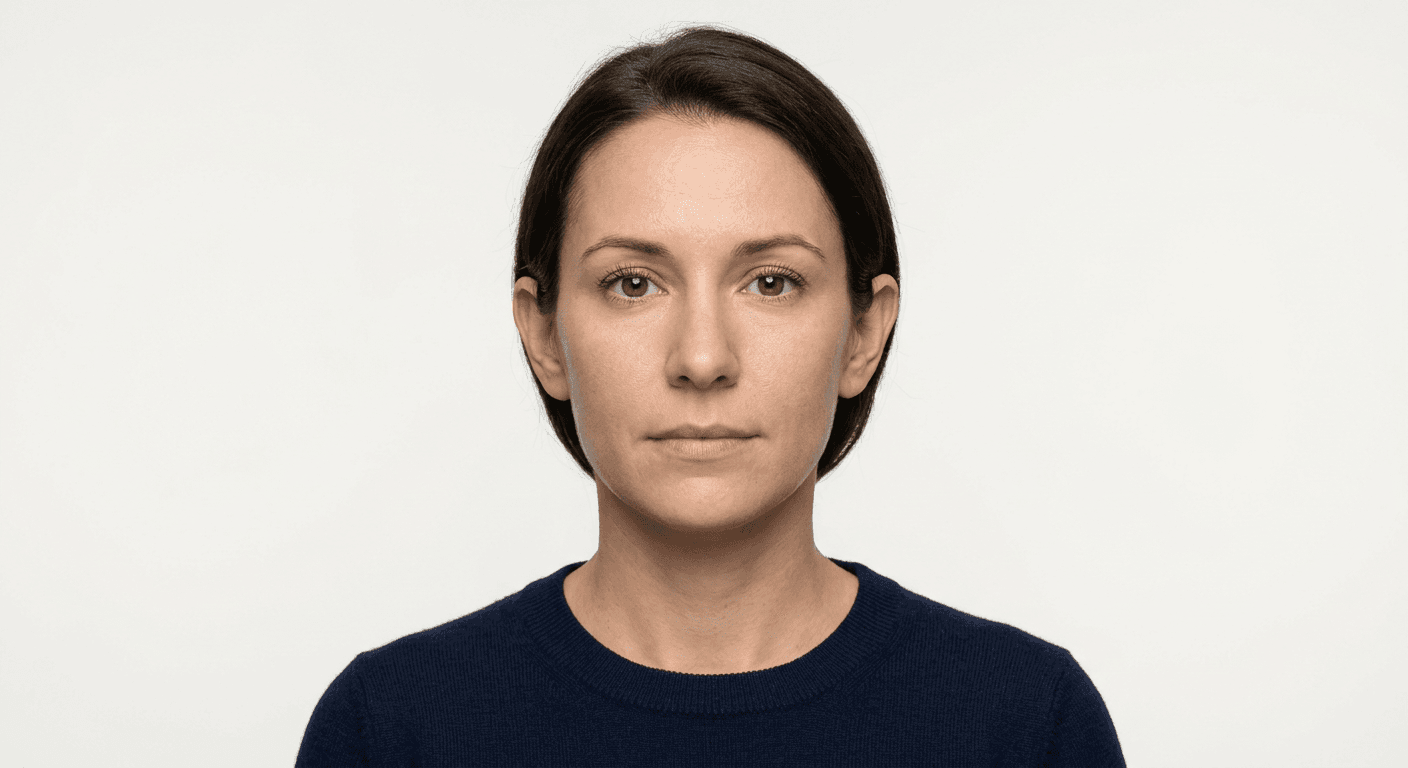
Capturing a compliant image for official travel documents is a process defined by stringent biometric standards. Whether applying for a new British passport or renewing an existing one, the imagery must meet precise technical specifications to ensure it can be processed by automated recognition systems. Understanding these criteria is essential to avoid application delays or outright rejection by HM Passport Office.

Quick Summary
Adhering to passport photo rules UK is fundamental to successful document processing. The image must be a clear, high-resolution portrait that conforms to specific lighting, dimension, and background standards to ensure biometric readability.
- Use a plain, light-coloured or cream background.
- Maintain a neutral facial expression with eyes open and looking forward.
- Ensure the head occupies 29mm to 34mm of the total photo height.
- Avoid shadows on the face or behind the head.
Table of Contents
- Understanding Passport Photo Rules UK
- Critical British Passport Photo Requirements
- Technical Passport Photos Specifications
- Common Pitfalls and How to Avoid Them
- Guidelines for Infants and Children
- Professional Versus Do-It-Yourself Photography
Understanding Passport Photo Rules UK
The official passport photo rules UK mandate that images must be professionally taken, clear, and focused. Because modern passport processing uses facial recognition technology, any deviation from the standard, such as an obscured feature or an unnatural pose, can trigger a system flag. The objective is to create a neutral representation of the applicant that allows authorities to verify identity with maximum efficiency.
Applicants should recognise that these rules are not merely aesthetic preferences; they are functional requirements for biometric matching. When a photograph is uploaded or submitted, the software maps the distance between key facial features, such as the eyes, nose, and mouth. If the lighting is inconsistent or the head is tilted, the software may fail to confirm the subject's identity, resulting in the need for a resubmission and extending the overall processing timeline.
Critical British Passport Photo Requirements
To satisfy the British passport photo requirements, the image must be a 35mm wide by 45mm high print, or the digital equivalent if applying online. The photograph must be in colour and taken against a plain, off-white or cream-coloured background. Patterned backgrounds or shadows cast onto the wall behind the subject are strictly prohibited, as they interfere with the digital extraction of the head silhouette.
Facial expression is another major focus. The applicant must maintain a neutral expression with their mouth closed. Smiling, frowning, or raising eyebrows alters the geometry of the face, which can lead to biometric matching errors. Eyes must be open and clearly visible; if you wear glasses, it is often recommended to remove them to avoid frame glare or obstruction of the eyes, as even light reflections on lenses can render an image non-compliant.
Technical Passport Photos Specifications
When reviewing passport photos specifications, the most critical element is the positioning of the head. The distance from the crown of the head to the chin must measure between 29mm and 34mm. If the subject is too small, the resolution becomes insufficient for biometric analysis; if they are too large, critical facial landmarks are cropped out.
Digital files intended for online applications must also be of a specific file size and resolution. Typically, a high-quality digital image should be at least 600 pixels wide by 750 pixels high, with a file size of at least 50KB but no more than 10MB. It is vital to use an unedited, high-definition photograph rather than a digital scan of a printed photo, as scanning introduces artefacts and distortions that the automated validation software will reject.
Pro Tip: When taking your own photos, ensure the light source is in front of you rather than behind you. Natural, diffused light is superior to harsh overhead bulbs, which tend to create unflattering shadows under the eyes and chin.
Common Pitfalls and How to Avoid Them
Many applications are stalled due to simple, avoidable errors. Red-eye, for instance, is a common reason for rejection, often caused by using a direct camera flash in low-light conditions. Similarly, head coverings are generally not permitted unless they are for religious or medical reasons, and even then, they must not cast shadows on the face or obscure the hairline.
Another frequent issue involves the photo's 'freshness'. Government offices require that the photo be taken within the last month. Submitting an image that is older or one that shows a significant change in appearance - such as a new beard or a drastically different hairstyle - can lead to confusion during border control identity checks. It is always safer to provide a recent, accurate representation of your current appearance.
Guidelines for Infants and Children
Capturing a compliant british passport photo for an infant is notoriously difficult but still subject to the same core rules. Infants under the age of six do not need to look directly at the camera or have a neutral expression, but they must still face forward with their eyes open. Parents are advised to lay the infant on a plain, light-coloured sheet on a flat surface if they cannot sit up unsupported.
When photographing a child, no one else should be visible in the shot. Parents often make the mistake of holding the infant during the photo session; the hands of the parent must not appear in the frame. Using a guide to understand how to frame a child's photo correctly can save significant time, as infants often require multiple attempts to achieve the necessary focus and head positioning without assistance.
Professional Versus Do-It-Yourself Photography
Applicants today have the option to visit a professional photography studio or utilise a smartphone application to generate their images. Professional studios offer the benefit of controlled lighting and a photographer who understands the specific dimensions required for travel documents. However, for those comfortable with technology, high-end smartphones have cameras capable of capturing the necessary resolution for official use.
If choosing the DIY route, it is vital to use software that performs biometric validation to ensure the image meets all government criteria before submission. This verification step checks for common failures like shadows, incorrect head-to-chin ratios, and improper background colours. For those who need to understand their rights and the parameters of the service, reviewing the terms and conditions of any chosen platform is a prudent step to ensure peace of mind regarding the privacy and handling of personal biometric data.
FAQ
- Can I wear my glasses in my passport photo? It is strongly advised to remove your glasses. Even if you wear them daily, reflections from the lenses or frames obscuring your eyes are common reasons for application rejection.
- Does the photo need to be signed? Generally, digital passport photos do not require a physical signature. However, if you are submitting a paper application, you may need a counter-signatory to sign the back of one of your two printed photos.
- What happens if my photo is rejected? If your photo does not meet the requirements, the Passport Office will contact you to provide a new one. This will delay your application, which is why verifying the image against official standards beforehand is so important.
- Can I take a selfie for my passport photo? Selfies are generally not recommended. The distortion caused by holding a camera at arm's length, combined with inconsistent lighting, often results in a photo that fails biometric quality checks.