Expert Tips for Passport Photo Clothing
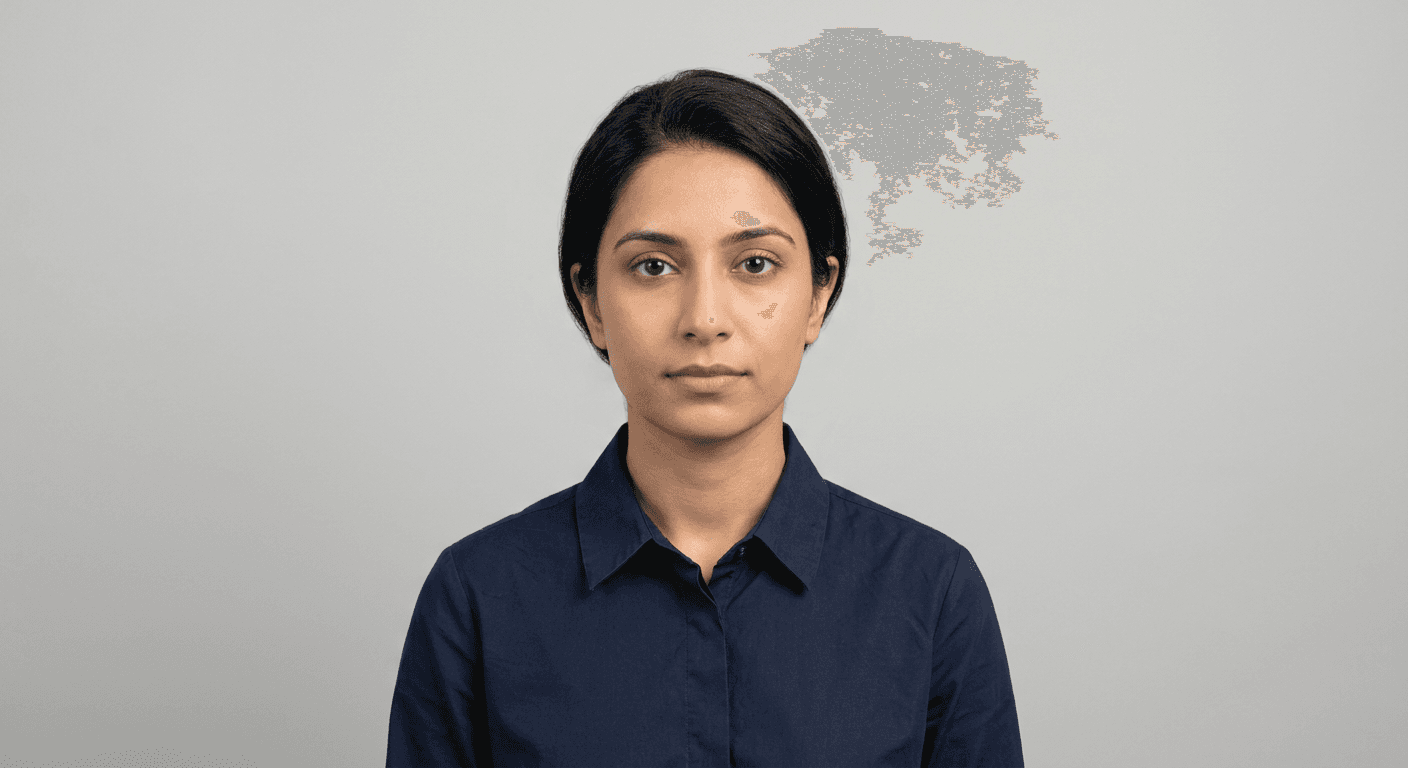
Selecting the correct attire is a critical step when preparing for an electronic passport photo, as official guidelines are notoriously strict regarding headgear, colours, and contrast. Unlike casual portrait photography, a passport image serves as a biometric verification tool where your clothing should not distract from your facial features or interfere with the automated recognition software used by border control agencies. When you choose to get passport photo online, you must ensure your wardrobe choices adhere to HM Passport Office standards to avoid application delays.
Quick Summary
Choosing appropriate clothing for a passport photo involves wearing plain, dark-coloured garments that contrast effectively against a light background while avoiding uniforms, hats, or distracting patterns. Compliance ensures your application is processed without rejection.
- Opt for plain, neutral-coloured shirts or blouses to maintain a professional appearance.
- Avoid white or very light tops that blend into the mandatory cream or white background.
- Ensure no part of the clothing obscures your face, neck, or jawline.
- Remove accessories like scarves, headphones, or large jewellery before capturing the image.
Table of Contents
- Standardising Your Appearance for an Electronic Passport Photo
- Why Background Contrast Matters
- Best Practices When You Get Passport Photo Online
- Common Mistakes to Avoid With Passport Size Photo Free Tools
- Technical Requirements for a Valid Cut Passport Photo
- Comparison Table of Clothing Choices
- FAQ
- Recommended Reads

Standardising Your Appearance for an Electronic Passport Photo
The primary purpose of an electronic passport photo is to facilitate biometric identification. Because facial recognition algorithms rely on the clear definition of facial features, any item of clothing that shadows or obscures the neck, jawline, or ears can lead to a failed scan. It is essential to wear everyday clothing; formal uniforms, including military or religious attire that masks the face, are generally prohibited unless specific exemptions apply.
Furthermore, the neckline of your garment should be modest. Avoid deep V-necks or busy patterns that might confuse the software's edge-detection capabilities. By visiting the official guide provided by experts, you can ensure your chosen outfit aligns with the exact specifications required for a successful submission. Sticking to a plain, dark-coloured collared shirt or a simple jumper is the safest route for most applicants.
Why Background Contrast Matters
Government regulations stipulate that passport photos must be taken against a plain, light-coloured background. If you wear a white or pale shirt, you risk 'merging' with the background, which renders the photograph invalid. A high-contrast approach—where your clothing stands out distinctly from the backdrop—is required to ensure the automated systems can identify the silhouette of your head and shoulders correctly.
When considering how to get passport photos online, remember that lighting conditions in your home environment might affect the perceived colour of your clothes. A dark grey, navy, or black top creates a clean, professional aesthetic that is easily processed by any digital validation system. Avoid neon colours or reflective materials, as these can cause glare or colour casting on your skin, which may result in an automatic rejection of your digital file.
Best Practices When You Get Passport Photo Online
Utilising digital services to generate your images requires attention to detail. When you get passport photo online, you are responsible for the framing and lighting. Ensure your shoulders are visible and square to the camera; slouching or turning your body can distort the proportions expected by the passport authority.
If you are using a digital service, check their privacy policy before uploading your images. Professional platforms often provide automated cropping tools that help you align your face perfectly. Maintain a neutral expression with your mouth closed and eyes looking directly at the lens. Your clothing should be the least 'interesting' part of the photo, serving only to frame your face without adding any visual noise.
Pro Tip: Always remove your glasses. Even if you wear them daily, reflections on the lenses or rims obscuring your eyes are the most common reasons for passport photo rejections.
Common Mistakes to Avoid With Passport Size Photo Free Tools
Many users attempt to use a passport size photo free tool, but these often fail to account for the specific lighting requirements of the user's local environment. A common error is wearing a high-collared coat or a scarf, which can alter the appearance of your neck area. Digital software checks for the presence of your ears and the symmetry of your shoulders; if a hoodie or a bulky jumper hides these, the photo will likely be rejected.
Additionally, avoid wearing jewellery that sparkles or catches the light. Earrings should be kept small and discreet, or removed entirely. If you have concerns about the specific requirements, reaching out via contact forms on professional sites can clarify whether your specific accessory or clothing item is permissible under the current guidelines.
Technical Requirements for a Valid Cut Passport Photo
If you are required to produce a cut passport photo for a physical application, the print quality and paper type matter as much as the clothing you wear. Using high-quality photographic paper is mandatory; laser prints on standard A4 paper are unacceptable and will be rejected by the passport office. The crop must be precise, typically 35mm x 45mm, and the head size within the image must fall between 29mm and 34mm.
When you print your images, ensure the ink has fully dried before handling them to avoid smudging, which can ruin the biometric data. You can review the terms of various photo services to ensure you are getting the correct DPI and paper weight for your application. Careful handling is required to keep the edges clean and professional.
Comparison Table of Clothing Choices
| Clothing Type | Suitability | Why? |
|---|---|---|
| Dark/Neutral Top | Excellent | Provides necessary contrast against light backgrounds. |
| White/Pastel Top | Poor | Causes 'ghosting' effects against standard backgrounds. |
| Uniforms | Prohibited | Usually contains distracting logos or restricted styles. |
| Accessories (Scarves) | Avoid | Obscures neck/jawline required for biometric scans. |
| Glasses | Avoid | Reflections and frames often trigger automatic rejections. |
FAQ
-
Can I wear a white shirt in my passport photo? It is strongly advised against. Because passport photos require a light-coloured or cream background, a white shirt will blend in, causing issues for automated facial recognition.
-
Are there specific rules for hair and headwear? Headwear is generally not allowed unless for religious or medical reasons, and even then, it must not cover any part of your face. Hair should be kept back so your eyes and ears are clearly visible.
-
Does the clothing rule apply to children? Yes, although there is more flexibility for infants, the same rules regarding no accessories or headgear (except for religious reasons) apply to ensure a clear, unobstructed image.
-
Can I wear a necklace? Simple jewellery is usually fine, but avoid large, dangling, or reflective items that could cause glare or distract from your facial features.
Recommended Reads
- Learn about our terms of service for digital photo generation.
- Read our refund-policy regarding photo compliance guarantees.
- Understand how we protect your data in our privacy policy.
- Explore our comprehensive guide on taking perfect passport photos at home.
- Find out more about our commitment to professional document standards.