Free Passport Photo Maker vs Paid: 4 Tools for 2026 Standards
You have finally managed to photograph your infant against a white bedsheet without them crying or looking away, only to face the official government portal rejecting the upload because a faint grey shadow sits behind their right ear. When the margin for error is measured in pixels and biometric algorithms ruthlessly discard any image failing strict illumination tests, finding a reliable free passport photo maker is usually the first instinct. However, the gap between a tool that merely crops a square and one that genuinely prevents a bureaucratic rejection is vast. The current 2026 application landscape requires precise crown-to-chin ratios, specific background contrast levels, and absolute adherence to regional dimensions. Choosing the wrong utility means repeating the entire stressful photography process from scratch.
Quick Summary
A digital identification photo tool converts standard smartphone portraits into government-compliant image files by adjusting crop margins, background colours, and biometric alignment.
- Automated portals now reject files for minute shadow or contrast errors.
- The underlying processing method determines your level of data privacy.
- Region-specific templates prevent costly manual review delays.
- Relying purely on manual tools transfers all compliance risk back to the user.
Table of Contents
- What to look for in a free passport photo maker
- 1. Passport Photo Online
- 2. PhotoBooth Online
- 3. Passport Photo Wiz
- 4. IDPhoto4You
- Matching the processing method to your application
- Recommended Reads
| Product | Processing Method | Features | Pros | Cons | Target Audience |
|---|---|---|---|---|---|
| Passport Photo Online | AI-Assisted Processing | Automated background removal, human verification | Expert validation, handles complex backgrounds, high acceptance rate | Paid service, slower turnaround time, requires internet upload | Applicants struggling with strict compliance rules |
| PhotoBooth Online | AI-Assisted Processing | UK-specific biometric cropping, dimension checking | Fast processing, precise UK sizing, automated alignment | Limited international formats, requires good lighting, rigid templates | UK adults renewing standard documents |
| Passport Photo Wiz | Local Client-Side Adjustment | Browser-based cropping, manual overlay guides | No data transmission, instant local export, completely free | Lacks background removal, struggles on older devices, manual effort | Privacy-conscious parents with perfect source lighting |
| IDPhoto4You | Manual Editing | Custom print sheet generation, international ratios | Avoids commercial markups, free templates, print-ready grids | No biometric warnings, leaves shadows uncorrected, entirely manual | Confident photographers needing physical print layouts |
What to look for in a free passport photo maker
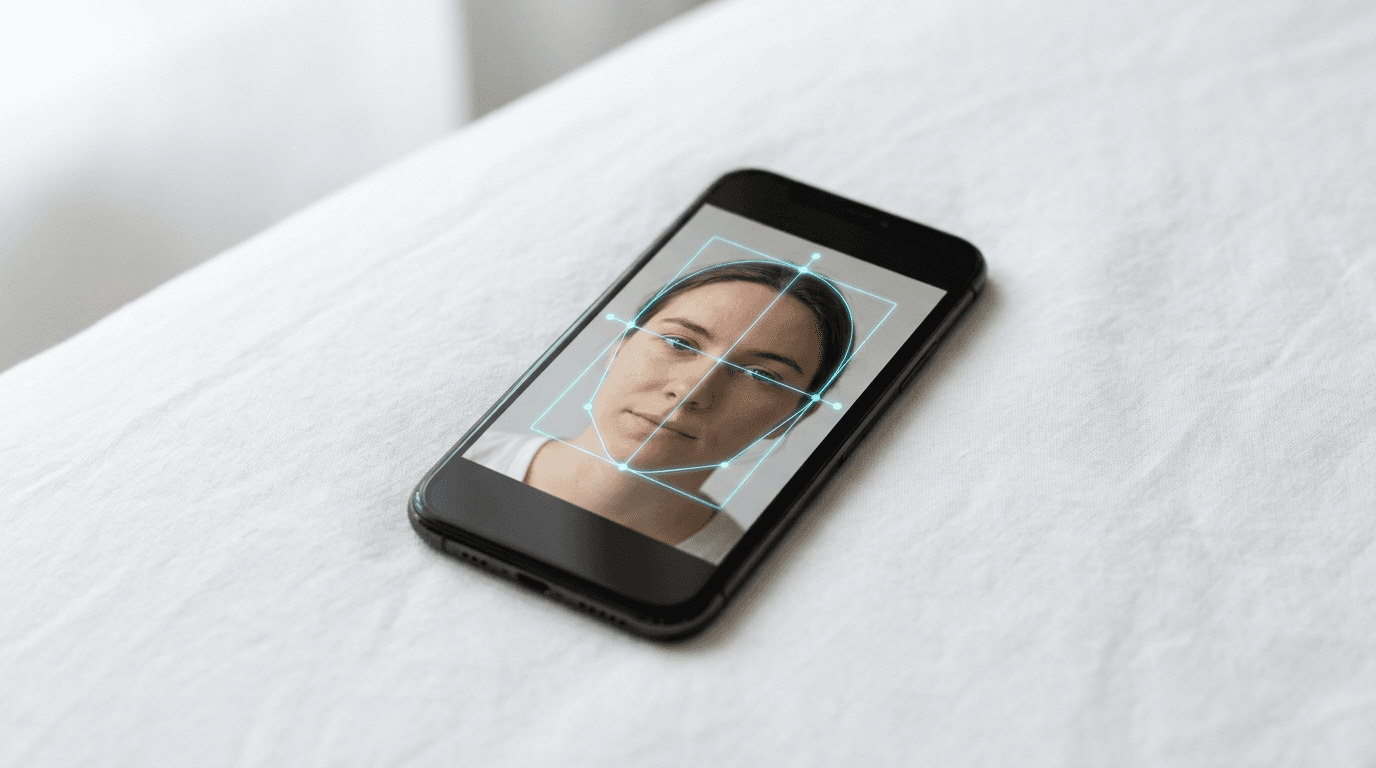
The modern biometric verification systems used by authorities evaluate uploads long before a human examiner ever sees them. These systems measure the distance between the pupils, check the vertical axis for unacceptable head tilt, and scan the edges of the hair to ensure artificial halos have not been introduced by poor editing software. Because the technical hurdles have moved from simple dimensions to complex pixel-level lighting analysis, evaluating your software choices requires understanding exactly how the data is handled.
We categorise these tools by their Processing Method, which dictates both the cost and the compliance risk:
- AI-Assisted Processing: These platforms use cloud-based algorithms to actively separate the subject from the background. They map the facial geometry and manipulate the digital environment to simulate studio lighting conditions. Because this requires heavy server loads, platforms in this tier frequently charge a fee or gate their best features.
- Local Client-Side Adjustment: These utilities run entirely inside your device's web browser using JavaScript. They provide digital overlays to help you align the face correctly without ever sending the actual image file to an external server. This keeps sensitive files secure but provides no automated background replacement.
- Manual Editing: The most basic tier allows you to select a specific country's dimensions and drag a fixed-ratio crop box over the image. You do the heavy lifting, and the software merely packages the file into a printable format.
Practical rule: Never use software that automatically smooths skin or alters the physical shape of the jawline, as biometric scanners rely on those exact micro-imperfections to verify identity.
Before uploading sensitive images, reviewing a platform's privacy policy is a mandatory step, as some free services offset their costs by retaining facial training data. Understanding exactly how the processing method intersects with your own photography skills is the only reliable way to clear the portal's automated checks.
1. Passport Photo Online
The bottleneck of uploading an image to a government portal only to face an immediate algorithmic rejection is what drives most applicants away from basic cropping utilities. Passport Photo Online serves as a hybrid solution, combining algorithmic processing with secondary manual validation.
The workflow begins by uploading a standard portrait to a remote server, where artificial intelligence isolates the subject from their environment. The algorithm strips away household backgrounds and replaces them with a mathematically flat, compliant solid colour. Following the extraction, the software maps the facial geometry, measuring pupil distance and checking for illegal head tilts. Algorithms regularly misjudge depth. To counter this, the file enters a queue for a human technician who reviews the generated image against current regulatory thresholds. This expert looks specifically for uneven flash glare that algorithms miss, adjusting the final exposure margins before approving the final file.
Human review closes the compliance gap
Introducing a human technician into the workflow fundamentally breaks the promise of instantaneous, cost-free generation. Paying experts to review files is a commercial reality. Therefore, this service heavily pushes its paid tier. This rules it out for applicants who require an immediate digital code for a next-day submission. They strictly need a free passport photo maker to keep their application costs at absolute zero. Furthermore, you might submit a fundamentally flawed image with deep shadows cast across the nose. The human review team will simply reject the file. They will not digitally reconstruct the missing lighting. Instead, this sends you back to the camera.
We would choose this path when submitting complex applications where the initial lighting on the face is adequate but the surrounding environment is entirely unsuitable for official documents.
Pros
- Human verification catches nuanced lighting errors
- Robust extraction of complex backgrounds
- High acceptance rate for digital submissions
Cons
- Operates largely as a paid commercial service
- Turnaround time relies on human availability
- Cannot fix severe underexposure on the subject
2. PhotoBooth Online
Before committing to any digital tool, the immediate question UK applicants ask is whether the generated dimensions will actually pass the rigid automated checks of the official government portal without triggering a manual review delay. PhotoBooth Online is built specifically to address regional British compliance thresholds.
Operating through AI-Assisted Processing, this system ingests the raw photograph and targets the biometric constraints mandated by British authorities. The software standardises the file by locating the crown of the head and the point of the chin, calculating the exact vertical ratio required to ensure the face measures between 29mm and 34mm in height. The math is rigid. It then crops the image to the standard 45mm by 35mm equivalent in digital pixels, automatically adjusting the horizontal framing so the subject occupies the correct percentage of the total area. The background colour is measured for uniformity, ensuring the required light grey or cream threshold is met without introducing artificial bleeding around the edges of the hair.
Regional tuning removes upload friction
Because the underlying architecture is so heavily weighted toward British and standard European specifications, expatriate families attempting to generate visas for countries with drastically different framing rules will find the template constraints too restrictive. The tool also relies heavily on the user to provide adequate baseline lighting; it cannot digitally rescue an underexposed image or remove hard shadows cast by a nearby window.
This represents a highly logical choice for a standard adult renewal where you have already secured a perfectly neutral background in natural light and simply need an online passport photo maker capable of precise, region-specific cropping.
Pros
- Tuned specifically for UK digital portal requirements
- Automated vertical ratio calculations prevent scale errors
- Fast processing without human delays
Cons
- Restrictive for non-European visa formats
- Fails to correct hard directional shadows
- Requires a relatively clean background from the start
3. Passport Photo Wiz
Instead of transmitting unencrypted portraits across the internet to unknown servers, the actual image data manipulated here never leaves your local machine, fundamentally altering how image processing is handled securely.

Passport Photo Wiz operates via Local Client-Side Adjustment, running entirely within the confines of the user's web browser by leveraging local scripts. When you load a file, the JavaScript application renders the image directly using your own hardware's processing power. The file stays local. It overlays a digital guide system composed of horizontal and vertical markers that you must manually drag and align with the subject's eyes, chin, and the very top of their head. Because it does not rely on a backend server, the software outputs the final cropped file from your computer's temporary memory straight to your hard drive, allowing you to create a passport size photo online free of data interception risks.
Local execution guarantees data privacy
Relying entirely on your local device to execute the cropping scripts means that older mobile hardware or browsers running aggressive security blockers will often break the interface entirely or cause the canvas rendering to crash. The profound structural limit here is the complete absence of automated background removal or exposure correction; if the infant is photographed against a wrinkled blue blanket, the final exported crop will visibly include that exact wrinkled blanket.
For privacy-conscious parents working with sensitive images of newborns, we would rely on this method exclusively when the original photograph is already perfectly staged and the only remaining task is biometric alignment.
Pros
- Zero data transmission protects subject privacy
- Instantaneous export directly to local storage
- Operates entirely free of paywalls
Cons
- Zero automated background replacement capabilities
- Interface breaks on devices with heavy script blockers
- Relies on the user to judge correct alignment
4. IDPhoto4You
Realising you need physical prints formatted for three different international visas by tomorrow morning on absolutely zero budget is the trigger event that sends most applicants searching for manual layout tools rather than automated services.
While it functions as a highly specific online photo creator, the workflow of IDPhoto4You is grounded entirely in Manual Editing. You upload a high-resolution source file, select the destination country from an extensive dropdown list, and choose your intended print sheet size. The interface provides a fixed-ratio selection box locked to the regulatory dimensions of that specific country. You physically drag and scale this box over the subject's face to establish the correct crop. Once you confirm the framing, the software tiles the cropped image multiple times across a single digital canvas, generating a standard photographic print file. You then download this grid and take it to a high-street kiosk to print as a standard photograph.
Total manual control demands user precision
The system lacks any biometric feedback, automated alignment routines, or compliance warnings for the user. It offers zero feedback. If you leave a heavy shadow across half the face or capture an illegal head tilt, the platform will happily tile that non-compliant mistake into a print-ready template. Securing a compliant free passport photo via this route demands that the user acts as their own compliance officer before the file is even uploaded.
We would restrict the use of this utility to confident photographers who already understand regulatory lighting conditions and purely need a reliable assembly tool to avoid commercial kiosk markups.
Pros
- Generates physical print grids for kiosk usage
- Extensive library of international dimensional ratios
- Completely free without hidden digital download fees
Cons
- Provides no warnings for biometric lighting failures
- Manual scaling frequently leads to chin-ratio errors
- Does not output single digital files for online portals
Matching the processing method to your application
Choosing the right pathway depends entirely on where your photography skills end and where the application's requirements begin.
If your primary hurdle is an unsuitable environment, AI-Assisted Processing removes the risk of algorithmic rejection by standardising the background. This route is practically mandatory for applicants attempting to shoot in dimly lit homes where securing a perfectly flat, shadow-free wall is impossible. The trade-off is often a commercial fee, making it vital to check the terms and conditions to ensure you retain rights to the final image. Furthermore, if the automated portal eventually rejects the paid file, understanding a platform's 100% refund policy becomes critical.
When privacy dictates your workflow, particularly with images of minors, Local Client-Side Adjustment is the safest path. It suits users who have already achieved perfect lighting and a clean background in-camera, requiring only a secure method to trim the file to the correct pixel dimensions without transmitting data.
For high-volume physical print needs, Manual Editing tools remain relevant. They are built for applicants who intend to walk into a pharmacy and print a 4x6 sheet for pennies, rather than paying studio markups for the exact same photographic paper.
Practical rule: When printing a digital template at a local kiosk, always select a matte finish; glossy paper creates scanner glare that frequently causes automated rejections when authorities digitise your physical application.