3 Ways to Get Passport Photo Online: 2026 Compliance Review
HM Passport Office rejections for digital uploads are overwhelmingly driven by automated biometric checks failing on contrast, background shadows, or incorrect head-to-chin proportions, rather than subjective human judgement. A 2026 digital application requires exact parameters - typically a head height between 29mm and 34mm within the digital frame - before the government system even issues a confirmation. When you set out to get passport photo online compliance, you are paying for the mechanism that measures those proportions and verifies the background, not just a standard cropping tool.
Quick Summary
Obtaining a compliant digital identification photo requires a platform that enforces strict biometric parameters, automatically removes unapproved backgrounds, and provides an official photo code for government portals. The market splits between low-cost hybrid tools and premium services that offer unlimited retakes and guaranteed compliance.
- HM Passport Office systems automatically reject images with uneven lighting or background clutter.
- Flat-fee platforms rely on human verification alongside AI checks to secure a code.
- Premium options offer double money-back guarantees on rejected uploads.
- Generating online passport photos formatted for physical printing is possible for free if you do not need an instant digital code.
Table of Contents
- Comparison Table
- How to Choose a Digital Provider
- 1. Passport Photo Digital
- 2. PhotoAiD
- 3. Passport Photo Online
- Which Service Suits Your Situation
- Recommended Reads
Comparison Table
| Product | Commercial and Verification Model | Features | Pros | Cons | Target Audience |
|---|---|---|---|---|---|
| Passport Photo Digital | Flat-Fee Assisted Verification | AI + Human expert check, £4.99 flat price, unique digital code | Affordable standard rate, Human oversight included, Free redo on rejection | 5-10 minute wait time, No physical prints offered, Requires email delivery | Standard applicants seeking a cheap, verified UK code |
| PhotoAiD | Premium Iterative Verification | Unlimited retakes, 200% double refund, £9.95 digital / £12.95 print | High compensation for failure, Immediate cropping, End-to-end print option | Premium price for a digital file, Fully automated initial check, App download pushed | Users photographing restless subjects like infants |
| Passport Photo Online | Hybrid DIY-to-Premium | 4x6 template generator, £13.95 digital, 7,400+ reviews | Free DIY print template, Strong user rating, Double refund policy | Most expensive digital tier, High print add-on cost, Template requires physical printing | Users with high-quality photo printers at home |
How to Choose a Digital Provider
When you attempt to create a digital passport photo online, you are engaging with a strict biometric verification system. The HM Passport Office relies on automated software to process millions of digital applications. If your image fails the algorithmic check, your application stops immediately.
Commercial and Verification Model
The market divides into three distinct approaches to securing that compliance. Flat-Fee Assisted Verification focuses on human oversight. You upload an image, the software performs a basic dimension check, and a human expert reviews the contrast, shadows, and eye alignment before issuing the government code. This model is cost-effective and highly reliable, but it trades away instant processing. Premium Iterative Verification hands the control back to the user. Driven entirely by artificial intelligence, these platforms let you take endless photos until the software confirms a pass. The mechanism strips the background and normalises the file size automatically. You pay a premium price for the privilege of unlimited attempts, making it ideal for difficult shoots. Hybrid DIY-to-Premium separates the validation from the final product. The platform aligns the facial geometry within a digital grid and allows you to download a formatted sheet for free. If you want the official digital code for a government portal, you hit a steep paywall.
Navigating Strict Biometric Rules
Understanding the failure modes saves you from paying for a service that cannot fix a bad source image. The most common cause for a rejected passport size photo online is incorrect lighting. Smartphone sensors compensate for low light by artificially brightening the image, which introduces digital noise. When the government algorithm scans a noisy image, it cannot cleanly detect the edges of your iris or the boundary of your chin.
You must shoot in natural, diffused daylight. Stand facing a window with a plain, light-coloured wall behind you. Do not stand directly against the wall; stepping half a metre forward eliminates the sharp shadows that cause automatic rejections. Furthermore, standard smartphone lenses introduce barrel distortion when placed too close to the subject, making the nose appear artificially large. Position the camera at least 1.5 metres away and use a slight optical zoom to flatten the facial features into the correct proportions.
Practical rule: Never edit your own passport photo using generic manipulation software; altering facial features or smoothing skin automatically invalidates the biometric data and guarantees rejection.
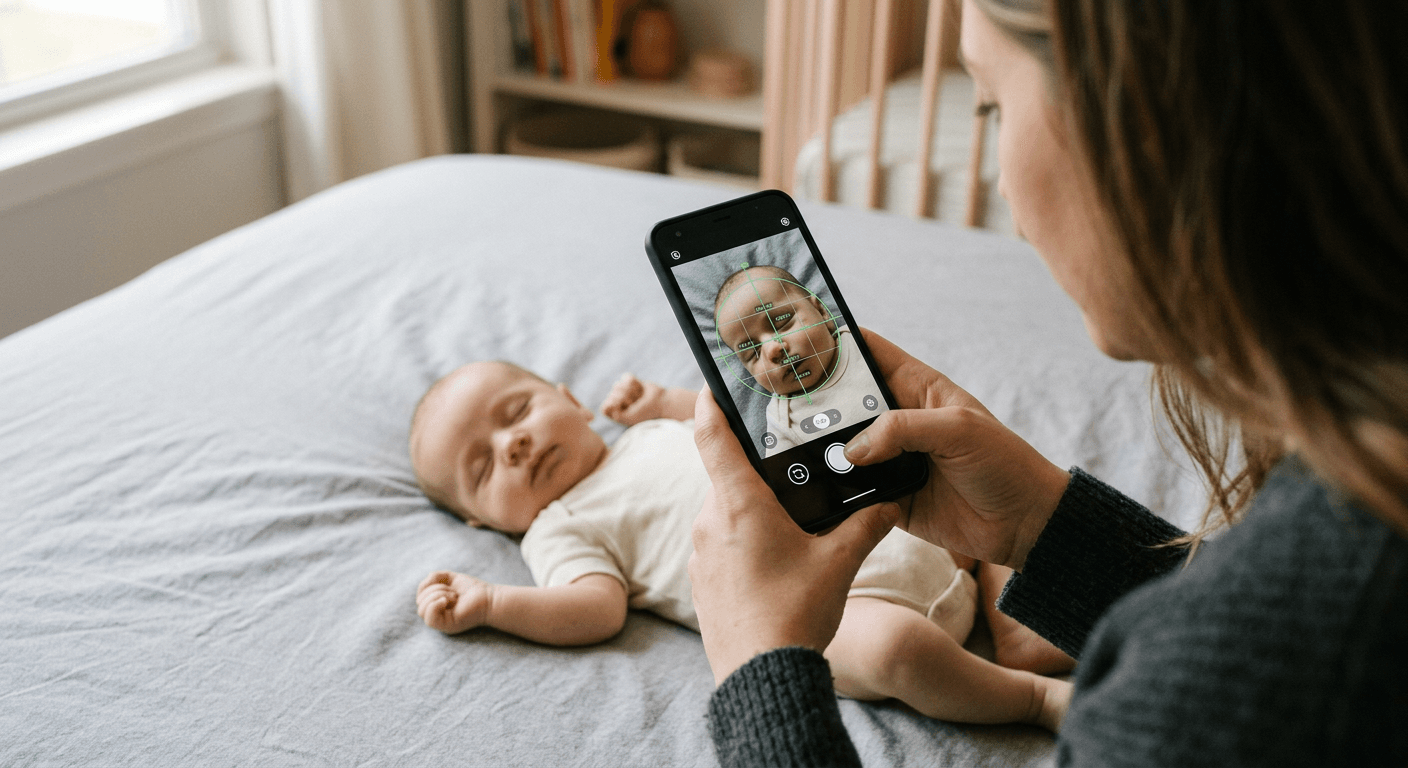
For parents, navigating UK and international baby passport photo requirements takes time, as the rules for infants differ slightly from adult parameters. An infant under one year old does not need to have their eyes open or look directly at the camera, but the background must still be a plain light grey or cream sheet. No hands, dummies, or toys can appear in the frame.
Before committing to any paid tier, spend time understanding a 100% refund policy. A genuine guarantee covers cases where the government officially rejects the photo code, rather than just refunding software glitches. Additionally, check their biometric data privacy policies to ensure your facial mapping is deleted immediately after the code is generated.
1. Passport Photo Digital
Applicants tired of automated rejections often prefer a human in the loop. Passport Photo Digital operates as a flat-rate code provider for standard applications, leaning heavily on manual verification to bypass algorithm failures.
When you submit a smartphone image to this platform, the system runs an initial algorithmic sweep for basic compliance - checking for a plain background and sufficient resolution. Instead of instantly returning a file, a human expert then reviews the contrast, lighting, and facial expression against official guidelines. Only after this manual sign-off does the platform generate and email the unique digital code required for the gov.uk portal. This dual-layer approach ensures that nuanced errors, like a slight head tilt or a subtle shadow under the chin, are caught before the government system sees the file.
Human oversight delays the instant gratification
The necessity of a human expert introduces a structural bottleneck. Processing takes between 5 and 10 minutes per upload. That makes it entirely unsuitable for users standing at a computer trying to complete a government application before their session times out. If you need a code immediately, this platform will leave you waiting.
I would choose this if you just need a standard UK application code and want human oversight without the premium price tag. The £4.99 flat price is highly competitive, and the promise of a free redo if the photo code is rejected mitigates the commercial risk.
Pros
- Low flat price of £4.99 for a verified code
- Human expert review catches nuanced errors
- Free redo provided if the government rejects the code
Cons
- 5 to 10 minute wait time per photo
- Digital code is delivered via email rather than instantly on-screen
- No option to order physical prints through the platform
2. PhotoAiD
According to its published pricing, this platform costs £9.95 for an instant digital copy or £12.95 if you need physical prints delivered by mail. PhotoAiD is built entirely around artificial intelligence, targeting users who struggle to capture a clean shot on the first attempt.
The mechanism here is purely algorithmic. As soon as you upload an image, the engine maps your facial landmarks in real time. It detects the edges of the subject, strips away whatever background is present, and replaces it with the exact uniform colour required by the destination country. Simultaneously, the software forces the resolution to match official parameters, ensuring the final file sits cleanly between the mandated 50KB and 10MB limits. The platform checks against dozens of failure points, from mouth positioning to eye visibility, and allows you to keep uploading new attempts until the software registers a pass.
Unlimited attempts transfer the labour to the user
The primary selling point is the ability to take unlimited retakes at no extra charge. This means you are paying a £9.95 premium to repeatedly correct your own photography errors through trial and error, rather than having an expert guide the initial shot. If your lighting is fundamentally flawed, you could spend hours feeding rejected photos into the algorithm.
This makes sense for parents trying to photograph restless infants, where getting the eyes open and mouth closed often requires dozens of rapid-fire attempts before landing one that the AI accepts. The double money-back guarantee (200% of the purchase cost) on official rejections offers strong financial protection for those difficult shoots.
Pros
- Unlimited retakes allow for endless trial and error
- 200% refund policy if the application is rejected
- Physical prints can be ordered directly to your door
Cons
- High £9.95 price point for just a digital file
- Wholly automated initial check lacks human nuance
- Relies heavily on the user fixing their own lighting issues
3. Passport Photo Online
While the previous options lock all utility strictly behind a paywall, this service separates the digital verification step from the physical printing process. Passport Photo Online operates as a dual-tier application, offering both a free layout tool and a premium managed service.
The software applies a biometric cropping grid over your uploaded selfie to centre your eyes and establish the correct 29mm to 34mm head height. From there, the system splits into two distinct paths. It can package multiple aligned images onto a single 4x6 inch digital sheet that you can download immediately. Alternatively, if you require a guaranteed digital passport file with official verification, the system routes your image through its premium validation engine to produce the final compliant code.
The free tier relies on your external hardware
Accessing a passport photo online free through this platform only yields a 4x6 inch template file. You must still take that file to a high-quality retail kiosk or own a calibrated home photo printer to get the final product. If you need the fully managed digital code for an online application, the premium tier costs a steep £13.95, making it the most expensive digital option in this review.
My choice would be to use this strictly for the free template generator, provided you already have a reliable way to print physical copies at commercial grade. If you need the digital code, the premium tier is difficult to justify when cheaper alternatives exist.
Practical rule: When printing a downloaded template at home or a kiosk, always set the printer scale to 100% or "actual size". Allowing the printer software to scale to fit the page shrinks the biometric proportions and guarantees an instant rejection from the passport office.
Pros
- Generates a free 4x6 inch template for self-printing
- Maintains a strong 4.5 out of 5 stars across over 7,400 user reviews
- Backed by a 200% money-back guarantee on official rejections
Cons
- The £13.95 digital service is the most expensive in this tier
- Free option leaves the physical printing burden entirely on the user
- Premium print delivery costs £16.95
Which Service Suits Your Situation
Choosing the right platform depends entirely on how you intend to submit your application and how much time you have to capture the source image.
For the Flat-Fee Assisted Verification model, Passport Photo Digital is the logical choice for standard adult renewals. When you have a cooperative subject and can wait 10 minutes for the final code, the £4.99 price point and the inclusion of a human expert review provide the most secure route to compliance. It removes the stress of wondering if an automated algorithm missed a subtle shadow. If a code fails on the government portal, you will need to rely on the vendor's help centre to issue a new one, but the human oversight makes failure rare.
The Premium Iterative Verification model belongs to PhotoAiD. This category is built for difficult shoots. When photographing toddlers or infants, capturing a single compliant frame is largely a matter of luck. Paying £9.95 for unlimited algorithmic checks allows you to blast through dozens of attempts without financial penalty. The 200% refund policy ensures that if the AI misjudges a difficult shot, you are compensated for the delay.
The Hybrid DIY-to-Premium category, represented by Passport Photo Online, is for users who retain control over their own printing hardware. If you only need to generate images formatted onto a printable grid, this platform delivers the necessary layout for free. It suits applicants applying via paper forms who want to avoid high street retail kiosk prices, provided they remember to print at exact scale.