How to Renew Passport Online in 2026: A Complete Guide to Digital Photo Uploads
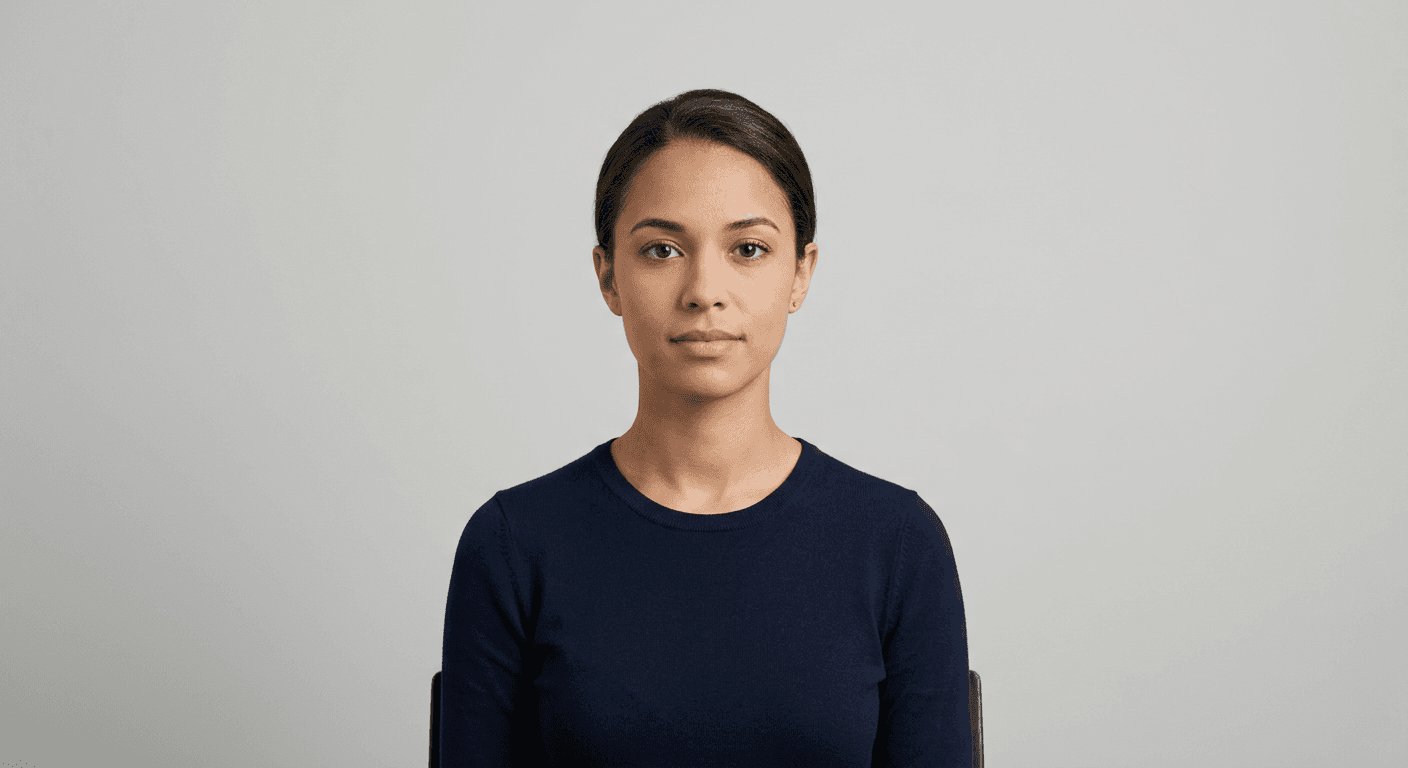
Renewing travel documents has transitioned from a manual, paper-heavy process to a streamlined digital experience. Understanding how to renew passport online provides applicants with significant time savings, allowing them to manage the entire lifecycle of their application from a personal device. Central to this process is the ability to submit high-quality, compliant images that meet strict biometric standards.

Quick Summary
Renewing a passport online involves accessing the official government portal, providing current personal details, and uploading a digitised portrait that meets specific biometric criteria. Key steps include confirming eligibility, capturing a compliant photo, and completing the digital payment.
- Verify your current passport status and eligibility for online renewal.
- Capture or upload a high-resolution, neutral-expression digital image.
- Ensure the background is plain and lighting is even to avoid rejection.
- Follow the specific file size and format requirements of the government portal.
Table of Contents
- Eligibility and Preparation
- Capturing the Right Image
- Uploading Your Digital Photo
- Common Pitfalls and Troubleshooting
- FAQ
- Recommended Reads
Eligibility and Preparation
Before you begin to renew passport online, you must confirm that your current circumstances allow for a digital application. Most government systems require that you are in possession of your existing passport and that it is not excessively damaged. You should carefully review the official privacy policies associated with the application site to ensure you understand how your personal data is handled throughout the identity verification process.
Preparation also includes gathering necessary documentation such as your previous passport, a credit or debit card for the fee, and a digital image file. Many applicants find it helpful to consult a professional guide on biometric requirements before starting the application, as these specifications often include precise measurements for head size and eye positioning. Failing to prepare these elements beforehand can lead to time-outs during the online session, forcing you to restart the process.
Capturing the Right Image
When you need to change passport photo standards or simply provide a fresh image for your renewal, lighting and positioning are the most critical factors. Authorities require a clear, high-resolution image with no shadows on the face or background. Use a plain, light-coloured wall or background; patterns or shadows can trigger automatic system rejections, as the software will struggle to distinguish the subject from the backdrop.
For those who need to upload passport photo files, the image must be taken in a well-lit environment. Avoid using the camera flash directly against the face, as this causes overexposure and red-eye, both of which are common reasons for rejection. Keep a neutral expression with eyes fully visible and mouth closed. Ensure the subject is looking directly at the camera, as even minor head tilts can invalidate the biometric mapping used by government identity software.
Uploading Your Digital Photo
Once you have captured the perfect shot, the next phase is the digital upload. You must ensure your image file meets the technical specifications - typically a specific pixel dimension and file size limit. If your photo is too large or too small, the portal will often flag it immediately. Before submitting, it is advisable to check the terms of service to ensure you are meeting the file type requirements, such as JPEG or PNG format, which are standard for most systems.
During the upload process, most systems provide an automated cropping tool. You will likely need to align the eyes and chin within the provided guidelines on the screen. Take your time during this step; precision is vital. If you find the process confusing or encounter errors, you can always reach out to the contact support teams linked through the official government portal to resolve technical difficulties before finally submitting the application.
Pro Tip: If you are finding it difficult to get your lighting or background correct, consider using a dedicated biometric photo tool to pre-process your image. These tools ensure your file is properly scaled and the background is removed before you attempt the official upload, significantly reducing the risk of rejection.
Common Pitfalls and Troubleshooting
The most frequent issue applicants face when they apply for passport online is the 'photo rejection' loop. This occurs when the image does not strictly adhere to biometric standards. If you receive an error regarding your photo, do not panic; ensure your hair is not obscuring your eyes, there are no reflections from glasses, and the white balance is natural. Retaking the photo in daylight, rather than under artificial yellow lighting, often resolves these issues instantly.
Another common hurdle is system timeouts. Because secure government portals have strict security protocols, they often terminate sessions after a short period of inactivity. If you need to stop to capture a new photo, ensure you have saved your application progress. If the system fails to accept your payment or upload, clear your browser cache or try an alternative browser, as compatibility issues with older browser versions are a frequent cause of technical failure.
FAQ
Can I use a selfie for my passport renewal? Yes, but it must be taken against a plain background with professional-quality lighting. Casual selfies with angled shots or messy backgrounds will be rejected.
What should I do if my photo is rejected? Check the rejection code provided by the portal. Common issues include shadows, incorrect head-to-chin ratios, or obstructed eyes. Adjust these specific elements and re-upload.
Do I need to print the photo if I apply online? Generally, no. When you renew passport online, the digital file is uploaded directly into the government system, eliminating the need for physical prints.
How recent must the passport photo be? It must reflect your current appearance, typically taken within the last month to ensure it is an accurate representation of your features.