Important Tips for Countersigning Passport Photos
Ensuring your identity documentation is accurate is a critical step in international travel, especially when it comes to the technical requirements for countersigning passport photos. A countersignature serves as a verification of your identity, and when combined with the precise demands for a compliant image, it ensures the integrity of your application process.
Quick Summary
Countersigning a passport photo involves an authorised person verifying that the photograph is a true likeness of the applicant. This process requires adherence to strict biometric standards, including specific sizing, lighting, and expression rules, to ensure the photograph is accepted by passport control and visa processing agencies.
- The countersignatory must have known the applicant for a specific period, typically two years.
- Biometric standards, such as those for a german passport photo, require neutral expressions and no glasses.
- Digital tools allow users to take passport photo online, ensuring compliance with global dimensions.
- Official documentation, such as the us visa passport photo size, demands exact pixel or inch measurements.
Table of Contents
- The Role of Countersigning Passport Photos
- Technical Specifications for Passport Images
- Navigating International Photo Requirements
- Advantages of Digital Submission Tools
- Common Mistakes to Avoid
- FAQ
- Recommended Reads

The Role of Countersigning Passport Photos
A countersignature acts as a formal bridge between the applicant and the issuing authority. When someone is tasked with countersigning passport photo documentation, they are effectively vouching for the applicant's identity. This process is generally reserved for first-time applicants or those whose appearance has changed significantly, preventing potential identity fraud.
The individual providing the countersignature must typically hold a professional position and have a genuine acquaintance with the applicant. They must ensure the back of the photograph is signed with a declaration that it is a true likeness. If you are uncertain about the specific requirements for your jurisdiction, consulting the official guidance page provides the necessary context on who qualifies as an eligible witness.
Technical Specifications for Passport Images
Beyond the signature, the physical characteristics of the photograph are non-negotiable. Authorities demand high-quality, high-resolution images that are free from shadows and digital manipulation. For instance, the lighting must be even across the face to prevent obscuring identifying features. Backgrounds should be plain and light-coloured, ensuring there is no contrast interference that could confuse automated facial recognition software.
Head positioning is equally vital. Applicants must look directly into the lens with a neutral expression - mouth closed and eyes clearly visible. Head coverings are generally disallowed, except for religious or medical reasons, and must not cast shadows on the face. Reviewing the privacy information can also help you understand how your personal image data is treated when you opt for modern digitisation services.
Navigating International Photo Requirements
Different countries impose specific rules on image composition. For example, a german passport photo has strict geometric requirements, often differing from the standard UK format. When preparing a file for such an application, ensure that the face is centred and occupies the correct proportion of the frame, usually between 70% and 80% of the image height.
Similarly, when managing a visa application, precision is paramount. The us visa passport photo size, which is traditionally 2 inches by 2 inches, requires specific head-to-chin measurements. Failing to hit these exact dimensions is one of the most common reasons for application rejection. If you are struggling with these constraints, many users find it helpful to contact support services for clarification on specific national standards.
Advantages of Digital Submission Tools
Modern technology has simplified the process of compliance significantly. Instead of relying on manual photography booths, many applicants choose to take passport photo online using automated verification software. These tools are programmed to validate the image against international biometric standards instantly, highlighting issues like glare, incorrect cropping, or shadows before you finalise your submission.
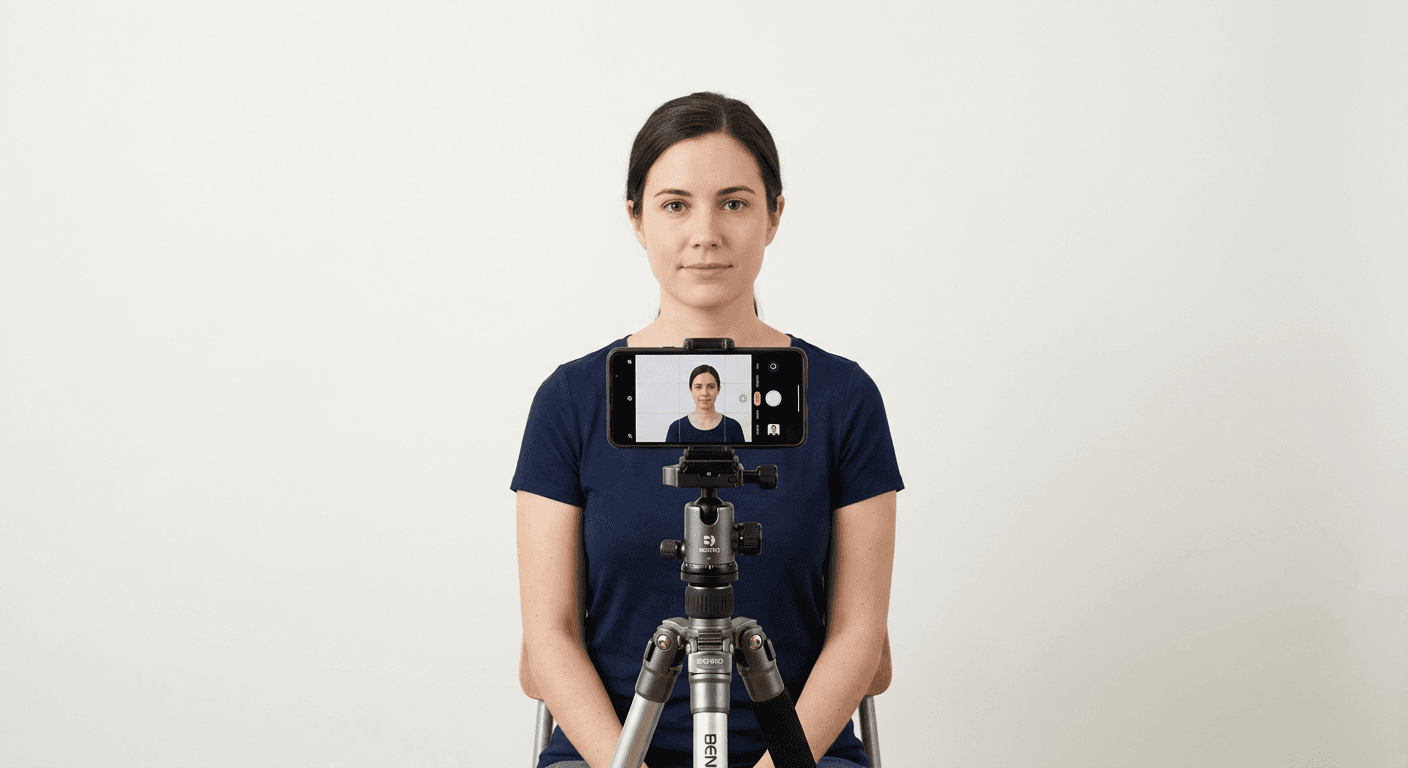
Pro Tip: When capturing your photo at home, use a tripod to eliminate camera shake. This ensures the sharpness required for high-definition scanning, which is essential for biometric approval processes.
Using a reliable us visa photo tool can save hours of frustration by automating the resizing and validation steps. These digital platforms remove the guesswork associated with manually cropping images to meet strict pixel density requirements, providing a much higher success rate for first-time applicants.
Common Mistakes to Avoid
Even with high-end tools, simple errors remain frequent. Wearing spectacles is a major point of contention; many agencies now require photos to be taken without glasses to avoid lens reflections, which can obscure the eyes. Another common pitfall is the use of 'selfie' mode on smartphones, which introduces wide-angle lens distortion that alters facial features.
Furthermore, ensure that the signature on the back of the photo does not bleed through to the front. Use a fine-tip pen and avoid pressing too hard. If you are concerned about your rights or the status of an application, it is advisable to check the terms of service provided by your chosen photo service to understand their liability regarding failed submissions.
FAQ
Can anyone countersign my passport photo?
No, the countersignatory must meet specific criteria, such as holding a valid passport and having known you for at least two years. They must also be in a recognised professional capacity.
Why was my photo rejected even with a countersignature?
Rejections usually occur due to technical non-compliance, such as incorrect background colour, presence of shadows, or the image failing to meet the required pixel/dimension ratio for the specific passport type.
Is it acceptable to use a digital photo for a paper application?
This depends on the issuing authority. Some countries accept digital uploads, while others require physical prints. Always check the official guidelines for your specific application type.
Do I need to remove my glasses for a US visa photo?
Yes, the current US Department of State policy requires applicants to remove their glasses for all visa and passport photos to ensure there is no glare or obstruction of the eyes.