Passport Size Photo Requirements for Indian Visa
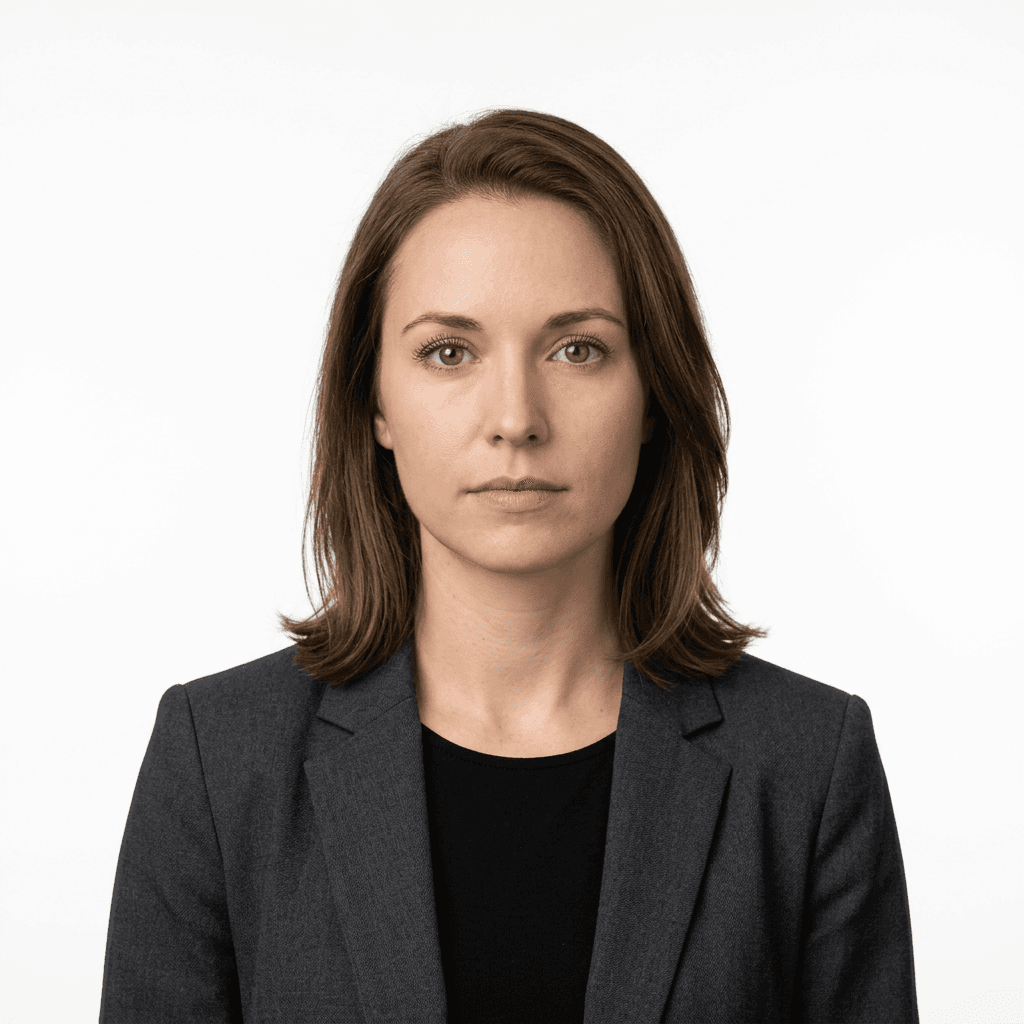
Securing an Indian visa requires strict adherence to specific photographic standards. Understanding the nuances of india passport photo requirements is the difference between a seamless application process and a frustrating rejection. This guide demystifies the technical and aesthetic criteria mandated by the Indian government to ensure your documentation remains compliant.
Quick Summary
Indian visa applications mandate a square-format photograph measuring 2 inches by 2 inches (51mm x 51mm). The image must be a recent, high-resolution color shot against a plain white background, featuring a neutral facial expression with eyes clearly visible and ears potentially exposed, adhering strictly to international biometric standards.
- Dimensions: 2x2 inches (51mm x 51mm).
- Background: Plain, solid white.
- Resolution: Minimum 300 DPI for digital uploads.
- Lighting: Uniform, shadow-free, and natural.
Table of Contents
- India Passport Photo Requirements Explained
- Critical Dimensions and Aspect Ratios
- Composition and Technical Standards
- Common Pitfalls and Rejection Reasons
- Comparison Table of Specifications
- Real-World Application Tips
- Frequently Asked Questions
- Recommended Reads

India Passport Photo Requirements Explained
The indian passport photo requirements are governed by the guidelines set forth by the Indian Ministry of External Affairs and the Bureau of Immigration. These rules are designed to facilitate facial recognition software and biometric verification. Because visas are processed through digital portals, the requirements often mirror those of standard passport applications, necessitating a high level of precision in both lighting and physical framing.
Failure to meet these standards typically results in an immediate suspension of the processing cycle. Unlike other countries that may allow a degree of flexibility, Indian consular authorities are notably rigorous regarding contrast, head positioning, and print quality. Whether you are applying through a consulate or an online e-visa portal, the primary objective is to present an unadulterated, high-fidelity representation of the applicant.
For those needing professional assistance to ensure their images are compliant, you can consult the passport photo maker guide to understand the automated cropping and sizing tools available to applicants. Navigating these requirements effectively starts with treating the photograph as a critical legal document rather than a casual portrait.
Critical Dimensions and Aspect Ratios
When discussing passport size photo dimensions in india, the gold standard is the 2x2 inch square. This measurement is non-negotiable for printed applications. The frame must show the head from the crown to the chin, ensuring the face occupies 70% to 80% of the total image area. If the face is too small, the biometric scanners will fail to capture identifying markers; if it is too large, the cropping will omit essential cranial features.
Digital Image Specifications
For e-visa applications, the digital file size is equally critical. Typically, the file must be in JPEG format, with a size range usually between 10 KB and 1 MB. The resolution must be at least 350x350 pixels. If you are struggling with these technical hurdles, it is advisable to contact the help desk for specific troubleshooting on file compression or resolution adjustments.
Composition and Technical Standards
The composition of an Indian visa photo demands a neutral background - specifically, pure white. Any shadows cast on the background indicate improper lighting, which is a frequent cause for rejection. Professional photographers should use a three-point lighting setup to eliminate shadows behind the ears and neck, ensuring the subject's silhouette is crisp against the white backdrop.
Facial Expressions and Attire
Your expression must be neutral: eyes open, mouth closed, and looking directly into the lens. Spectacles should be removed to avoid glare on the lenses, which can obscure the eyes. Headwear is strictly prohibited unless worn for religious reasons; however, even then, the face must remain entirely visible from the bottom of the chin to the top of the forehead. For more details on formatting requirements, refer to the about us page to see how our standards align with international visa norms.
Pro Tip: When setting up your shot, stand approximately 1.5 meters away from the camera lens to minimize geometric distortion, which often makes noses appear larger or ears vanish in wide-angle smartphone portraits.
Common Pitfalls and Rejection Reasons
The most common reason for rejection is poor image quality, specifically pixelation or 'noise'. This often happens when a low-quality selfie is upscaled to meet the 300 DPI (dots per inch) requirement. Upscaling does not increase detail; it only stretches the existing pixels, resulting in a blurry submission that the visa software will automatically flag.
Another frequent error is 'red eye' or 'reflections'. Even if you have perfect lighting, the reflective surface of glasses or the flash bouncing off the retina can ruin an otherwise perfect photo. Always verify your image in a high-contrast monitor before uploading. Should you encounter persistent issues with your application status, you can contact the support team to resolve potential document-related queries.
Comparison Table of Specifications
| Specification | Requirement Details |
|---|---|
| Physical Size | 2 x 2 inches (51mm x 51mm) |
| Background | Solid white (no patterns) |
| Face Coverage | 70% - 80% of total image height |
| File Format | JPEG (Joint Photographic Experts Group) |
| Digital Resolution | Minimum 350 x 350 pixels |
| File Size Limits | 10 KB to 1 MB (typically) |
Real-World Application Tips
In practice, many applicants fail because they attempt to use a photo they used for a standard passport renewal, which may have been taken years prior. Indian visa regulations require a 'recent' photograph, usually defined as being taken within the last 6 months. A change in appearance - such as a new beard, significant weight change, or hairstyle - renders an old photo invalid.
If you are taking the photo at home, use a tripod or prop your phone at eye level. Never use a handheld device to snap your own photo, as this inevitably introduces tilt and yaw into the frame, both of which are rejected by biometric verification systems. Consistency in head tilt is vital; if your chin is tilted down or your head is turned, the facial mapping software will return an error during the upload phase.
Frequently Asked Questions
Can I wear glasses in my Indian visa photo?
No. Spectacles should be removed to prevent light reflections and to ensure your eyes are clearly visible to the biometric scanner.
What is the minimum resolution for the digital photo?
Your digital photo should be at least 350 pixels in width and 350 pixels in height, with a recommended file size between 10 KB and 1 MB.
Is a colored background acceptable?
No, the background must be plain white. Any other color, pattern, or shadow will result in your application being rejected.
How recent should the photo be?
The photograph must be recent, typically defined as taken within the last 6 months, to accurately represent your current appearance.
Can I use a photo from my phone?
Yes, provided the phone has a high-quality camera and you strictly follow the lighting and framing requirements. However, professional photos are strongly recommended for accuracy.