Top 6 Professional Photo Editor Tools for ID and Passport Compliance in 2026
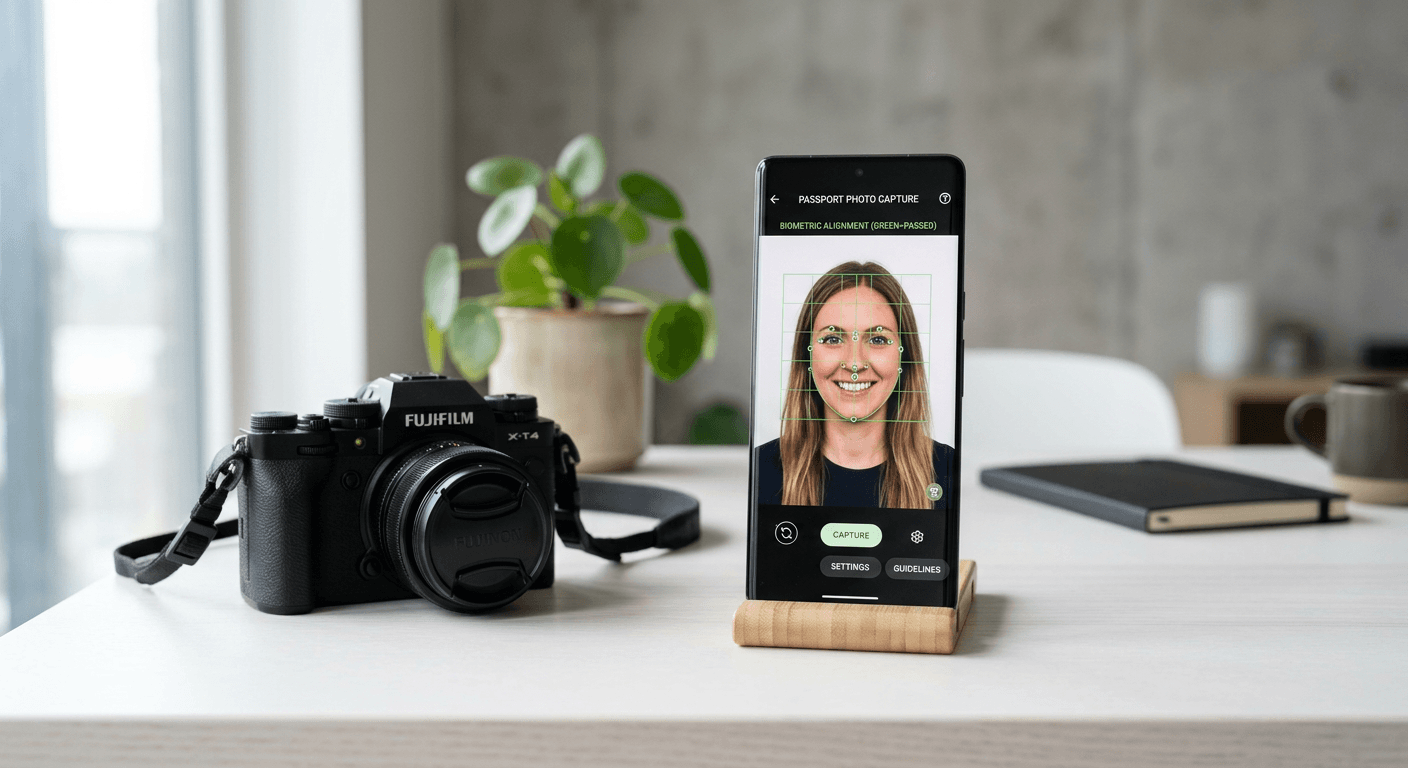
Capturing a compliant biometric image has become a streamlined process thanks to advancements in digital technology. Whether you are preparing a visa application for a business trip or documenting a newborn's first passport, utilising a professional photo editor is essential to navigate the complex regulatory requirements mandated by government passport offices. These tools have largely replaced the need for expensive physical kiosks, offering automated verification and precise cropping that ensures your application is not rejected at the initial hurdle.

Quick Summary
Professional ID photo software uses automated AI algorithms to ensure images meet strict government biometric standards regarding head size, background colour, and lighting. These platforms provide an efficient alternative to traditional studio services by offering instant compliance checks, template generation for printing, and digital file optimisation for online submissions.
- AI-driven compliance verification against international standards.
- Automatic background removal and precise subject centring.
- Instant generation of print-ready 4x6 inch templates.
- Significant cost reductions compared to traditional retail photography.
- Support for diverse document types, including passports and visas.
Table of Contents
- Quick Summary
- Comparison Table
- Professional Online Photo Creator Tools
- Category 1: Fully Automated AI Passport Photo Services
- Category 2: Feature-Rich Desktop Image Editors
- Category 3: Cloud-Based Compliance Platforms
- How to Choose the Right ID Photo Maker
- Frequently Asked Questions
- Recommended Reads
Comparison Table
| Feature | Fully Automated AI | Desktop Editors | Cloud-Based Suites |
|---|---|---|---|
| Ease of Use | Very High | Moderate | Moderate |
| Compliance Check | Automated | Manual | Hybrid |
| Cost | Low (Pay-per-photo) | High (Subscription) | Moderate |
| Best For | Casual/Home Users | Professional Designers | Frequent Travellers |
Professional Online Photo Creator Tools
Choosing the right online photo creator requires balancing technical precision with ease of use. When selecting a service, consider the specific requirements of your destination country, as biometric standards vary significantly between the United Kingdom, the United States, and the Schengen Area. A reliable service will automatically adjust for these regional differences, ensuring the head-to-chin ratio and eye-level positioning meet official guidelines.
Before you begin, consult the official government passport photo guide to ensure your initial smartphone capture is free from common errors like harsh shadows or excessive head tilt. Even the most advanced software can struggle if the base image is poorly lit or the subject is not facing the lens directly. Always aim for a neutral expression and a well-lit environment to achieve the best results.
Category 1: Fully Automated AI Passport Photo Services
These platforms represent the modern standard for convenience. By uploading a smartphone capture, the AI engine instantly handles background removal, cropping, and exposure balancing. This category is ideal for parents photographing infants, as it allows for multiple rapid-fire attempts until a compliant image is captured.
Pros
- Minimal technical skill required.
- Fast processing times, often under 60 seconds.
- Integrated compliance checks for specific global document requirements.
Cons
- Limited manual editing controls for advanced users.
- Dependent on an internet connection.
Category 2: Feature-Rich Desktop Image Editors
Desktop-based professional photo editor suites offer the highest level of control for users who require customisation beyond basic ID dimensions. These applications allow for granular adjustments to contrast, brightness, and shadow levels, which can be critical when working with low-light captures.
Pros
- Full control over image metadata and quality output.
- Works offline, ensuring privacy and data security.
- Suitable for bulk processing multiple family members' photos.
Cons
- Steeper learning curve for non-technical users.
- Usually requires an upfront purchase or monthly subscription.
Category 3: Cloud-Based Compliance Platforms
Cloud-based services act as a middle ground, offering a robust interface for editing combined with a secure database to keep your documents organised. Many users find these useful when they need to get online passport documents for multiple family members, as they often include features for secure storage and re-printing.
Pros
- Syncs across multiple devices, including tablets and smartphones.
- Often includes cloud-based secure storage for digital files.
- Regular updates to comply with changing international biometric legislation.
Cons
- Subscription-based pricing can add up if used infrequently.
- Potential privacy concerns with cloud uploads for sensitive documents.
How to Choose the Right ID Photo Maker
When evaluating a passport photo service, start by confirming that the tool specifically supports your required document type. Not all generators provide templates for every country or visa category. Check whether the output includes a print-ready file, which is usually a 4x6 inch sheet containing multiple copies of your photo. This format is the most cost-effective way to obtain physical copies at local printing kiosks.
Finally, verify the service provider's reputation regarding data privacy. You can review the privacy policy on their website to understand how they handle your biometric data. It is also beneficial to verify if they offer a money-back guarantee or a re-edit facility should your submitted photos be rejected by the relevant authorities due to a technical oversight in the formatting process.
Frequently Asked Questions
- Are smartphone photos acceptable for passports? Yes, provided the photo is taken in good lighting, shows the subject against a plain light background, and is processed through a compliant ID photo maker to meet official biometric standards.
- How do I ensure my digital passport photo is accepted? Use a professional service that validates the photo against specific country requirements, including pixel dimensions, file size, and the correct head-to-chin ratio.
- Is it cheaper to use an online service than a professional studio? In almost all cases, yes. Online services eliminate the markup associated with physical studio labour and storefront overheads.
- Can I use an ID photo maker for visa applications? Most professional tools include specific templates for various visa types; however, always verify the specific dimensions required by the embassy or consulate you are applying to.
Recommended Reads
- Understand how to handle the terms and conditions of photo service usage.
- View the refund policy for reassurance on photo compliance.
- Access our contact page if you encounter issues during the file generation process.
- Learn more about our approach to biometric image standardisation.