Understanding Passport Photos Requirements for Australia and New Zealand
You are hovering over a three-month-old infant placed on a white bedsheet, desperately trying to capture a neutral expression before they cry, knowing perfectly well that a single cast shadow under their chin will trigger an immediate rejection from the biometric processing system. The margin for error in international travel documentation is practically non-existent, and understanding the exact passport photos requirements for Australia or New Zealand is the dividing line between a swift approval and weeks of administrative delays.
Quick Summary
Navigating the stringent biometric specifications for oceanic travel documents requires exact adherence to lighting, sizing, and framing rules. Both nations utilise advanced facial recognition algorithms that reject images for minor infractions such as uneven background illumination or incorrect head proportions.
- The standard Australian passport size photo requires physical dimensions of 35mm to 40mm in width and 45mm to 50mm in height.
- New Zealand places a heavier emphasis on digital submission ratios, requiring a 3:4 aspect ratio for online applications.
- Infants must be photographed without visible support, pacifiers, or parental hands in the frame.
- Backgrounds must be strictly plain, light-coloured, and entirely free of textures or secondary light sources.
Table of Contents
- Anatomy of an Australian Passport Size Photo
- Navigating NZ Passport Photo Requirements
- The Biometric Mechanics of Facial Recognition
- Lighting Tolerances and Background Density
- Managing Infant Compliance Without a Studio
- Digital Submission Specifications and Compression
- Diagnosing Common Rejection Triggers
- Comparison Table
- FAQ
- Recommended Reads
Anatomy of an Australian Passport Size Photo
The physical dimensions of travel documentation are not arbitrary; they are strictly defined by the International Civil Aviation Organisation (ICAO) standards. When preparing an australian passport size photo, the external boundary is merely the first constraint. The image must measure between 35mm and 40mm in width, and between 45mm and 50mm in height. However, the internal geometry is where most manual attempts fail.
The Australian Passport Office demands that the size of the face from the crown of the head to the tip of the chin must be between 32mm and 36mm. If the camera is placed too close to the subject, the face exceeds this maximum boundary, causing the automated scanning software to reject the file because it cannot locate the necessary background space to calibrate the edge of the face. Conversely, if the face is too small, the sensor lacks the resolution to map the distance between the pupils accurately.
Every print must be generated on high-quality, glossy photographic paper using dye-sublimation or professional inkjet technology. Standard home office laser printers introduce a halftone dot pattern that the biometric scanners interpret as facial blemishes or security watermarks, resulting in an immediate failure. The prints must also be entirely borderless. Any white margins left by a home printer will skew the machine's measurement of the photograph's total surface area. For those navigating international rules simultaneously, reviewing comprehensive UK & International Baby Passport Photo Requirements & Guides provides a baseline for how these specifications compare globally.
Navigating NZ Passport Photo Requirements
While Australia maintains a strong focus on physical print dimensions alongside its digital system, the primary processing pathway in New Zealand is entirely digitised. The nz passport photo requirements heavily prioritise the digital file's raw metadata and structural formatting over physical print rules, though paper standards remain for postal applications.
For digital submissions, New Zealand's system requires an image with a strict 3:4 aspect ratio. The file must be captured in portrait orientation, meaning the height is greater than the width. The digital file size must sit between 500KB and 10MB, with pixel dimensions no smaller than 900 by 1200 pixels and no larger than 4500 by 6000 pixels. The facial geometry rules are equally rigid: the head must occupy the vast majority of the image height.
Practical rule: When shooting a digital photo for a New Zealand application, leave excess space around the subject's head and shoulders rather than framing tightly; cropping software can safely reduce a wide shot to the correct proportion, but it cannot invent background space that was never captured.
New Zealand's algorithm is particularly sensitive to software manipulation. If a user attempts to manually blur a messy background or use a digital airbrushing tool to remove a blemish, the photo metadata and pixel structure will flag the image as altered. The internal processing engine detects artificial edge transitions between the subject's hair and the background. Any image that appears to have been masked or artificially isolated from its original background is flagged as fraudulent.
The Biometric Mechanics of Facial Recognition
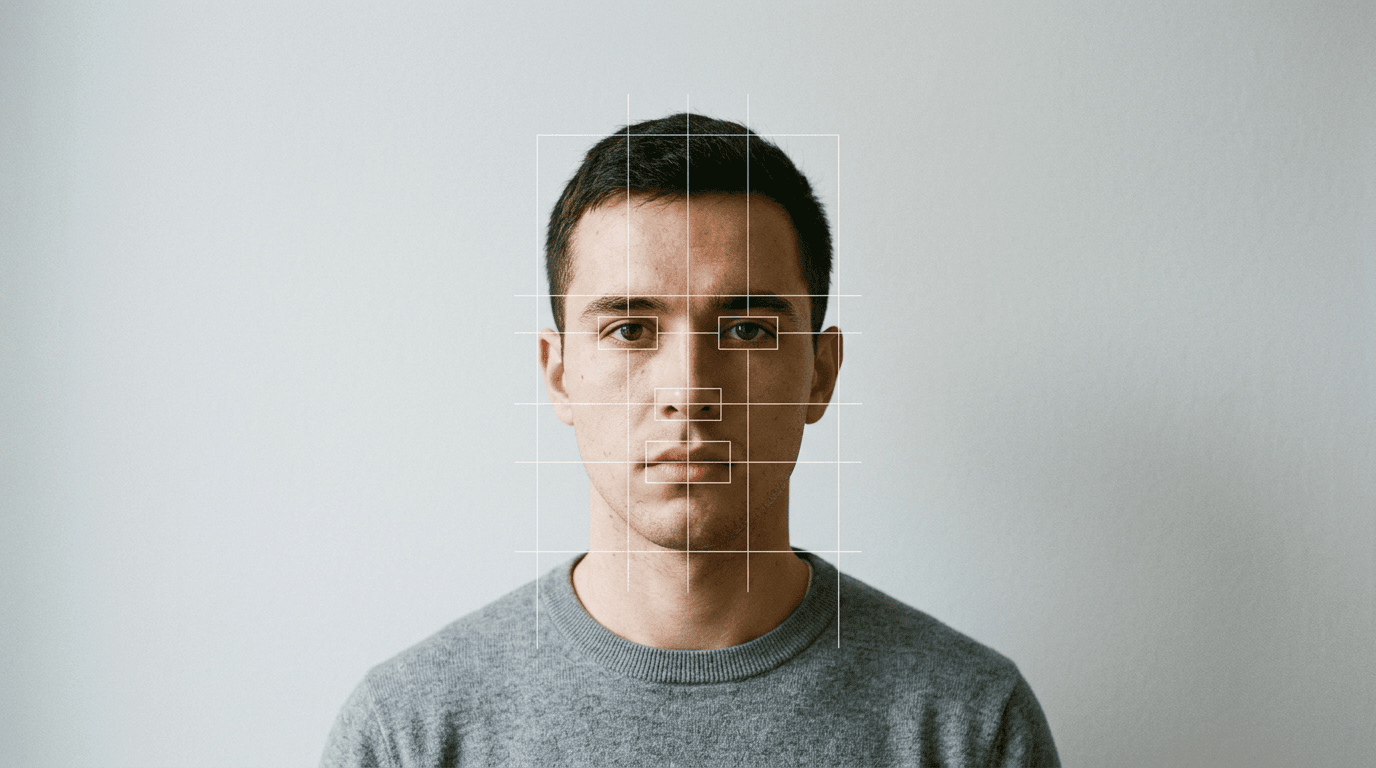
To understand why applications are rejected, one must understand how the reviewing software actually works. Modern border control relies on automated facial recognition systems that map the topography of a human face using a series of fixed nodal points. The software identifies the precise distance between the pupils, the width of the nose bridge, the depth of the eye sockets, and the contour of the jawline.

For this mapping to occur seamlessly, the face must be presented in a completely neutral state. A smile alters the shape of the cheeks, narrows the eyes, and distorts the distance between the mouth and the chin. When the biometric scanner attempts to measure a smiling face, the resulting mathematical model will not match the individual when they are standing with a neutral expression at a border control gate.
Similarly, the eyes must be fully open and clearly visible. Red-eye reduction flashes often cause the pupils to contract unnaturally or introduce artificial black pixels into the iris, which destroys the unique biometric signature of the eye. Glasses are strictly forbidden in both Australian and New Zealand passport photos because the frames obscure the orbital bones and the lenses frequently introduce reflective glare that blinds the scanning software to the pupil entirely.
Lighting Tolerances and Background Density
Lighting is the single most common failure point for home-captured passport images. Government algorithms require flat, even, multidirectional lighting that illuminates the face without creating directional shadows. When a single light source, such as a window or a household lamp, illuminates one side of the face, it casts a shadow across the bridge of the nose or under the chin.
To a biometric scanner, a dark shadow under the chin looks exactly like the edge of the jaw. If the shadow extends below the actual jawline, the software miscalculates the length of the face and rejects the image for failing the 32-36mm head-height requirement. The background must also be evenly lit. If the subject stands too close to the wall, their body will cast a shadow directly behind them. This destroys the necessary contrast between the edge of the subject's head and the background, causing the edge-detection algorithm to fail.
Both Australia and New Zealand mandate a plain, light-coloured background. Australia specifies a plain white or light grey background, while New Zealand requires a plain, light-coloured background that is not white, to ensure sufficient contrast with pale skin tones or white hair. Textures, patterns, wood grains, or brickwork are entirely unacceptable. Using a reliable UK Baby Passport Photo Maker platform that employs AI can often mitigate these background contrast issues by formatting the image precisely to the required colour values.
Managing Infant Compliance Without a Studio
Infants present the ultimate stress test for passport photography regulations. While adult applicants can follow instructions to stand still and close their mouths, babies lack the motor control to maintain a neutral expression or support their own heads. Both governments make slight allowances for infants under one year of age, but the core biometric demands remain entirely in force.
For an infant, the most critical rule is that no other person or object can be visible in the frame. If a parent's hand is visible supporting the baby's neck, the photo is void. If a pacifier is in the child's mouth, or a patterned bib is draped over their shoulders, the biometric software will fail to isolate the facial features. The standard approach for non-sitting infants is to lay them flat on a plain, smooth, light-coloured bedsheet and photograph them from directly above.
The camera must remain perfectly parallel to the infant's face. If the camera is tilted, the perspective distortion elongates the forehead or the chin, corrupting the facial mapping. While infants under one year are not strictly required to have their mouths completely closed, their eyes must be open, and they must be looking generally towards the lens. Overcoming these hurdles is precisely why many parents seek out a Help Center to understand exactly how to process images that fall into a grey area of compliance.
Digital Submission Specifications and Compression
When submitting an image through a government web portal, the file format and compression ratio carry as much weight as the visual content. Both Australia and New Zealand require JPEG (.jpg) files for digital submissions. However, the compression applied to these JPEGs must be minimal.
Whenever a JPEG is saved, the software discards visual data to reduce the file size. High compression ratios introduce artefacts - blocky, pixelated clusters that frequently manifest around high-contrast edges, such as the line between dark hair and a light background. If a biometric scanner detects heavy compression artefacts, it treats them as digital manipulation and rejects the file.
Users frequently make the mistake of sending a photo through a messaging app like WhatsApp or Facebook Messenger before uploading it to the government portal. These applications automatically strip metadata and aggressively compress the image to save bandwidth. By the time the file reaches the passport office, the resolution has been destroyed, and the required Exif data (which proves the image has not been structurally altered) is missing. Files must always be transferred via email as an attachment at original size or moved via a direct USB connection to preserve their structural integrity.
Diagnosing Common Rejection Triggers
When a passport application is paused due to a photograph error, the government agency rarely provides a detailed technical breakdown. They typically issue a generic automated response citing "poor quality" or "lighting issues". Practitioners recognise that these generic rejections usually stem from three distinct, easily misdiagnosed problems.
First, the "poor contrast" rejection rarely means the background is the wrong colour; it almost always means the subject's clothing blends into the background. A white shirt against a white wall prevents the algorithm from locating the shoulders, which it needs to establish the vertical centre of the image. The fix is simply changing into a dark, solid-coloured top.
Second, the "facial features obscured" rejection is frequently caused by hair resting across the eyebrows. The software needs to map the entire brow ridge. Even a thin fringe that dissects the eyebrow line will cause a failure.
Third, "unnatural skin tones" typically result from mixed lighting temperatures. If a subject is lit by the blue daylight from a window on one side and a warm yellow tungsten room light on the other, the camera's white balance cannot correct both simultaneously. The resulting image features a split colour cast that the biometric software interprets as an artificial filter. Securing compliance on the first try is vital, which is why services offering a 100% Refund Policy on rejected photos exist to absorb the financial risk of these strict algorithmic checks.
Comparison Table
| Specification | Australia | New Zealand |
|---|---|---|
| Physical Dimensions | 35-40mm wide x 45-50mm high | 35-40mm wide x 45-50mm high (if printed) |
| Digital Aspect Ratio | Specific cropping tool used online | Strict 3:4 ratio required |
| Head Size (Crown to Chin) | 32-36mm | 80% of image height |
| Background Colour | Plain white or light grey | Plain, light-coloured (not pure white) |
| Glasses Permitted | No, strictly prohibited | No, strictly prohibited |
| Infant Eye Rules | Must be open | Must be open (under 1 year leniency on mouth) |
FAQ
Can my baby wear a headband or dummy in their passport photo?
No. Any form of headwear, pacifier, or dummy obscures facial features and alters the biometric structure of the face. The face must be entirely clear of accessories, with the sole exception of religious head coverings worn daily, which still must not cast shadows on the face.
Why was my photo rejected for 'red eye' when I didn't use a flash?
Biometric software occasionally flags natural reflections in the pupil as a 'red eye' defect if the room's ambient light hits the cornea directly. Ensure the primary light source is slightly elevated rather than pointing straight into the subject's eyes to prevent these harsh point-reflections.
Can I just use my phone's portrait mode to blur a messy room?
No. Portrait mode uses artificial intelligence to digitally blur the background, which destroys the natural edge transitions of the hair and shoulders. The government software detects this digital masking instantly and will reject the image for algorithmic manipulation.
Do I need to print my digital photo on special paper?
If you are applying online via the digital upload portal, you do not need to print the photo at all. If you are submitting a paper application by post, the image must be printed on high-quality, glossy photographic paper at a minimum of 600 DPI using a dye-sublimation process.