Understanding Passport Photos Specifications to Avoid Biometric Rejection
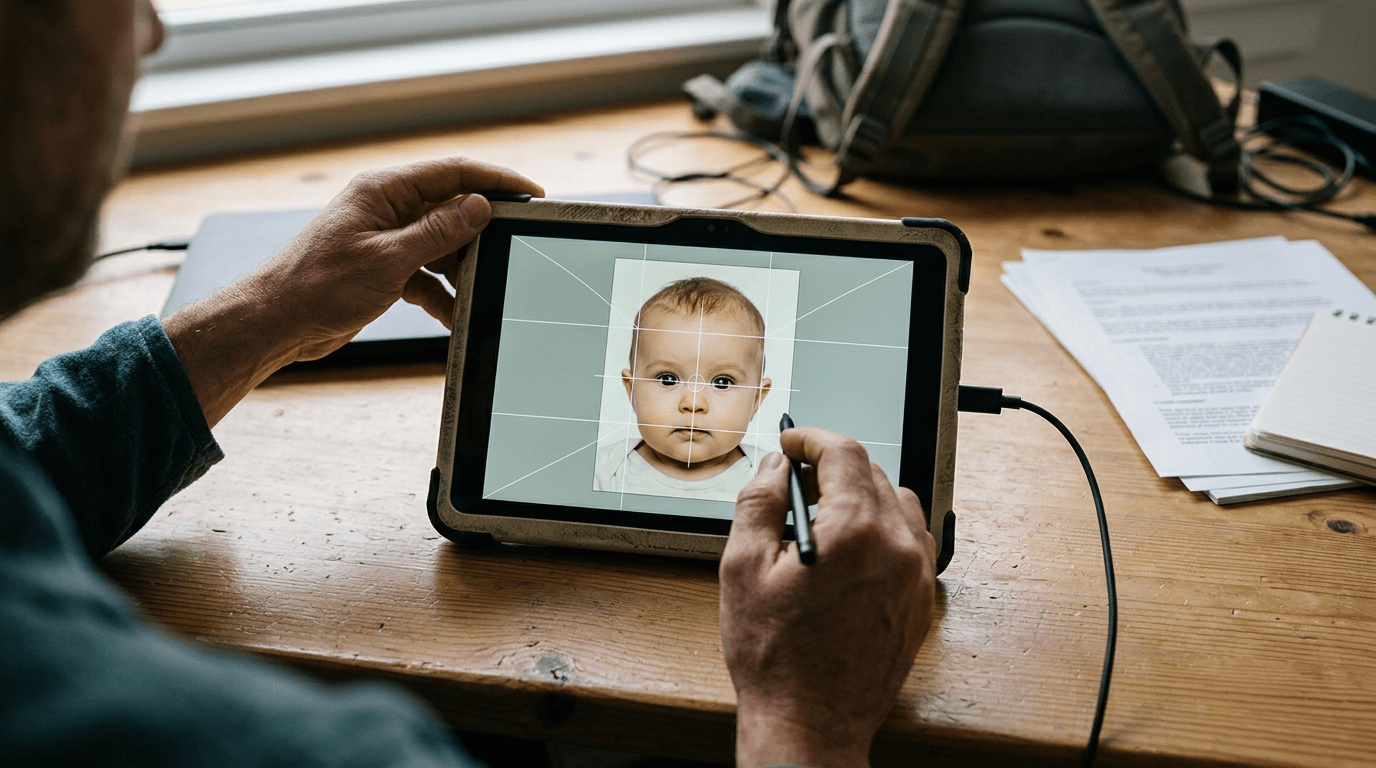
You wait three weeks for a travel document, only to receive a rejection letter stating that a faint shadow behind your infant's left ear violated strict biometric standards. Navigating passport photos specifications is rarely about taking a flattering picture; it is about satisfying automated scanning software that looks for distinct geometric patterns on a human face. When capturing images of newborns and toddlers, achieving these exact geometric alignments becomes exceptionally difficult. This article breaks down how government algorithms evaluate an image, why standard photo booths fail with infants, and what you must measure before submitting a passport photo application.
Quick Summary
A compliant passport photo is a highly regulated biometric data point designed for automated facial recognition systems, not a standard portrait. Meeting official specifications requires precise lighting, exact head positioning, and specific background characteristics that prove exceptionally challenging when photographing infants.
- Automated systems reject photos primarily for irregular shadows that obscure facial geometry.
- Infant applications face higher rejection rates due to inability to follow postural commands.
- Digital compliance checks look for over 20 specific biometric markers before human review.
- Printing digital templates at retail kiosks requires exact 4x6" scaling to maintain head proportions.
Table of Contents
- Why lighting triggers most automated failures
- How biometric software maps an infant's face
- Where manual background removal fails compliance
- Why scaling breaks during the printing phase
- How international borders demand different dimensions
- FAQ
- Recommended Reads
Why lighting triggers most automated failures
Automated passport systems do not see light and shadow as depth; they interpret them as physical features. A shadow cast by a parent's hand supporting a baby's head can be read by the software as a facial deformity or an obstruction, triggering an immediate rejection. The strict passport photos specs enforced by HM Passport Office and international equivalents demand flat, even illumination that reveals the exact distance between the pupils, the width of the nose, and the shape of the jawline without interference.

When photographing an infant at home, parents often place the child near a window. While natural light is preferable to harsh indoor bulbs, single-source window lighting creates a directional shadow on the opposite side of the face. If the contrast between the lit side and the shadowed side exceeds the algorithm's tolerance, the image fails. The requirement is absolute diffuse lighting.
Furthermore, the background must be illuminated separately from the subject to prevent cast shadows falling directly behind the head. This is why placing a baby on a white sheet often results in failure: the fabric wrinkles, creating micro-shadows, and the child's head casts a dark halo onto the material immediately beneath them.
Practical rule: To eliminate directional shadows when photographing an infant from above, place the child on a flat, light grey or cream blanket and position yourself so that you do not block the primary light source with your own body.
Over-exposure is equally problematic. Modern smartphone cameras automatically brighten faces, which can wash out the definition of a pale infant's nose or brow ridge. If the software cannot detect the boundary between the bridge of the nose and the cheek, it cannot calculate the required biometric ratios. For detailed visual examples of acceptable lighting contrast, consult the UK & International Baby Passport Photo Requirements & Guides.
How biometric software maps an infant's face
The core of any passport photo application is the biometric map. When a photo is uploaded, software immediately scans for the eyes. The distance between the pupils establishes the baseline measurement for the rest of the face. From there, the system measures the distance from the chin to the crown of the head, ensuring it falls within a strict percentage of the total image height (typically between 29mm and 34mm for a standard UK passport photo).
Infants complicate this mapping process because their facial proportions differ vastly from adults. A newborn has a proportionately larger forehead and a less defined jawline. Furthermore, keeping a baby's eyes open and mouth closed - a strict requirement for adult applications - is nearly impossible. Fortunately, many international governments, including the UK, offer slight leniency for infants under one year old regarding the closed-mouth rule. However, the eyes must be visible, meaning no dummy (pacifier), no toys, and no parent's hands can obscure any part of the facial geometry.
Head tilt is another critical failure point. The software requires the face to be perfectly square to the camera lens. A tilt of even a few degrees on the roll (tilting left to right), pitch (looking up or down), or yaw (turning side to side) distorts the pupil-to-jaw measurement. Because infants lack neck strength, capturing a perfectly level shot often requires multiple attempts and precise timing.
If the software detects an anomaly, it flags the image for manual review or outright rejects it. Understanding these specific triggers is why reviewing a comprehensive passport photo guide before starting the process saves weeks of delayed travel plans.
Where manual background removal fails compliance
To achieve the mandatory plain light grey or cream background without shadows, many applicants attempt to digitally alter the background using standard photo editing tools. This introduces a high risk of manual manipulation rejections. Government agencies explicitly forbid the digital alteration of facial features, and crude background removal often accidentally erases parts of the subject's hair, ears, or clothing.
When a standard background eraser tool encounters fine infant hair or a light-coloured babygrow that closely matches the background, it struggles to differentiate the edge. The resulting image often features jagged, unnatural borders around the head. Biometric scanners are programmed to detect these unnatural edge pixels, flagging the image as manipulated or forged.
Dedicated biometric photo software addresses this by using AI trained specifically on human heads rather than general objects, ensuring the extraction preserves the exact geometry of the ears and the natural softness of the hairline. If an image is flagged for improper manipulation, the application is delayed, and a new photo must be submitted. To understand how strict policies protect applicants from these technical failures, review the 100% Refund Policy which covers compliance rejections.
| Feature | Standard Photo Editor | Biometric AI Processor |
|---|---|---|
| Edge Detection | Based on high contrast | Trained on human facial anatomy |
| Shadow Handling | Leaves dark halos around head | Normalises background luminance |
| Proportion Scaling | Requires manual cropping | Auto-crops to government ratios |
| Compliance Check | None | Verifies 20+ biometric markers |
Why scaling breaks during the printing phase
Obtaining a compliant digital file is only half the process if you require physical prints. A common failure occurs when an applicant takes a perfectly proportioned digital passport photo and attempts to print it directly at a retail kiosk. Standard retail printers automatically scale images to fill the selected paper size, applying a "fit to page" or "borderless" crop.
This automatic scaling alters the physical dimensions of the printed face. If the kiosk enlarges the image by just 5%, the head size measured from chin to crown will exceed the 34mm maximum limit, resulting in a rejected physical application.
To circumvent kiosk manipulation, the digital file must be formatted onto a 4x6 inch (10x15 cm) print template before being sent to the printer. This template acts as a protective border, arranging multiple passport-sized photos on a standard photographic print size. When the kiosk prints the 4x6 inch file at its native resolution without scaling, the passport photos contained within it remain exactly 35mm wide by 45mm high.
Practical rule: Never select "borderless printing" or "fit to page" when printing passport photos at a retail kiosk; always print the 4x6 template exactly as provided to maintain the strict millimetre measurements of the face.
Understanding these printing mechanics allows parents to bypass high markup fees at professional studios while still guaranteeing the correct physical dimensions. For detailed instructions on managing digital files and printing templates correctly, the Help Center provides step-by-step technical guidance.
How international borders demand different dimensions
Assuming all passport photos are identical is a costly mistake for expatriate families or those applying for multiple visas. While the UK and Europe standardise on the 35x45mm format with a light grey or cream background, the United States demands a 2x2 inch (51x51mm) square image with a stark white background.
These dimensional shifts change how the biometric software evaluates the image. The US specification requires the head to measure between 1 inch and 1 3/8 inches (25mm to 35mm) from the bottom of the chin to the top of the hair. If you submit a UK-proportioned photo for a US visa, the head will appear too large in the frame, failing the biometric crop.
Other countries introduce further nuances. Canada requires passport photos to be 50x70mm, a significantly taller format that demands more upper body visibility than European standards. Furthermore, Canadian specifications for physical prints require the photographer's name, address, and the date the photo was taken to be stamped directly on the back of one of the photos - a requirement that complicates purely digital home solutions for physical Canadian applications.
Attempting to manually crop one source image into three different international formats using generic software usually results in breaking the required facial proportions for at least one of them. The legal obligations surrounding the use of automated formatting tools for international documents are outlined in the Terms & Conditions of any reputable biometric service.
FAQ
Can an infant have their eyes closed in a passport photo?
In the UK, infants under one year old are generally permitted to have their eyes closed, though it is strongly recommended to have them open if possible. For children over one year, eyes must be open and clearly visible without obstruction.
Why was my photo rejected for a 'busy background' when it was just a white sheet?
Automated systems flag shadows and creases in fabrics as background clutter. The background must appear as a solid, uniform colour without texture, wrinkles, or gradient lighting.
Does a baby need to look directly at the camera?
Yes. While slight leniency exists for newborns regarding facial expression, the child's face must be positioned square to the lens so both edges of the face are equally visible, ensuring accurate biometric mapping.
Can I hold my baby during the photograph?
Parents cannot be visible in the photograph. If supporting the baby's head with your hands, your hands and arms must be completely hidden behind the child and not cast any visible shadows onto the child's face or the background.