Understanding Passport Size Photo Dimensions and Essential Compliance Standards for 2026
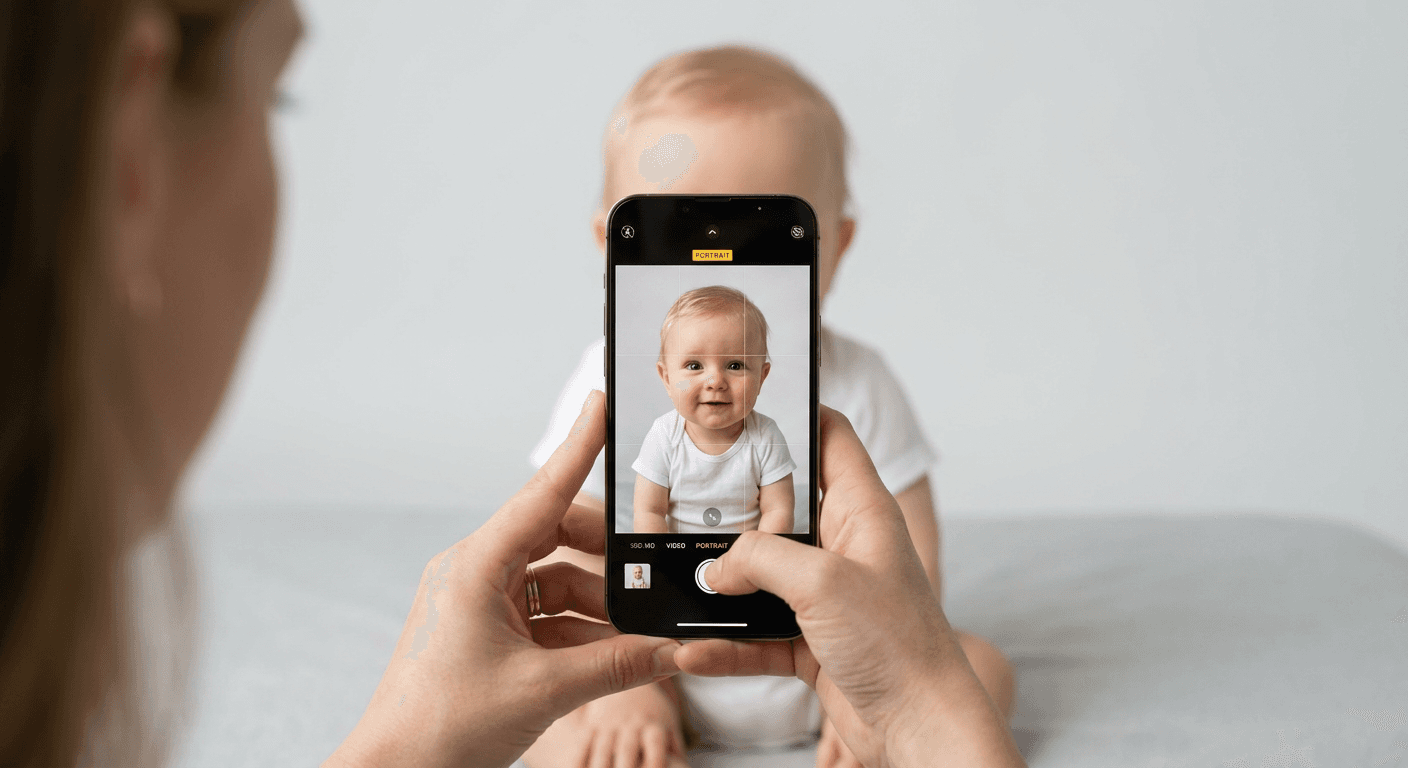
Capturing an accurate image for travel documentation can often be the most frustrating part of the application process, particularly for infants or young children. Understanding the specific passport size photo dimensions is essential, as even minor deviations from official guidelines can lead to immediate rejection by authorities, causing significant delays in your travel plans.

Quick Summary
Passport size photo dimensions are strictly regulated to ensure biometric consistency across international border control systems. Adhering to these standards requires precise alignment of head height, background neutrality, and image resolution.
- Standard prints typically require a 35mm by 45mm frame.
- Face-to-chin ratios must remain within defined percentage ranges.
- Backgrounds must be plain, light-coloured, and shadow-free.
- Digital files must meet specific pixel density and file size requirements.
Table of Contents
- Understanding Passport Size Photo Dimensions
- Critical Passport Photo Id Requirements
- Navigating Passport Photo Qualifications for Children
- The Mechanics of a Successful Passport Photo Check
- Common Pitfalls and How to Avoid Them
- FAQ
- Recommended Reads
Understanding Passport Size Photo Dimensions
The global standard for a standard passport photo is almost universally 35mm wide by 45mm high. While these measurements seem straightforward, the complexity lies in the internal composition of the frame. Authorities require the head to occupy a specific percentage of the total image height - typically between 70% and 80% - to ensure facial recognition algorithms can accurately map biometric markers.
Beyond the physical dimensions, the resolution of the image is a non-negotiable factor. For digital submissions, high-resolution files are necessary to prevent pixelation during the cropping and scaling process. If a digital file is upscaled improperly, it loses the sharpness required for government scanners to detect fine details like eye position and skin texture. Always verify the specific pixel requirements of the issuing authority before finalising your image, as different jurisdictions may have nuanced variations.
Critical Passport Photo Id Requirements
Compliance is rarely just about the size of the paper; it is about the quality of the capture. Lighting is arguably the most common cause of rejection. A professional-grade photo requires even, frontal lighting that eliminates harsh shadows on the face or behind the applicant. Shadows cast against the wall, or uneven lighting that obscures half the face, will fail automated validation checks immediately.
Pro Tip: When photographing infants or children, place them against a plain, light-coloured wall or a neutral-coloured sheet pulled tight to remove wrinkles. Avoid using patterned backgrounds or busy household settings, as the software needs high contrast to perform accurate background removal.
Furthermore, facial expression requirements are rigid. In almost all jurisdictions, a neutral expression with eyes clearly visible and mouth closed is mandatory. For infants, while authorities often allow a degree of leniency regarding the mouth being slightly open, eyes must be open and looking directly at the camera lens. Glasses should generally be removed to prevent glare from obscuring the eyes, which remains one of the primary reasons for application rejection.
Navigating Passport Photo Qualifications for Children
Capturing a compliant photo of a baby or toddler requires a different tactical approach. The primary challenge is ensuring the child remains steady and focused while adhering to the standard passport photo size standard. Since infants cannot hold themselves up, many parents opt for lying the child on a plain, light-coloured surface and taking the photo from directly above. This ensures the child’s head is level and the lighting remains consistent across the face.
It is vital to ensure that no hands or support objects are visible in the final crop. Even a parent's finger holding a child's shoulder can result in an automatic rejection, as the software interprets foreign objects as part of the portrait. Ensure that the child is centered within the frame, with the head positioned according to the required head-to-chin ratio guidelines set by the passport office.
The Mechanics of a Successful Passport Photo Check
A thorough passport photo check involves verifying the image against a checklist of biometric failure points. Modern validation software scans for head tilt, rotation, and distance between the eyes. Even a slight tilt of the head, which may look natural in a family photo, can cause a failure in a passport application. The eyes must be horizontally level, and the head must be centered within the vertical axis of the frame.
To ensure your image meets these standards, it is helpful to use tools designed for biometric compliance. These tools automatically calculate the correct crop and remove the background to meet the technical standards required by international border agencies. By automating these processes, you mitigate the risk of human error in manual measurements, ensuring the final image is perfectly scaled to the required dimensions.
Common Pitfalls and How to Avoid Them
One frequent mistake is the reliance on "selfie" mode cameras. Front-facing cameras on smartphones often have lower resolutions and different lens distortions than rear-facing cameras. Using the rear-facing camera is recommended for higher clarity. Additionally, many applicants fail to account for the specific background colour required; while many countries accept white or off-white, some jurisdictions may have specific requirements that differ, so consulting official guidance remains crucial.
Another pitfall is the attempt to manually edit photos using basic cropping tools. Manual editing often leads to incorrect aspect ratios or stretched images. The goal is to produce an image that is natural and undistorted. If you choose to print your images at home or via a retail kiosk, ensure the printer settings are configured for high-quality photo paper and the correct output size, as printing a 35x45mm image onto a larger standard sheet without proper padding can distort the dimensions if the printer scaling is set incorrectly.
FAQ
- Can I wear glasses in my passport photo? No, glasses generally cause glare that obscures the eyes. Most authorities explicitly require them to be removed to ensure clear, unobstructed eye visibility.
- How old can the passport photo be? Regulations usually require that the photo be taken within the last six months to ensure it is an accurate representation of the applicant's current appearance.
- Why was my baby's photo rejected? Rejections for infants are most commonly due to shadows, eyes being closed, or the parent's hands being visible in the frame. Using an automated tool can help ensure your composition meets the required criteria.
- What happens if my photo is rejected? If you receive an official notification of rejection, you must typically resubmit a new photo that adheres to the stated feedback. Using a service with a guarantee can help cover the costs if the initial attempt fails to pass inspection.