Understanding the 2026 Biometric Passport Photo Standards
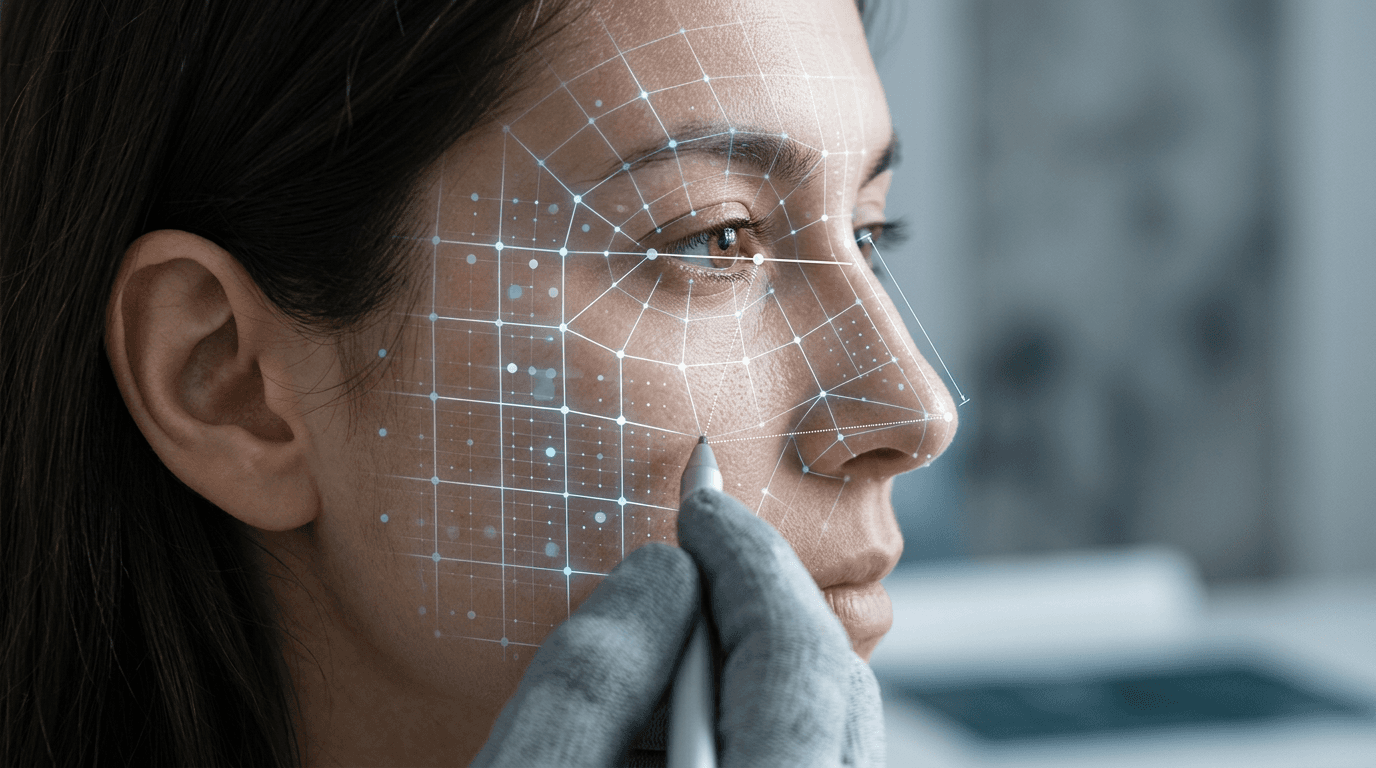
The HM Passport Office rejection email citing a "facial geometry mismatch" often arrives weeks after an applicant submits what appears to be a perfectly clear, well-lit portrait. The error occurs because a modern biometric passport photo is not evaluated as a photograph by the initial processing systems; it is ingested as a flat data map. When a camera lens sits too close to the subject, or a shadow falls heavily across one cheek, the automated system does not see a poorly framed picture. It calculates physical dimensions that do not match the applicant's previous records, halting the application instantly.
Quick Summary
A biometric passport image is a heavily standardised digital file designed to allow automated facial recognition systems to measure the precise distances between a subject's eyes, nose, and jawline. In 2026, minor deviations in digital formatting or physical proportions trigger automatic rejections before a human examiner ever sees the file.
- Standard portrait photography techniques actively conflict with biometric requirements.
- Camera distortion from distances under 1.5 metres alters measurable facial geometry.
- Background extraction software often introduces edge artifacts that automated systems flag as image tampering.
- Printing digital templates at local kiosks requires strict 100% scaling to maintain physical compliance.
Table of Contents
- Why visual clarity alone fails the biometric scan
- What the 2026 digital passport photo requirements demand
- How infant specifications bend the standard rules
- Where shadows and contrast corrupt facial mapping
- Why getting the passport photo size standard right dictates approval
- When an electronic passport photo triggers a manual review
- FAQ
- Recommended Reads
Why visual clarity alone fails the biometric scan
Facial recognition software operates strictly on the International Civil Aviation Organisation (ICAO) Document 9303 standards. These guidelines dictate how a 2D image is converted into a mathematical model. The software plots over 80 distinct nodal points across the applicant's face. The core measurements include the distance between the pupils, the width of the nose, the depth of the eye sockets, and the contour of the jawline.
When a standard smartphone camera captures an image from a distance of 40 centimetres - a typical arm's length for a selfie - the wide-angle lens barrel distorts the subject's features. This optical phenomenon, known as perspective distortion, magnifies objects closest to the lens while pushing peripheral objects backward. The resulting image shows a significantly larger nose and a narrower distance between the ears than the subject actually possesses.
To a human examiner, the image is a clear likeness. To the biometric system, the mathematical distance between the tip of the nose and the earlobe has changed by several millimetres since the applicant's last passport renewal. The algorithm registers this variance not as a photographic error, but as an indication that the face in the image does not belong to the passport holder.
Practical rule: Always position the camera at least 1.5 metres away from the subject, using an optical zoom (typically a 2x or 3x lens on a modern smartphone) to frame the head and shoulders, thereby eliminating perspective distortion.
Furthermore, automated systems evaluate the inter-pupillary distance against the overall image width. If the subject's head is tilted even a few degrees horizontally or vertically, the eyes no longer sit on a perfectly level plane. The software treats a tilted head as an entirely different facial structure, which is why the "straight-on" requirement is enforced with zero tolerance.
What the 2026 digital passport photo requirements demand
The shift toward entirely digital application routes has introduced technical hurdles that extend beyond lighting and framing. The current digital passport photo requirements dictate specific parameters for file size, pixel dimensions, and image compression that standard camera apps routinely violate without the user's knowledge.
A compliant digital file for UK applications must be at least 600 pixels wide and 750 pixels tall, maintaining a file size between 50KB and 10MB. While most modern devices exceed these resolutions effortlessly, the problem lies in the automated image processing built into modern smartphones. High Dynamic Range (HDR) modes, portrait blurring, and automated skin smoothing are applied by default on contemporary operating systems.
When skin-smoothing algorithms artificially average out the pixel data across an applicant's face, they erase micro-textures and subtle anatomical markers that biometric scanners rely upon for secondary verification. If the system detects that pixel data has been mathematically altered - which it identifies by examining the uniformity of digital noise across the file - it flags the image as manipulated and rejects the application.
Background extraction poses another severe technical risk. Many users attempt to photograph themselves against a cluttered wall and use basic software to replace the background with a flat grey or white layer. If the software's edge-detection algorithm is imprecise, it will leave a microscopic halo of the original background around the subject's hair, or worse, clip the actual edges of the ears or jawline. Biometric scanners immediately detect these jagged pixel artifacts. Reviewing comprehensive UK & International Baby Passport Photo Requirements & Guides can help clarify which software interventions are strictly prohibited by various international passport authorities.
How infant specifications bend the standard rules
The strict biometric mandates designed for adults become physically impossible to execute when applied to newborns and young infants. HM Passport Office and international equivalents recognise that infants lack the motor control necessary to maintain a rigid, unsupported posture or a perfectly neutral expression. Consequently, the biometric rules are technically modified, though they remain heavily structured.
For children under the age of one year, the requirement for the eyes to be open is waived. This accommodates the reality that newborns spend most of their time asleep and often react unpredictably to the bright lighting required for standard compliance. Furthermore, the mandate for a completely neutral expression is relaxed for children under six, allowing for slight smiles or minor deviations in mouth posture.
However, the absolute prohibitions remain. The most frequent failure mode in infant photography involves external support. If a parent's hand, arm, or clothing is visible anywhere in the frame while holding the child, the image fails immediately. The standard workaround is placing the infant flat on their back on a plain, light-coloured sheet.
This introduces a new technical failure point: texture. If the sheet is heavily wrinkled, the shadows cast by the folds create contrast variations in the background. The digital scanner reads these high-contrast shadows as foreground objects encroaching on the subject's head space. The background must not only be plain in colour but uniformly illuminated. If you are struggling with these environmental variables, an established Help Center detailing infant-specific setup techniques can prevent repetitive application cycles.
Where shadows and contrast corrupt facial mapping
Lighting a passport image is fundamentally different from traditional portraiture. Professional studio lighting uses shadows to define form, create mood, and slim the jawline. In biometric imaging, a shadow is interpreted as a physical obstruction or a different facial contour.

The human brain easily understands that a shadow cast across the right side of a nose is merely a lack of light. An algorithm, measuring pixel luminosity, interprets that sudden shift from bright to dark as a physical edge. If directional light hits the applicant from one side, the shadowed side of the face reads as narrower than the illuminated side, failing the symmetry check instantly.
Comparison Table: Environmental Disruptions
| Biometric Mapping Point | Common Environmental Disruption | Consequence in Automated System |
|---|---|---|
| Jawline Contour | Shadows cast downwards by overhead room lighting. | System calculates an artificially elongated chin or reads the shadow as a beard. |
| Inter-pupillary Distance | Red-eye reduction software altering pupil colour/shape. | Pixels flagged as manipulated; eye tracking fails to lock onto pupil centres. |
| Eye Socket Depth | Reflections or glare on spectacle lenses. | Glare creates a white pixel cluster, obscuring the precise location of the iris. |
| Facial Symmetry | Standing next to a window (directional lighting). | One side of the face registers as physically smaller due to threshold clipping. |
| Crown Measurement | Hair blending into a dark or heavily textured background. | Software cannot separate subject from background; overall head height calculation fails. |
Achieving the necessary flat lighting requires ambient, diffuse illumination from directly in front of the subject. A bright overcast day facing a window provides the most reliable natural solution, provided there is no direct sunlight casting hard lines across the face.
Why getting the passport photo size standard right dictates approval
For applicants submitting physical photographs - whether for specific visa categories, renewals requiring countersignatures, or foreign embassies - the translation from a digital file to a printed document is a common failure point. The physical passport photo size standard is exactingly precise, and consumer printing hardware often subverts it by default.
The standard UK physical requirement is an image measuring exactly 35 millimetres wide by 45 millimetres tall. Within that rigid rectangle, the subject's head - measured from the very crown of the head to the tip of the chin - must occupy between 29 and 34 millimetres. This leaves a margin of error of just 5 millimetres.
When an applicant attempts to print a digital file at home or at a retail photo kiosk (such as those found in Boots or Tesco) using a standard 4x6 inch photographic paper template, the printer's software usually applies a "fit to page" or "borderless printing" command. This setting imperceptibly stretches or shrinks the image by 3 to 5 percent to ensure the ink bleeds off the edges of the paper.
While a 5 percent enlargement is unnoticeable to the naked eye, it stretches a compliant 33-millimetre head size to nearly 35 millimetres. The moment the physical image is scanned by the passport office, the head-to-image ratio exceeds the maximum allowable threshold, and the photo is rejected for being "too close to the camera."
Practical rule: When printing an application image onto a 4x6 inch template, explicitly disable all "scale to fit" or "borderless" settings on the kiosk or printer software, ensuring the output is generated at exactly 100% scale.
When an electronic passport photo triggers a manual review
Not every biometric failure results in an immediate rejection. When an electronic passport photo falls into a technical grey area, the automated system routes the application into a manual review queue. This triage process removes the speed advantage of the digital application system, potentially adding weeks to the processing timeline.
Manual review is most frequently triggered by edge cases involving spectacles, hair, and background interference. While the current guidance strongly advises removing all glasses for the photograph, some applicants must retain them for medical reasons. If the frames obscure any part of the eye, or if a minor reflection bounces off the lens, the algorithm cannot confidently map the eye socket and defers the decision to a human examiner.
Similarly, fringe hairstyles that drop below the eyebrow line disrupt the software's ability to measure the brow ridge. A human examiner can easily determine if the eye itself is visible, but the algorithm will flag the obscured brow as incomplete data.
Applicants should understand that the automated system is deliberately calibrated to be hypersensitive. A false negative (rejecting a valid photo) costs the agency nothing but the applicant's time, whereas a false positive (accepting a non-compliant photo) compromises border security. Because of this structural bias toward rejection, services operating under a strict 100% Refund Policy provide necessary financial cover, ensuring that if an image does trigger a final rejection after manual review, the applicant is not left paying twice for formatting failures.
FAQ
Can I wear makeup in a biometric passport photo?
Yes, but it must not significantly alter your facial geometry. Heavy contouring designed to change the apparent shape of your nose or jawline can cause the automated system to register a mismatch against your previous passport data.
Why do I look so pale in compliant application photos?
Biometric standards require flat, even lighting without shadows to map the face accurately. This shadowless illumination removes the contrast that typically gives a face depth and warmth in standard photography, resulting in a clinically flat appearance.
Do infant passport photos need to meet the exact same proportions?
The overall physical dimensions (e.g., 35x45mm) remain identical, but the internal proportions (chin to crown distance) are sometimes granted minor leniency by examiners depending on the jurisdiction, as mapping a newborn's exact head size against a flat background is technically difficult.
Will the system detect if I use portrait mode on my phone?
Yes. Portrait mode utilises software to artificially blur the background (simulating shallow depth of field). This processing often blurs the very edges of the hair or ears, which the biometric scanner identifies as digital tampering, resulting in an immediate rejection.